

BOBA DIY: Tasty Tea Simulator
- Reviews
- 4.6
- Version
- 0.22
- Installs
- 50,000,000+

Screenshots
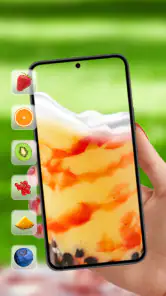


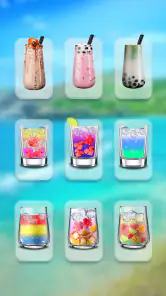

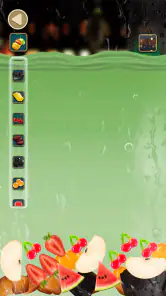
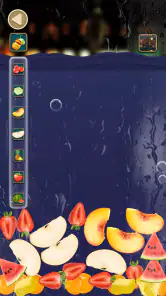
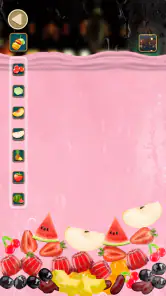
 Analysis by Frivlyz
When I want a small, hands-on game rather than a long session with rules to learn, I’m drawn to the simple appeal of building a drink one choice at a time. BOBA DIY: Tasty Tea Simulator is a casual game from HIGAME GLOBAL, built around choosing tea and toppings and enjoying the finished creation. It’s free, rated for Everyone, and has attracted over 50 million installs, so it’s clearly found an audience among people looking for an easygoing way to play with boba ideas.
What a quick session feels like
The basic appeal is immediate: the subject is familiar, the choices are visual, and the activity is easy to understand without a lengthy tutorial. I can see this working well in the few minutes between errands, during a quiet break, or when a child wants something more interactive than simply watching a video. The focus is on the pleasure of assembling a drink, not on mastering a complicated system.
That simplicity shapes expectations for speed. A game centered on choosing ingredients should feel approachable, but I wouldn’t treat it as a demanding skill challenge or expect every session to unfold at a brisk, competitive pace. It suits short bursts of attention better than a planned evening of deep progression. If I have only a moment to spare, the low-commitment premise is a plus; if I’m looking for a game that keeps adding layers over a long session, I’d choose something more involved.
When choices become the main event
The fun is in comparing combinations rather than finding one universally correct recipe. I’d approach each drink as a little experiment: make a familiar-looking cup first, then change one topping or flavor choice on the next attempt. That makes it easier to notice which visual combinations appeal to me and keeps the activity from feeling like random tapping.
This also makes the game an easy shared activity. A parent and child can take turns deciding what goes into a cup, or friends can each suggest one ingredient and see how the final drink looks. Those informal turns give the customization a purpose without requiring anyone to compete. For a realistic everyday use, it could fill a short wait at home or offer a playful distraction while deciding what kind of bubble tea to order in real life.
There is a useful trade-off here: a virtual drink invites experimentation without the cost, preparation, or cleanup of making one in a kitchen, but it can’t replace actually tasting the result. I’d use it for visual inspiration and light entertainment, not as a dependable recipe guide or a substitute for learning how to brew tea and prepare toppings.
Reliability and what to expect from the game
Its straightforward premise should be the main reason to try it, rather than assumptions about elaborate systems or a demanding campaign. I’d go in expecting a casual, self-contained activity and judge it by whether the drink-making interaction stays enjoyable. The game has a 4.6 average from around 243,000 ratings, which suggests broad appeal, though any player’s experience will still depend on whether this particular style of playful customization suits them.
Gaming Stories You May Enjoy

Dancing Road Turns Short Breaks Into a Test of Rhythm and Timing

Super Stylist Makes Every Outfit a Test of Taste and Patience

Dominoes on Your Terms: Who Should Play and Who Should Pass

Pokémon GO Makes the Familiar World Feel New

Chess.com Turns Rematches Into Rivalries, but Community Has Its Costs

Archery Battle 3D Review: Sharp Aiming, Unclear Feedback
For a smoother session, I’d keep the goal modest: choose a drink idea before starting, make a few deliberate selections, and stop when the activity has run its course. That small approach is more satisfying than expecting a quick simulator to provide endless novelty. If a session feels repetitive, switching to a different combination is a better test of its appeal than tapping through the same choices without a plan.
Who will enjoy it, and who may want something else
I’d recommend it most readily to boba fans, younger players, and anyone who likes gentle games with a food-and-drink theme. It can also work for someone who wants to pass a short break without learning controls or managing a complex objective. The age rating is Everyone, making the theme broadly accessible, though adults who prefer strategy, story, or substantial long-term goals may find the activity too light.
Compared with the usual alternatives in casual games, this is more focused than a broad cooking game: the appeal is specifically the look and mix of bubble tea, not running a restaurant or juggling a kitchen full of orders. That narrower focus is a strength when I want a boba-themed distraction, but a weakness if I want a wider variety of dishes, tougher time management, or a more meaningful sense of progression. For those needs, a fuller cooking or management game would be a better fit.
The Joy of Customization
One of the standout features of BOBA DIY: Tasty Tea Simulator is its extensive customization options. From the type of tea base to the variety of toppings, the app lets you experiment with endless combinations. Want a classic milk tea with tapioca pearls or maybe a fruity green tea with popping boba? You've got it! The intuitive interface makes it easy to mix and match flavors to your heart's content. Customizing your drink has never been this much fun!
Realistic Graphics and Sounds
Immerse yourself in the world of boba with the app's realistic graphics and sounds. The visual effects are spot-on, capturing the delightful details of making a real-life boba drink. The sound of tea being poured or boba pearls dropping into the cup adds a touch of authenticity, making the experience truly engaging. It's almost like you can taste the drink through your screen!
Interactive and Educational
Not only is this app fun, but it's also educational. It provides tidbits of information about different types of tea and toppings, giving you a little lesson in boba culture. The interactive elements make it a perfect way for both kids and adults to learn about the history and art of boba-making. Plus, the app occasionally throws in fun facts and trivia to keep you entertained while you play.
Another cool feature is the challenges. You can test your skills by taking on various tasks, like creating a specific drink under time constraints or replicating a classic recipe. These challenges add an element of excitement and keep you coming back for more.
Share Your Creations
Once you've crafted your perfect boba drink, why not share it with the world? The app allows you to share your creations on social media, letting friends and family see your masterpieces. It's a great way to connect with fellow boba enthusiasts and exchange ideas for new recipes. Who knows, you might even inspire someone to try their hand at making real boba tea!
Device fit and practical limits
The game is listed for a minimum OS of 7.1, and version 0.22 is the current release. Those details help establish a basic compatibility check, but they don’t tell me how smoothly it will run on every individual device. In practice, I’d make sure the operating system meets that minimum and leave enough room for the game to install and run comfortably. A device that handles other casual games well is a more sensible starting point than assuming every phone will behave identically.
For a quick, visual game, I’d also think about where I plan to play. A quiet moment at home makes it easier to enjoy the drink-making presentation; in a noisy place, the sound details may matter less, while the visual choices remain the main attraction. If a session is interrupted, I’d simply return when convenient rather than build plans around a long run. That’s a practical fit for casual play, though anyone who needs reliable, uninterrupted progress through a substantial task should choose a game designed around longer sessions.
How to get more from each drink
A small habit can make this kind of simulator feel more engaging: decide on a theme before choosing ingredients. I might aim for a bright, fruity-looking cup one time and a familiar milk-tea style another, then compare the finished appearances. Changing one choice at a time helps me see what that ingredient contributes, while changing everything at once is more playful but makes it harder to repeat a favorite look.
When sharing a creation, I’d treat the finished image as the point of the interaction rather than expecting a social community to grow around it. The sharing option is useful if I want to show a friend a funny or appealing combination, but the core experience still works as a solo pastime. If I’d rather keep my play private, I can simply enjoy making drinks without turning every result into a post.
Where the appeal may wear thin
Customization can be enjoyable and still have limits. Once I’ve tried the combinations that interest me, the central activity may begin to feel familiar, especially if I usually want new objectives or a changing challenge. The game’s light approach is part of its accessibility, but it also means it’s not the best choice for someone who expects a deep restaurant simulation, precise real-world drink instructions, or a long-term competitive goal.
I’d also separate the playful presentation from practical claims. A simulator can make ingredients look tempting and encourage curiosity, but it doesn’t teach the full process of preparing tea or handling real toppings just by showing a virtual cup. If I want to make boba at home, I’d look for cooking instructions that explain quantities and preparation; if I want a low-pressure way to imagine combinations, this game is the more fitting option.
A sensible performance verdict
For me, the strongest reason to try it is the combination of a familiar boba theme and a simple creative loop. It is free to play, and its large audience—more than 1,200 reviews alongside its ratings—shows that many people have at least taken an interest in the experience. I’d still decide based on my own taste: the game is more likely to click if choosing and styling drinks sounds enjoyable than if I’m hoping for action, demanding puzzles, or a detailed simulation.
On speed and reliability, I’d keep expectations grounded. The premise points toward an easygoing casual experience, but no single description can promise identical loading or smoothness on every device. If the game feels comfortable on your phone, short sessions and deliberate ingredient choices are likely the best way to enjoy it; if it doesn’t suit your device or the activity feels repetitive, a broader cooking game is an easy alternative. I wouldn’t choose it for heavy, extended play, but as a light boba-themed diversion it has a clear and appealing niche.
To wrap it up, BOBA DIY: Tasty Tea Simulator is a fantastic app for anyone who loves boba tea or simply enjoys creative simulation games. With its user-friendly design, educational content, and interactive challenges, it offers something for everyone. So, the next time you crave a boba fix, reach for your phone and dive into this tasty tea world. It'll quench your thirst for fun and flavor without the calories!
BOBA DIY: Tasty Tea Simulator Pros and Cons
Pros
- Engaging and interactive gameplay.
- Realistic tea crafting experience.
- Wide variety of ingredients.
- Customizable drink options.
- User-friendly interface.
Cons
- Contains ads between levels.
- Limited free ingredients.
- Occasional app crashes.
- In-app purchases can be costly.
- Requires internet connection.
Frequently Asked Questions
What is BOBA DIY: Tasty Tea Simulator?
BOBA DIY: Tasty Tea Simulator is an interactive mobile game that allows users to create their own virtual bubble tea drinks. Players can mix different ingredients, choose toppings, and explore various recipes to craft the perfect boba tea. It's a fun and engaging way to experience the art of boba-making without ever leaving your home.
Is BOBA DIY: Tasty Tea Simulator free to play?
Yes, BOBA DIY: Tasty Tea Simulator is free to download and play. However, it may offer in-app purchases for additional content or features. These purchases are optional and designed to enhance the gaming experience, such as unlocking exclusive ingredients or decorations for your tea creations.
What platforms is BOBA DIY: Tasty Tea Simulator available on?
BOBA DIY: Tasty Tea Simulator is available on both Android and iOS platforms. Users can download the app from the Google Play Store for Android devices or the Apple App Store for iOS devices, ensuring compatibility across a wide range of smartphones and tablets.
Does BOBA DIY: Tasty Tea Simulator require an internet connection?
BOBA DIY: Tasty Tea Simulator can be played offline, allowing users to enjoy the game without an internet connection. However, some features, such as accessing updated content or participating in online events, may require an internet connection to function properly.
Can children play BOBA DIY: Tasty Tea Simulator?
BOBA DIY: Tasty Tea Simulator is suitable for players of all ages, including children. The game provides a safe and educational environment where kids can learn about different ingredients and recipes while having fun. Parental guidance is recommended for in-app purchases to ensure a controlled spending environment.


