

BlockStarPlanet
- Reviews
- 3.2
- Version
- 7.10.12
- Installs
- 10,000,000+

Screenshots
 Analysis by Frivlyz
I enjoy games that give me a reason to return beyond finishing a level, and BlockStarPlanet’s mix of building, exploration, and sharing has that appeal. It is an adventure game from MovieStarPlanet ApS, but its block-based creations are the main draw for me: I can spend a short break making something small, or take longer to shape a more ambitious design. The experience is aimed at creative players who also like seeing what other people make.
What to expect from the pace
I would approach BlockStarPlanet as a game to dip into rather than one that depends on constant, fast action. Building invites a slower rhythm: I can decide what to make, work through it at my own pace, and then explore other creations. That makes it a natural fit for an after-school break or a quiet stretch of downtime, especially for someone who enjoys tinkering more than chasing a high score.
The game is free to download, with in-app purchases ranging from $1.49 to $86.99 per item. I’d keep that in mind if a younger player will use it: agree on purchase expectations before handing over a device, and treat optional spending as separate from the basic decision to try the game. Its Everyone 10+ content rating also makes it sensible for families to check whether its social side suits the child who will be playing.
Where a session can get busy
The busier moments are likely to be the ones that combine creating, exploring, and interacting with other players. I find the social angle appealing, but it changes the feel from a private building toy into a shared space. If I wanted to focus, I’d settle on one small building goal before exploring, rather than bouncing between other people’s worlds and my own unfinished ideas. That simple approach makes a short session feel more satisfying.
For a casual creative game, the comparison with Minecraft is understandable, but the two should not be treated as interchangeable. This game puts visible emphasis on shared creations and social play, while someone looking for a more solitary, open-ended building experience may prefer a different option. I’d choose it for the sense of seeing and exchanging ideas; I’d look elsewhere if playing alone and building without a social layer were the priorities.
Reliability and device fit
I wouldn’t promise identical smoothness on every phone or tablet. The game’s colorful blocky look is easy to read, but exploration and social activity can make a session feel busier than simply placing blocks. If performance feels uneven, closing other active apps and trying a quieter building session is a practical first check; it also helps distinguish a momentary slowdown from a problem that persists across ordinary play. I’d avoid judging the whole game from one crowded session.
It requires Android 5.1 or later, so it is not limited to the newest Android devices, though that alone cannot guarantee how well it will run on a particular model. The current version is 7.10.12. If I were setting it up on a device used by a child, I’d also take time to review the social experience together and establish sensible boundaries before play becomes a routine.
Gaming Stories You May Enjoy

Dancing Road Turns Short Breaks Into a Test of Rhythm and Timing

Super Stylist Makes Every Outfit a Test of Taste and Patience

Dominoes on Your Terms: Who Should Play and Who Should Pass

Pokémon GO Makes the Familiar World Feel New

Chess.com Turns Rematches Into Rivalries, but Community Has Its Costs

Archery Battle 3D Review: Sharp Aiming, Unclear Feedback
Jump into the Blocky Universe
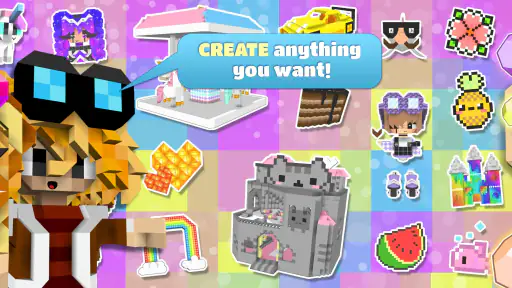
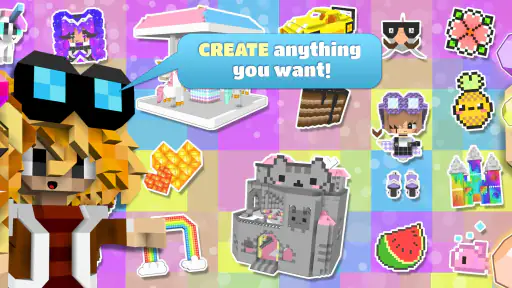
First off, let’s talk about the gameplay. When you first dive into BlockStarPlanet, you’re greeted with a world teeming with possibilities. The game encourages you to unleash your creativity by building and designing your own blocky creations. Whether you’re crafting a simple house or an elaborate castle, the tools are intuitive and pretty fun to use. It’s like having a digital Lego set but with an infinite supply of bricks!
Design, Create, and Share
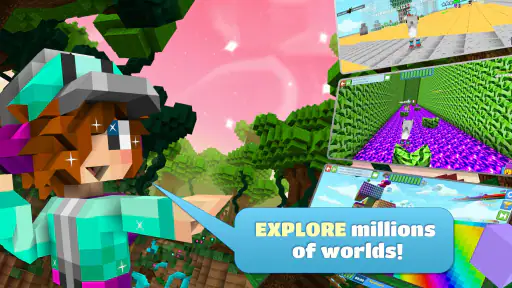
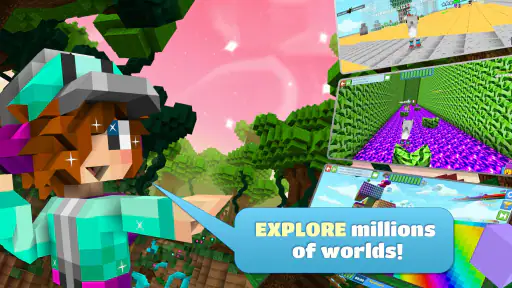
One of the coolest features of the game is the ability to share your creations with a community of like-minded creators. You can showcase your designs and even explore what other players have built. It’s this sense of community and sharing that really sets it apart. Plus, if you’re someone who loves a bit of competition, there are various challenges that let you test your building skills against others.
A useful way to get more from that creative loop is to build with sharing in mind from the start. I’d give each project one clear focal point—a distinctive entrance, a central room, or a shape that reads well from a distance—rather than scattering details everywhere. Then I’d visit other players’ work with a specific question in mind, such as how they make a space feel welcoming. That turns browsing into inspiration rather than a time sink, and gives a new builder a manageable next step.
A Social Adventure
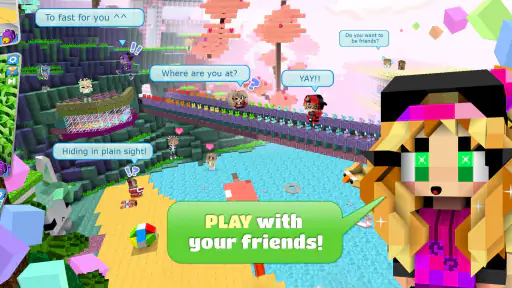
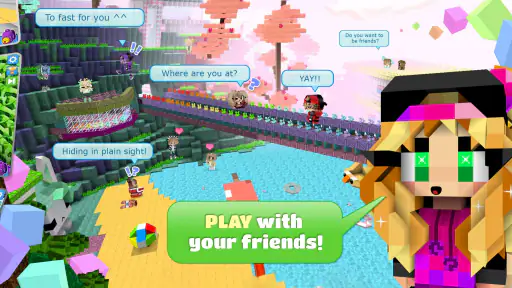
Beyond building, BlockStarPlanet is also a social platform. You can chat with friends or make new ones as you explore different worlds together. The game is designed to be a safe environment for players of all ages, with filters and moderation to ensure that everyone has a positive experience. It’s not just about playing solo; it’s about connecting with others and embarking on adventures together.
Even with safeguards, I’d treat any game with chat as a place where family expectations matter. For a younger player, playing alongside a trusted friend or checking in about interactions can make the social element easier to navigate. For a player who would rather not talk to strangers, the building and exploring still offer reasons to play, but someone seeking a strictly offline, private activity may be more comfortable with a standalone creative game.
Graphics and Gameplay
Now, let’s chat about the graphics. The blocky, pixelated style is charming and fits perfectly with the game’s overall theme. It’s colorful, engaging, and definitely eye-catching. The gameplay is smooth, with controls that are easy to grasp whether you’re a seasoned gamer or a newbie. The developers have done a stellar job at making sure everything runs seamlessly, which is always a huge plus in my book.
In practice, I’d separate the visual simplicity from the demands of a longer session: a clean block style does not by itself tell me how well a device handles extended play or busy shared areas. If the game stutters, I’d first try a fresh launch and a simpler activity, then see whether the issue recurs. I’d also keep the device charged for longer creative sessions rather than assuming a lightweight-looking game will be effortless on every older phone.
The game has an average rating of 3.2 from around 243,000 ratings, alongside roughly 12,000 written reviews, and has passed 10 million installs. Those figures suggest a substantial audience but also a mixed reception, so I’d treat it as a game worth trying rather than a guaranteed fit. Its free entry makes that experiment easy, while patience with social play, purchases, and device variation will shape whether it becomes a keeper.
In conclusion, if you’re on the hunt for a game that combines creativity, social interaction, and adventure, BlockStarPlanet is definitely worth checking out. It’s a game that not only entertains but also sparks your imagination. So, why not give it a try and see what amazing worlds you can create?
BlockStarPlanet Pros and Cons
Pros
- Engaging creative gameplay.
- Strong community interaction.
- Frequent updates and events.
- Customizable characters.
- Educational building mechanics.
Cons
- In-app purchases can be pricey.
- Occasional connectivity issues.
- Complex interface for newbies.
- Limited parental controls.
- Ads can be disruptive.
Frequently Asked Questions
What is BlockStarPlanet?
BlockStarPlanet is a creative online game that allows users to create and explore a virtual world built from blocks. It combines elements of social networking and gaming, providing a platform where players can build their own worlds, interact with others, and participate in various challenges. The game is popular for its creativity and community engagement, making it appealing to a wide audience.
Is BlockStarPlanet safe for children?
BlockStarPlanet is designed to be a family-friendly game, with safety features in place to protect younger players. The game includes chat filters and moderation to ensure a safe environment. However, it's always recommended for parents to supervise their children's online activity and utilize any parental controls available to further ensure a secure gaming experience.
Can I play BlockStarPlanet for free?
Yes, BlockStarPlanet is free to download and play. However, like many free-to-play games, it offers optional in-game purchases that can enhance the gameplay experience. These purchases may include customizations, special abilities, or other items. Players can enjoy the game without spending money, but buying extras can provide additional fun and convenience.
What platforms is BlockStarPlanet available on?
BlockStarPlanet is available on a variety of platforms, including Android, iOS, and web browsers. This cross-platform availability allows players to enjoy the game on their smartphones, tablets, or computers. The game is accessible through the respective app stores for mobile devices or directly through a web browser on a PC or laptop.
How can I customize my experience in BlockStarPlanet?
Customization is a key feature of BlockStarPlanet, allowing players to personalize their avatars, worlds, and creations. Players can use different blocks, colors, and designs to build unique environments. Additionally, the game offers a variety of clothing and accessories to dress up avatars, making the customization possibilities almost endless. This feature enhances the creative aspect of the game, catering to players who enjoy expressing their individuality.


