

Block Crush: Block Puzzle Game
- Reviews
- 4.9
- Version
- 1.2.5
- Installs
- 1,000,000+

Screenshots
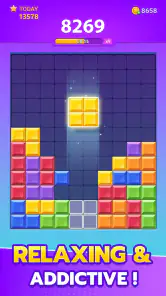
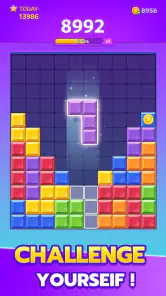
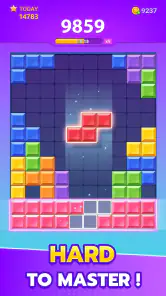
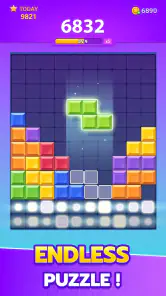
 Analysis by Frivlyz
On a commute, during a quiet break, or while waiting for someone who is running late, I often want a game that gives my attention something to do without demanding a long session. Block Crush: Block Puzzle Game fits that kind of pause: it is a block-placement puzzle built around making room and choosing where pieces belong. Its appeal is easy to understand, but the small decisions can still make a short play feel satisfying. I would treat it as a casual brain teaser rather than a deep strategy game.
Where a simple puzzle can catch you out
The first hurdle is not learning the basic idea; it is resisting the urge to place the first piece wherever it seems to fit. In a grid-based block puzzle, a move that looks tidy can leave awkward gaps that are difficult to use later. I get more out of each round when I scan the available space before placing anything, especially around the edges and corners. That quick pause turns the game from a reflexive tap-fest into a modest planning exercise.
There is a trade-off here: the calm pace gives me time to think, but it also means the challenge comes from my own choices rather than speed or pressure. If I am looking for a game with dramatic levels, a narrative, or rapidly changing mechanics, this is not the one I would open. Its pleasure is quieter: I try to keep the board workable, make a useful placement, and see whether the next decision leaves me with options.
Setup checks before a first session
This is a free puzzle game from EasyFun Puzzle Game Studio, and it is rated for Everyone. It was released on February 16, 2023, and the current version is 1.2.5, with Android 5.0 as the minimum operating system requirement. The game has a 4.9 average from around 55,000 ratings and more than a million installs. Those figures suggest that plenty of players have tried it, though popularity alone cannot tell you whether its particular style will suit you.
If you are checking whether it will run on an older Android phone, the operating-system requirement is a useful first check; it does not guarantee that every device will feel equally smooth. I would also make sure the phone has enough free space for an installation and that the store account is using the device you intend to play on. If a download stalls, I would start with an ordinary connection check and a restart of the download rather than assume the puzzle itself is at fault. These are practical checks, not special in-game settings.
A better way to use short sessions
For a quick round, I find it helps to decide what “good play” means before I start. Instead of chasing a personal best every time, I can focus on keeping open space available or avoiding isolated holes. That makes the game a handy five-minute reset between tasks: it occupies my mind, but it does not require me to remember a story or coordinate a team. Someone looking for a gentle solo activity may appreciate that self-contained rhythm.
One useful habit is to judge a placement by what it leaves behind, not only by the line or space it seems to improve immediately. A piece that fills a gap can also divide a broad open area into narrow pockets, which reduces flexibility for later shapes. I try to preserve a few usable landing zones rather than making the board look neat at once. This is not a guaranteed way to last longer, but it makes my decisions more deliberate and helps explain why a round can turn suddenly from comfortable to cramped.
Gaming Stories You May Enjoy

Dancing Road Turns Short Breaks Into a Test of Rhythm and Timing

Super Stylist Makes Every Outfit a Test of Taste and Patience

Dominoes on Your Terms: Who Should Play and Who Should Pass

Pokémon GO Makes the Familiar World Feel New

Chess.com Turns Rematches Into Rivalries, but Community Has Its Costs

Archery Battle 3D Review: Sharp Aiming, Unclear Feedback
Another practical point is to match the session to the situation. On a bus or while waiting in a queue, I would play casually and accept that I may need to stop before a round feels complete. At home, where I can give it more attention, I am more likely to think several placements ahead. The game suits both kinds of moment because its basic appeal is accessible, but a distracted player will naturally make less considered moves. If you prefer to pause and return without losing your place, check how the game behaves on your own device before relying on that in an important situation.
Simple Yet Addictive Gameplay
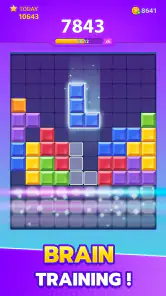
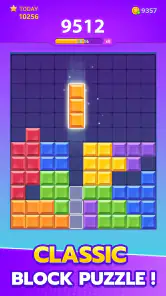
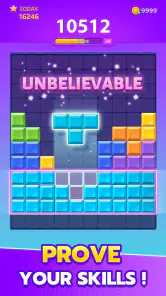
At first glance, Block Crush: Block Puzzle Game might seem like just another puzzle game. But, oh boy, it’s so much more! The concept is straightforward: fit blocks together in a grid to clear lines, much like Tetris. However, the lack of time constraints is what makes it a perfect blend of challenging and relaxing. You can strategize your next move without the pressure of a ticking clock. Trust me, once you start, it's hard to stop playing!
Graphics and Sound
The visuals in Block Crush are vibrant but not overwhelming, striking just the right balance to keep your eyes glued to the screen. The colors are soothing, making it easy to lose yourself in the game for hours without straining your eyes. The sound effects are subtle, enhancing the gameplay without being distracting. It’s like the developers knew exactly what we needed to stay focused yet entertained.
Why It Stands Out
What I love about Block Crush is its accessibility. Whether you're a seasoned gamer or someone who only plays games occasionally, you’ll find it easy to pick up and play. There's no complicated tutorial or steep learning curve. Within minutes, you'll be crushing blocks like a pro! Plus, it’s available offline, so you can play it anywhere, anytime—no Wi-Fi required. It's perfect for those times when you're stuck on a plane or in a remote area with no internet access.
Another fantastic feature is the game’s ability to sharpen your problem-solving skills. As you progress, you’ll find yourself planning several moves ahead, enhancing your strategic thinking over time. It’s a sneaky way to get smarter while having fun!
Choosing it over other puzzle games
Compared with a fast falling-block game, this one favors placing pieces thoughtfully over reacting under a timer. That distinction makes it a better fit when I want a calm puzzle on my own, but less suitable when I want quick rounds driven by speed, competition, or a sense of progression through a campaign. Traditional jigsaw games ask me to recognize an image and assemble its parts; here, the central judgement is spatial, and the challenge is to keep the board useful as pieces are placed.
It also occupies a different niche from word puzzles and number games. Those can offer a more defined target, such as finding a word or reaching a numerical result. Block Crush is more about managing space and making the best of the pieces in front of me. If that open-ended loop is satisfying, it can be easy to return to. If I need a clear endpoint or a fresh objective every few minutes, I would choose a puzzle with more explicit stages instead.
When a round goes wrong
If a session stops unexpectedly, I would first reopen the game and check whether the round is still available before trying anything that might reset progress. If the app will not launch, a device restart and a check for a normal app update are sensible general steps. On Android, the minimum requirement is version 5.0, but an operating system that meets the minimum does not rule out device-specific problems. Keeping the operating system reasonably up to date and closing other demanding apps can be useful basic troubleshooting, without promising that either step will fix every issue.
For an installation problem, I would distinguish it from a gameplay problem: confirm the connection, check available storage, and make sure the device meets the Android requirement. If the game opens but a tap does not seem to register, I would try again when the screen is clean and the phone is not busy with other tasks. These are ordinary checks rather than evidence of a fault in the game. If the same issue continues after basic steps, it may be a device or app compatibility matter, not something a different puzzle strategy can solve.
Who will enjoy it—and who may not
I would recommend it to someone who likes spatial puzzles, wants a low-pressure solo game, or needs an easy way to fill a small gap in the day. It is especially appealing if you enjoy working out how one choice affects the space available for later pieces. It is also approachable for an occasional player who does not want to learn a complicated control scheme before getting started.
I would steer away from it if you need a strong sense of achievement, a story to follow, regular changes in objectives, or a social competition to keep you engaged. A familiar block-puzzle format can feel repetitive once its central decision-making loop has worn thin. The free price makes it easy to try, and its Everyone age rating makes its general audience clear, but neither guarantees that the same simple loop will stay interesting for every player.
Final Thoughts
In a world cluttered with apps and games, finding a gem like Block Crush: Block Puzzle Game feels like hitting the jackpot. It’s engaging, easy to play, and perfect for killing time without feeling guilty. Whether you’re waiting for a friend, on your lunch break, or just need a mental escape, this game has got you covered. So go ahead, give it a try, and prepare to get hooked!
Remember, it’s not just about crushing blocks, it’s about having a blast while doing it!
My practical verdict
For me, the strongest reason to try Block Crush is its uncomplicated, unhurried style: I can pick it up for a brief break and focus on a few spatial choices without committing to a longer game. The trade-off is that the same simplicity may become repetitive, particularly if I want new modes or a steady stream of goals. I would start with short sessions, pay attention to how the board changes after each placement, and decide from there whether this particular kind of puzzle holds my interest. It is a sensible casual option, not a substitute for a more varied or competitive game.
Block Crush: Block Puzzle Game Pros and Cons
Pros
- Engaging and addictive gameplay.
- No internet needed to play.
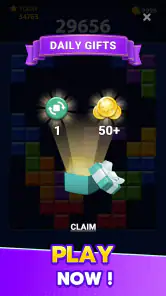
- Daily challenges keep it fresh.
- Easy to learn and play.
- Visually pleasing graphics.
Cons
- Contains in-app purchases.
- Ads can be intrusive.
- Limited variety in block designs.
- No multiplayer mode.
- Can drain battery quickly.
Frequently Asked Questions
What is Block Crush: Block Puzzle Game?
Block Crush: Block Puzzle Game is an engaging and addictive puzzle game available for both Android and iOS devices. The game challenges players to strategically place blocks on a grid to clear lines and score points. It's perfect for those who enjoy brain-teasing puzzles and offers endless entertainment with its simple yet challenging gameplay.
How do I play Block Crush: Block Puzzle Game?
In Block Crush, players need to drag and drop different shaped blocks onto a grid. The goal is to fill horizontal or vertical lines completely to clear them from the grid. The game ends when there's no space left to place new blocks. It's a great way to improve your strategic thinking and problem-solving skills.
Is Block Crush: Block Puzzle Game free to download and play?
Yes, Block Crush: Block Puzzle Game is free to download and play. However, it may offer in-app purchases for additional features or to remove ads. These purchases are optional, and you can enjoy the full game experience without spending any money. Always check the app store for the latest pricing and details.
Does Block Crush: Block Puzzle Game require an internet connection?
No, Block Crush: Block Puzzle Game does not require an internet connection to play. You can enjoy the game offline, making it perfect for playing on the go or in areas with limited connectivity. However, an internet connection may be needed for in-app purchases or updates.
Are there any ads in Block Crush: Block Puzzle Game?
Yes, Block Crush: Block Puzzle Game includes ads, which help support the developers and keep the game free. Ads may appear between levels or during gameplay. If you prefer an ad-free experience, the game might offer an option to remove ads through an in-app purchase.


