

Bingo Classic - Bingo Games
- Reviews
- 4.9
- Version
- 5.8.0
- Installs
- 5,000,000+

Screenshots
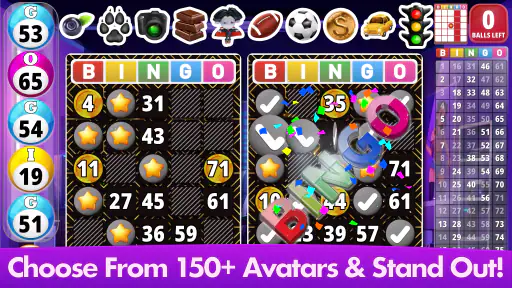
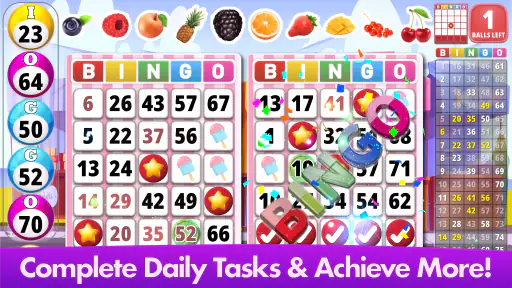


 Analysis by Frivlyz
When I want a quick round of bingo without arranging a group or heading anywhere, I like the convenience of playing on my phone. Bingo Classic - Bingo Games is a free board game from Absolute Lucky Pig Games, built around familiar bingo with levels, goals, and themed presentation. Its appeal is easy to understand: it offers a relaxed way to play, with a little more structure than a bare digital bingo card.
Getting Started with Bingo Classic
First things first, downloading Bingo Classic - Bingo Games was a breeze. Once installed, you’re greeted with a vibrant and user-friendly interface that instantly makes you feel like you’re at your local bingo hall. The app does a fantastic job at capturing the essence of the game, complete with the anticipation of waiting for your numbers to be called.
Readability and Everyday Navigation
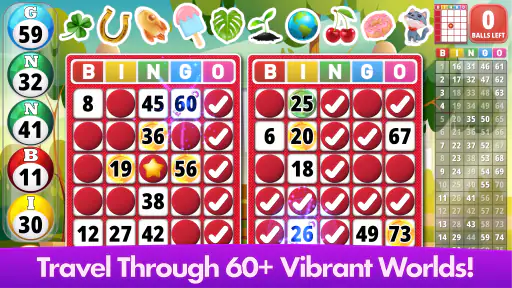
What matters most in a bingo game is being able to follow the called numbers and check your card without losing the rhythm of play. The colorful presentation helps make the experience feel lively, though a bright look will not suit everyone equally. I’d recommend trying a short session first to see whether the number display and overall visual style are comfortable for you, especially if you prefer larger, quieter-looking interfaces.
The game’s levels and goals give a casual session a reason to continue beyond one round. I find that kind of progression useful when I have a few spare minutes and want a small objective, rather than an open-ended game. At the same time, players who only want a plain, unadorned bingo card may find the extra presentation and progression less appealing than a stripped-back alternative.
Gameplay Experience
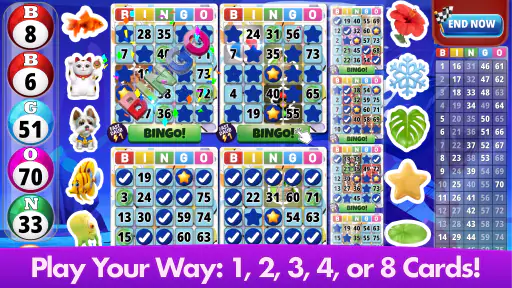
Jumping into a game, I immediately noticed how smooth everything runs. The developers clearly put a lot of effort into the mechanics, ensuring that each game feels fair and fun. You can play multiple cards at once, which adds that extra layer of excitement. The app also offers different modes, so whether you’re a casual player or a hardcore bingo enthusiast, there’s something here for everyone.
One thing I really appreciated was the inclusion of power-ups. These little bonuses can turn the tide of a game in your favor, keeping you on your toes and adding a strategic element to the gameplay. Plus, there’s a level system that rewards you as you play, giving you a sense of progression that’s genuinely satisfying.
That combination also affects how I’d approach a round. If I’m playing while distracted, I’d stick to fewer cards so I can keep track of the calls without turning a relaxing break into a concentration test. When I have more attention to spare, handling multiple cards makes the session feel busier. Goals and bonuses can give each round a focus, but anyone who wants bingo to remain entirely chance-based may prefer a simpler version with fewer game-layer extras.
Gaming Stories You May Enjoy

Dancing Road Turns Short Breaks Into a Test of Rhythm and Timing

Super Stylist Makes Every Outfit a Test of Taste and Patience

Dominoes on Your Terms: Who Should Play and Who Should Pass

Pokémon GO Makes the Familiar World Feel New

Chess.com Turns Rematches Into Rivalries, but Community Has Its Costs

Archery Battle 3D Review: Sharp Aiming, Unclear Feedback
Motor and Sensory Considerations
Bingo involves watching numbers and making timely taps, so comfort depends partly on how easily you can see the cards and interact with the screen. Multiple cards can increase the amount of visual scanning and tapping required; they are an optional challenge, not necessarily the best setting for every player or every moment. Starting with a lighter session is a practical way to decide whether the pace works for you.
The sound effects and music contribute to the atmosphere, but audio can be inconvenient in quiet places or for people who prefer a calmer sensory experience. I’d treat sound as something to check before settling in for a longer session, rather than assume the game will suit every environment by default. A theme may change the mood, too, but decorative variety is not the same thing as a simpler or more readable display.
Graphics and Sound
The graphics are crisp and colorful, making each game visually appealing. It’s clear that a lot of thought went into the design of the app, creating an immersive experience. The sound effects and background music are also on point, enhancing the overall atmosphere without being overwhelming.
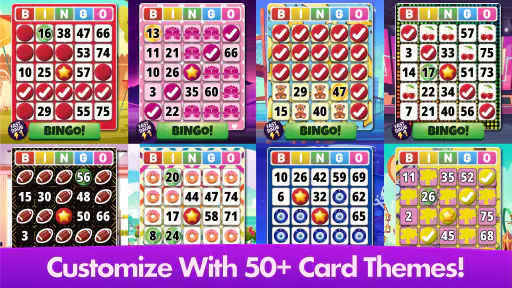
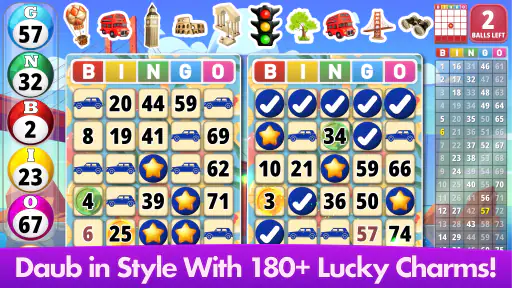
One feature I found particularly cool was the option to customize the game’s aesthetics. You can change themes and daubers, allowing you to personalize your gaming experience. It’s these little touches that set Bingo Classic - Bingo Games apart from other bingo apps out there.
Playing in Different Situations
This is the sort of game I’d open during a quiet wait, or when I want a short, familiar activity at home. A realistic way to enjoy it is to start one round while waiting for an appointment, then stop when your turn comes; the small goals give that brief session some shape. If you’re in a place where sound or quick attention would be awkward, it makes more sense to wait until you can focus comfortably.
Compared with a physical bingo night, a mobile game is convenient and does not require coordinating a group, but it cannot replace the shared atmosphere of being in a room with other players. Compared with very simple bingo apps, this one adds levels, goals, themed visuals, and the described social elements. That makes it a better fit for someone who likes a sense of ongoing play, while a minimalist alternative may be preferable if you want only the basic call-and-mark routine.
Community and Social Features
Another standout aspect of the app is its community features. There’s a chat function that lets you interact with other players in real time, making the game feel more social and engaging. Plus, participating in tournaments and events adds a competitive edge that keeps things exciting.
Social play is a welcome change from playing alone, but it also means the experience may not be ideal if you want a completely quiet, private round. I’d choose the app for its blend of solo-friendly bingo and interaction, not as a substitute for meeting friends in person. If chat is not part of what you enjoy, the core attraction is still the familiar game and its progression rather than the social layer.
Cost, Compatibility, and Who It Suits
The game is free to download, with optional in-app purchases ranging from $1.99 to $23.99 per item. I’d treat purchases as a choice rather than a requirement and decide in advance whether spending fits your idea of a casual game. If you prefer an experience with no optional spending at all, that is a sensible reason to look for another bingo app.
It is rated for Everyone, runs on Android 7.0 or later, and is currently at version 5.8.0. The game first arrived on June 24, 2019, and its 4.9 average from around 80,000 ratings, alongside over 5 million installs, suggests that many players have made it part of their routine. Those figures can help indicate its reach, but they can’t tell you whether its colorful style, pace, or added systems will match your preferences.
I think it is best suited to casual players who enjoy familiar bingo but appreciate goals, themes, and a bit of progression. Someone seeking a quiet, simple interface, a purely offline-feeling experience, or a real-world social event may be happier with a different option. For anyone unsure, a short trial round is the most useful test: check whether the calls are easy to follow, whether the pace feels comfortable, and whether the extras make bingo more enjoyable rather than more demanding.
Inclusive Verdict
All in all, Bingo Classic - Bingo Games is a delightful app that successfully brings the charm of bingo to your fingertips. Whether you’re in it for the thrill of the game, the social interactions, or the chance to win some sweet rewards, this app has you covered. It’s perfect for passing time or unwinding after a long day. So, if you’re a fan of bingo or just looking for a fun new app to try, give this one a shot. You won’t be disappointed!
My recommendation comes with one practical qualification: the best experience depends on the player’s comfort with the visuals, tapping, and lively presentation. I’d try it for a low-pressure break, use fewer cards when attention is limited, and explore the themes to see which feels easiest to follow. If those choices make the game comfortable, its blend of classic bingo and added goals is appealing; if not, a simpler bingo app or an in-person game may be a better fit.
Bingo Classic - Bingo Games Pros and Cons
Pros
- Smooth and intuitive user interface.
- Free daily bonuses and rewards.
- Multiple bingo rooms with unique themes.
- Offline mode available for gameplay.
- Social features for connecting with friends.
Cons
- Contains in-app purchases and ads.
- Requires constant internet for updates.
- Limited themes without premium upgrade.
- Occasional bugs in the app.
- Some features locked behind paywall.
Frequently Asked Questions
What is Bingo Classic - Bingo Games?
Bingo Classic - Bingo Games is a mobile app that brings the traditional bingo hall experience to your smartphone or tablet. The game allows users to play various bingo games, participate in live tournaments, and enjoy exciting power-ups and bonuses. It's designed for both casual players and bingo enthusiasts who want to enjoy a classic game anytime, anywhere.
Is Bingo Classic - Bingo Games free to download and play?
Yes, Bingo Classic - Bingo Games is free to download and play. However, like many free-to-play apps, it offers in-app purchases that enhance the gaming experience. Players can buy additional coins, power-ups, or special bingo cards. While the game can be enjoyed for free, spending on these extras can provide advantages in gameplay and unlock premium features.
What features does Bingo Classic - Bingo Games offer?
Bingo Classic - Bingo Games offers a variety of features including multiple bingo rooms, daily challenges, and live tournaments. Players can enjoy power-ups like extra daubs, instant bingos, and more. The game also includes social features, allowing players to connect with friends, send gifts, and chat during games. These features make the gaming experience more interactive and engaging.
Can I play Bingo Classic - Bingo Games offline?
No, Bingo Classic - Bingo Games requires an internet connection to play. This is because the game features live tournaments and social interactions, such as chatting with other players and sending gifts. An active internet connection ensures that players can fully participate in these activities and enjoy a seamless gaming experience.
Is Bingo Classic - Bingo Games suitable for children?
Bingo Classic - Bingo Games is generally suitable for players of all ages, but it is important for parents to be aware of the in-app purchase options. While the game itself is family-friendly, children may be tempted to make purchases for additional coins or power-ups. Parental guidance is recommended to prevent unauthorized spending and ensure a safe gaming experience for younger players.


