

Balloon Pop Kids Learning Game
- Reviews
- 4.7
- Version
- 18.01.14
- Installs
- 1,000,000+

Screenshots
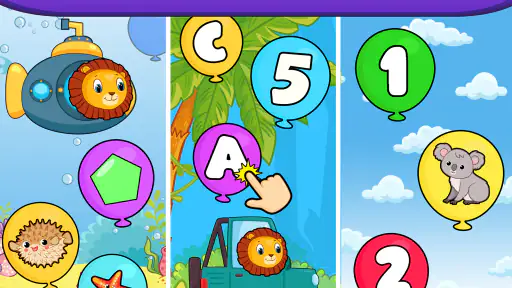
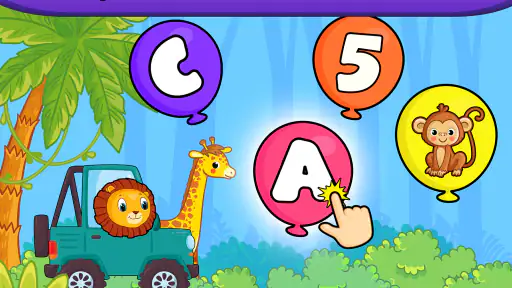
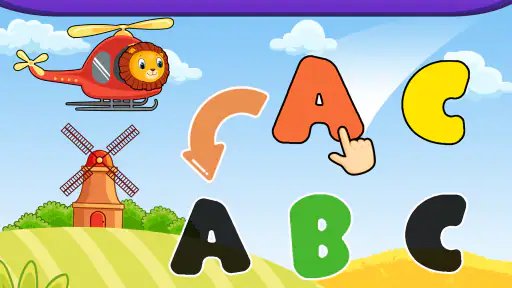
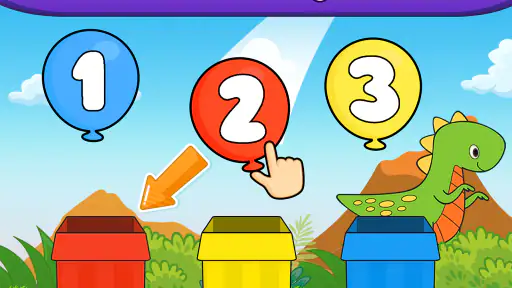
 Analysis by Frivlyz
I recently stumbled upon this charming app called Balloon Pop Kids Learning Game, and let me tell you, it’s like a breath of fresh air in the world of educational games for kids. If you’re looking for something that’s both fun and educational, this might be the app you’ve been searching for. So, let me walk you through my experience with this delightful little game.
What free access means in practice
The basic game is free, which makes it easy to try before deciding whether it suits your child. There are also in-app purchases, priced from $1.49 to $4.99 per item, so I would not describe the experience as entirely purchase-free. A parent can start without paying, then decide whether anything offered within the game is worth buying. I’d check the purchase prompts with the child before handing over the device, since a young player may not understand that an in-app purchase involves real money.
The game is rated for everyone and is made by Bebi Family: preschool learning games for kids. It has a 4.7 average from around 38,000 ratings, with over 1 million installs. Those figures suggest that many families have tried it, but popularity alone cannot tell you whether its pace, sounds, or learning approach will work for a particular child. I’d treat a short, supervised tryout as more useful than the rating when making that decision.
Where the learning value comes from
The appeal is the narrow, understandable loop: children pop balloons and encounter numbers, letters, or shapes. That gives a preschooler a playful way to meet early concepts without asking them to sit through a lesson. It is most useful as a small practice activity, not as a complete learning plan. I would use it to spark recognition and conversation—“Which shape did you see?” or “Can you spot that letter elsewhere?”—rather than expect a game session to teach a subject on its own.
That distinction matters because tapping an answer and understanding it are not the same thing. A child may enjoy the colors and sounds while still needing an adult to connect what appears on screen to real objects, printed letters, or counting everyday items. A quick follow-up away from the device can make the play more meaningful: count fruit at snack time, look for a familiar letter in a book, or compare a shape on screen with a toy. These simple prompts turn a brief game into a shared learning moment without requiring extra materials.
A realistic place in the day
I can see this fitting into a short waiting period: a child is settled beside a parent while an appointment runs late, or needs a calm activity during a few minutes at home before dinner. In that situation, balloon popping offers a clear action and immediate feedback, while the learning topics give the adult something specific to talk about. I would keep the session short and stay nearby, especially at first, to notice whether the child is engaging with the letters, numbers, and shapes or simply tapping quickly to make the balloons disappear.
One practical tip is to let the child lead the pace rather than turning every round into a quiz. If they are excited by a particular letter or shape, pause and ask them to find something similar in the room. If they seem tired or frustrated, stopping is more useful than pushing them through another round. The game works best as an optional activity, not a reward that has to be earned or a substitute for conversation, movement, books, or hands-on play.
Gaming Stories You May Enjoy

Dancing Road Turns Short Breaks Into a Test of Rhythm and Timing

Super Stylist Makes Every Outfit a Test of Taste and Patience

Dominoes on Your Terms: Who Should Play and Who Should Pass

Pokémon GO Makes the Familiar World Feel New

Chess.com Turns Rematches Into Rivalries, but Community Has Its Costs

Archery Battle 3D Review: Sharp Aiming, Unclear Feedback
The Joy of Popping Balloons
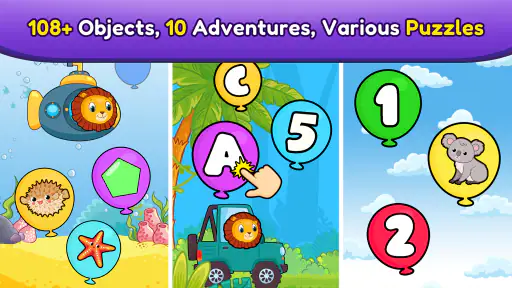
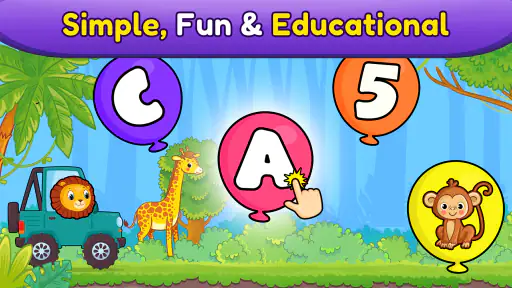
Remember the sheer joy of popping balloons as a kid? Well, Balloon Pop Kids Learning Game captures that thrill perfectly! Designed for young children, this game is a vibrant and colorful experience that engages kids in a way that feels more like play than learning. The idea is simple: pop balloons to reveal numbers, letters, or shapes, making it an interactive way for little ones to get acquainted with these basic concepts.
Learning Through Play
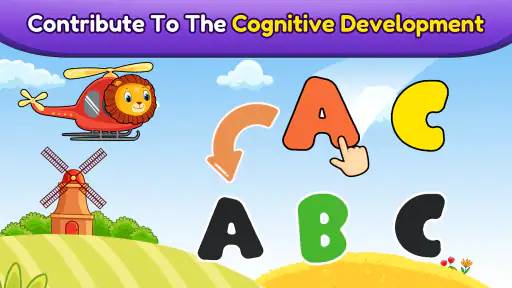
One of the things I really appreciate about this app is how it seamlessly blends education with entertainment. Kids are naturally curious, and this game taps into that curiosity by using bright colors and fun sounds to keep them engaged. Each level introduces new challenges, encouraging kids to think and react quickly. It’s a great way for them to develop hand-eye coordination while also reinforcing their knowledge of alphabets and numbers. Plus, the app’s gentle difficulty progression ensures that they’re always learning something new.
For a family choosing between this and a more structured preschool app, the difference is the activity’s simplicity. Balloon popping is immediate and tactile, so it may suit a child who loses interest in lessons built around longer explanations. On the other hand, a parent looking for guided instruction, a broad curriculum, or detailed progress tracking may prefer a different kind of educational game. I would not use this one as a measure of what a child knows; it is better viewed as light practice that can sit alongside books, puzzles, and play away from a screen.
Kid-Friendly Interface
You know how some apps can be a bit overwhelming for kids? Not this one. The interface is as friendly as it gets—simple, intuitive, and free of unnecessary distractions. This means kids can navigate through the game on their own, boosting their confidence and independence. As a parent or guardian, you’ll appreciate how easy it is to set up and get started. No complicated menus or settings, just pure, unadulterated fun!
That simplicity is a strength, but it also sets expectations: this is a straightforward activity rather than a toolkit for adults to customize a lesson. If your child needs a very specific pace or more explanation for each concept, you may need to sit with them and supply that support yourself. I’d also introduce the game together once, even if the child can later manage it independently. Watching how they respond makes it easier to tell whether the visual prompts and quick interactions are helping or distracting them.
Another thing worth mentioning is the app’s visual and auditory feedback. Every time a balloon is popped, there’s a cheerful sound effect that adds to the excitement. It’s these small details that make the game so engaging for kids.
Trade-offs parents should weigh
The colorful presentation and cheerful audio may be motivating for some children, but not every child enjoys sound effects or quick visual activity. If your little one is sensitive to busy screens, easily overstimulated, or already tends to tap rapidly without focusing, I’d supervise a trial and see how they react. A paper picture book, physical shape sorter, or quiet conversation may be a better fit in those moments. The point is not to make screen play the default, but to use this particular game when its short, interactive format fits the child and the situation.
Another limitation is that the learning subjects are deliberately basic. Letters, numbers, and shapes are useful starting points for preschoolers, but an older child who wants reading practice, number problems, or more challenging explanations may quickly need something else. I’d also avoid promising that the game will improve a skill just because a child spends time with it. Their interest, attention, and opportunities to practise away from the screen all affect what they take from the activity.
Safe and Secure
In today's digital age, safety is paramount. Thankfully, the developers have taken great care to create a safe environment for children. There are no ads or in-app purchases, so you won’t have to worry about unexpected charges or inappropriate content. It’s just straightforward fun that you can feel good about your child engaging with.
I would correct one important point before recommending it to another parent: the game does have in-app purchases, even though it is free to start. That does not make it poor value, but it does mean I would keep an eye on the device and explain that purchases need an adult’s approval. The free entry point is useful for testing whether a child enjoys the activity; paid items should be judged individually rather than assumed necessary. A child who plays happily without buying anything may get all the value they need from the free access.
For device compatibility, the listed minimum is Android 5.1, and the current version is 18.01.14. It was released on January 24, 2020. Those details can help a family check whether an older Android device is a plausible option, though a compatible operating system is not a guarantee that every individual device will feel equally smooth. I’d install it on the device the child will actually use and test the controls and sound before relying on it during a trip or appointment.
Who is likely to get the most from it
I’d consider it for a preschool-age child who enjoys tapping, responds well to bright visual feedback, and is beginning to encounter letters, numbers, and shapes. It can also be handy for a caregiver who wants a simple activity to share rather than a complicated set of lessons to configure. The adult’s role can stay light: sit nearby, name a concept when it appears, and connect it to something familiar. That makes the game a better fit for brief, supported play than for leaving a child with a screen as a full learning experience.
I’d skip it, or at least try another option first, if the child is beyond introductory concepts, needs structured teaching, or does not enjoy rapid tapping and sound effects. It is also not the choice I’d make when the goal is to practise handwriting, build a story-reading habit, or explore a wide range of subjects. In those cases, an activity with the right kind of instruction—or an offline book, puzzle, or conversation—will serve the goal more directly.
Overall, Balloon Pop Kids Learning Game is a fantastic app that combines the joy of play with valuable educational content. It’s a game that both you and your little one will love, and it’s a great way to introduce technology in a positive and productive manner. Give it a try, and watch your child learn and grow with a smile on their face!
My buy-or-skip verdict
My recommendation is to try the free version if you have a young child who is curious about early letters, numbers, and shapes, then decide based on how they actually use it. The central balloon-popping idea is easy to understand, and the free starting point keeps the first decision low-commitment. I would not pay for anything just because it is offered; first see whether the child returns to the learning activity and whether the available play suits your family’s routine.
In short, I see this as a small, cheerful supplement rather than a replacement for hands-on learning or a comprehensive preschool course. Its value is strongest when an adult uses a few minutes of play to encourage recognition and conversation, and weakest when a family expects structured teaching or wants a fully purchase-free experience. With those expectations in place, it is a reasonable option to try—and an easy one to set aside if its style does not fit your child.
Balloon Pop Kids Learning Game Pros and Cons
Pros
- Engaging educational content for kids.
- Colorful and child-friendly graphics.
- Simple controls suitable for toddlers.
- Encourages fine motor skills development.
- Free updates with new content regularly.
Cons
- Limited content in the free version.
- In-app purchases can add up.
- No offline mode available.
- Ads can be distracting for kids.
- May not challenge older children.
This Game in Other Languages
Frequently Asked Questions
What is Balloon Pop Kids Learning Game?
Balloon Pop Kids Learning Game is an educational app designed for children to enhance their cognitive skills through interactive gameplay. By popping balloons, kids can learn numbers, colors, and shapes in a fun and engaging way. The app is tailored for young learners, ensuring a safe and educational experience.
Is Balloon Pop Kids Learning Game safe for children?
Yes, Balloon Pop Kids Learning Game is designed with child safety in mind. It features an ad-free environment and age-appropriate content. Parents can rest assured that the game is free from inappropriate material, making it a safe choice for young children to explore and learn.
What age group is Balloon Pop Kids Learning Game suitable for?
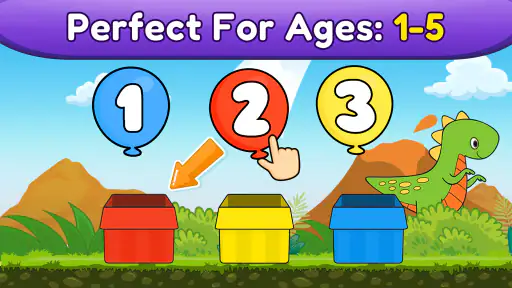
Balloon Pop Kids Learning Game is ideal for children aged 2 to 5 years. The app’s content and difficulty levels are tailored to this age group, offering a balanced mix of educational content and entertainment to keep young minds engaged and learning effectively.
Does Balloon Pop Kids Learning Game require internet access?
No, Balloon Pop Kids Learning Game does not require an internet connection to play. This makes it convenient for use in various settings, such as during travel or in areas with limited connectivity, allowing children to enjoy learning anytime, anywhere.
Are there any in-app purchases in Balloon Pop Kids Learning Game?
Balloon Pop Kids Learning Game is free to download and play. However, it may offer optional in-app purchases for additional features or content. These purchases are entirely optional, and parents can control spending through device settings to ensure a seamless and budget-friendly experience.


