

Baby Panda's Play Land
- Reviews
- 3.9
- Version
- 8.72.31.61
- Installs
- 5,000,000+

Screenshots




 Analysis by Frivlyz
I would approach Baby Panda's Play Land as a small digital play space to explore together, rather than as a structured course that a child has to complete. It is an educational game from BabyBus, built around playful activities and child-friendly presentation. That makes the first visit feel inviting, but it also helps to set expectations: the value is in dipping into different kinds of play, not in following a strict lesson plan or tracking a formal learning path.
For a first-time user, I’d keep the opening session simple. Let your child look around, choose one activity that catches their eye, and stay nearby while they get used to the controls. A few minutes of shared exploration can be more useful than trying to show them everything at once. You can ask what they noticed, invite them to describe a choice, or connect an activity to something familiar at home. That turns the game into a conversation instead of a way to fill time.
What to expect from the play space
The appeal is variety: familiar ideas such as colors, shapes, numbers, pretend cooking, and puzzles are presented as play rather than as a worksheet. In my experience, that approach suits younger children who respond better to trying things than to being asked to sit through explanations. The activities also give parents an easy opening for simple prompts: “Which one matches?” or “What do you think happens next?” The game can hold a child’s attention, while an adult can help turn that attention into talk and observation.
The game is free to download and is rated for Everyone. Its average rating is 3.9 from around two and a half thousand ratings, and it has passed five million installs. Those figures suggest it has reached many families, but they don’t tell you whether its style will suit your child. A child who enjoys bright characters and short, varied activities may settle in quickly; one who prefers a quieter, more linear experience may not. I’d treat the first session as a test of fit, rather than assuming that popularity guarantees a match.
From installation to a first win
After installing, I’d begin by letting the child choose an activity rather than steering them toward the one that seems most educational. A small success—matching something, finishing a simple task, or making a pretend dish—builds confidence and shows you how the child handles tapping, dragging, and following visual cues. If they get stuck, offer one hint and then let them try again. That keeps the adult from taking over and makes the moment feel like their accomplishment.
For example, on a quiet stretch before dinner, a parent could sit with a child and try a cooking activity, then ask them to name an ingredient they recognize or describe what they would serve. This is not a substitute for cooking together, but it can be a low-pressure way to introduce food words and imaginative play while an adult is close by. A short session also gives you a natural stopping point before screen time becomes the default activity.
Small choices that make sessions smoother
There is no need to make a child sample every activity in one sitting. I’d let them revisit a favorite once, then suggest a different kind of task on another day; familiar play can provide confidence, while a new puzzle or matching activity offers a gentle change of pace. If the child starts tapping quickly without noticing what is happening, pause and ask them to explain their next choice. That simple prompt can make the play more deliberate without turning it into a lesson.
Gaming Stories You May Enjoy

Dancing Road Turns Short Breaks Into a Test of Rhythm and Timing

Super Stylist Makes Every Outfit a Test of Taste and Patience

Dominoes on Your Terms: Who Should Play and Who Should Pass

Pokémon GO Makes the Familiar World Feel New

Chess.com Turns Rematches Into Rivalries, but Community Has Its Costs

Archery Battle 3D Review: Sharp Aiming, Unclear Feedback
It also helps to decide your own stopping point before handing over the device. The game is designed to invite exploration, so a child may naturally want to keep moving from one activity to another. A parent can frame the session around one activity or a short window of shared play, then put the device away when that plan is finished. That approach is especially useful during waiting time: it makes the game a planned activity, not an automatic response to every moment of boredom.
Endless Adventures Await
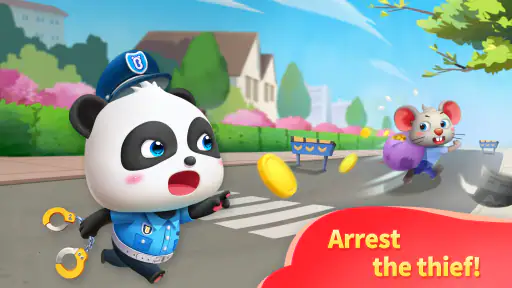
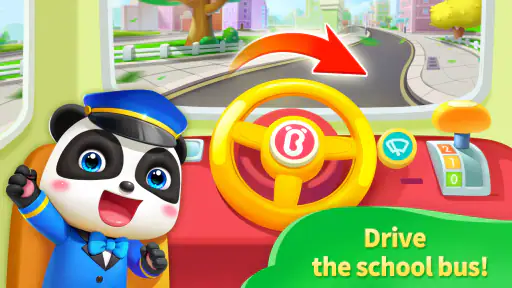
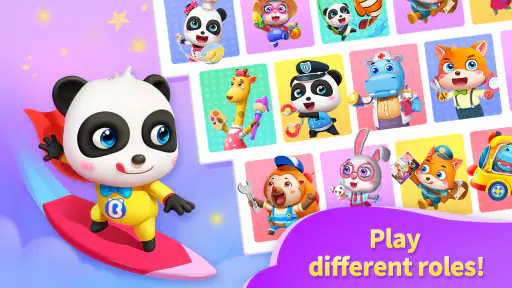
When you first dive into Baby Panda's Play Land, you’re greeted with vibrant colors and adorable characters that are sure to capture any child’s attention. The app is essentially a collection of mini-games that subtly introduce basic concepts like numbers, colors, and shapes. Each game is crafted to develop different skills in a fun and interactive way. My personal favorite was the "Cooking Time" game where kids can learn about different ingredients and how to prepare simple dishes. It’s a delight watching them play pretend chef, and who knows, it might even spark a real interest in cooking!
Learning Through Play
What sets Baby Panda’s Play Land apart from other children’s apps is its focus on learning through play. The app includes a variety of activities that promote cognitive development, problem-solving, and creativity. Each game is designed with a purpose, whether it’s matching shapes to enhance memory or solving puzzles to boost logical thinking. Plus, the friendly characters provide guidance and encouragement, making learning feel like a natural part of play.
Compared with a single-purpose alphabet, counting, or puzzle app, this game is better suited to a child who wants to switch between kinds of activity without leaving the same play space. The trade-off is that breadth can make it harder to use when you have one precise goal, such as practicing a particular letter or working through a carefully sequenced lesson. For that, I’d choose a focused learning app, a book, or an offline game. Here, the strongest use is casual discovery: the child chooses, experiments, and gets a little variety.
There is also a useful difference between playing alone and playing alongside an adult. Independent exploration may work once a child understands the visual cues, but a first visit is more rewarding when someone helps interpret a confusing moment or asks a question that keeps the child thinking. If a child repeatedly asks for help, that does not necessarily mean the game is unsuitable; it may simply mean they are still learning how to interact with the activities. I’d stay close at first, then gradually step back if they show they can make choices without frustration.
Kid-Friendly Interface
One thing I always appreciate in kids' apps is a user-friendly interface, and this app nails it. The navigation is intuitive enough for kids to explore on their own, yet it’s not overly simplistic. The games load quickly, and there are no complicated menus to navigate through. This means less frustration for the kids and more time enjoying the activities. The app also includes parental controls, giving you peace of mind knowing that your child is playing safely.
Even with an approachable design, I would not assume that every child can use every activity without an adult nearby. Young children vary a lot in how confidently they follow on-screen instructions, and a child who taps rapidly may move past a useful prompt before taking it in. Sitting beside them for the first session lets you see whether they understand what the game is asking and whether they need help navigating. Once they know the routine, you can decide whether independent play is appropriate for your household.
The game’s current version is 8.72.31.61, and it requires Android 5.0 or later. I’d check that the device meets that requirement before planning to use it on an older phone or tablet. It is also worth remembering that free-to-play does not mean every possible item or option is included at no cost: in-app purchases range from $2.49 to $41.99 per item. I’d review purchase settings with the adult who manages the device before handing it over, so a child cannot make an unintended purchase while exploring.
That purchase range is a practical point to consider, not a reason to avoid the game outright. A family that only wants to try the free experience can start there and see whether the child returns to it. If purchase prompts or spending controls are a concern, set expectations in advance and keep the adult in charge of any buying decision. I would not treat a child’s enthusiasm for an activity as a reason to purchase immediately; first see whether the free play already fits the routine you want.
Another highlight is the absence of ads in the free version, which is a rare find these days. This means uninterrupted playtime and no accidental clicks that might lead your child to unwanted content. It’s these little details that make a big difference in the overall user experience.
For families choosing between this and a video app, the distinction is meaningful: here, the child has to make choices and interact with activities instead of only watching. That can make it a better fit when you want hands-on play, though it still involves screen time and does not replace drawing, building with toys, reading together, or playing outside. I’d use it as one option in a broader mix, especially for a short shared break or a planned activity while waiting.
Who will enjoy it, and when I’d choose something else
I can see this working best for a young child who likes colorful characters, pretend scenarios, and changing from one simple activity to another. It may also help a parent who wants a playful prompt for talking about everyday ideas such as food, shapes, or counting. The game’s broad appeal is a plus when a child is not yet committed to one subject; they can explore and discover what catches their interest.
I’d be less likely to recommend it as the main choice for a child who wants a deep challenge, a clear level-by-level curriculum, or a specific subject taught in sequence. It is also not the right tool if your goal is completely screen-free play or if your child tends to become upset when asked to stop an engaging activity. In those cases, a physical puzzle, a shared story, or a focused learning resource may fit better. Knowing what you want from the session is the simplest way to judge whether this game belongs in the rotation.
What to try next
Once the child has completed an activity comfortably, I’d use that success to guide the next visit rather than trying to unlock or master everything. If they gravitate toward pretend cooking, connect it to naming foods at home; if matching or puzzles hold their attention, ask them to describe how they made a choice. Those small follow-ups are more useful than turning play into a test, and they help you notice whether the game is genuinely engaging your child or merely holding their gaze.
BabyBus has made a broad, approachable educational game, but its value depends on how it fits your family’s habits. For a smoother start, install it with an adult present, let the child pick one activity, stay nearby for the first attempt, and agree on when play will end. That gives you a concrete first success without expecting the game to do the parenting or teaching for you.
In a world where screen time is often criticized, Baby Panda's Play Land offers a refreshing approach by combining education with entertainment. It’s an app that parents can feel good about and kids will simply adore. So, if you’re on the hunt for an app that’s as fun as it is educational, give this one a try. You might find your child asking for more play time, and this time, you might just be okay with it!
Baby Panda's Play Land Pros and Cons
Pros
- Engaging mini-games for kids
- Colorful and vibrant graphics
- Easy-to-use interface
- Educational content included
- Encourages creativity and learning
Cons
- In-app purchases can be frequent
- Requires internet for some features
- May have repetitive content
- Limited parental controls
- Ads can be distracting
This Game in Other Languages
Frequently Asked Questions
What is Baby Panda's Play Land?
Baby Panda's Play Land is an educational and entertaining app designed for young children. It features a variety of games and activities that aim to enhance cognitive skills, creativity, and problem-solving abilities. Through interactive play, children can explore different scenarios, learn about various topics, and enjoy a safe digital environment filled with fun and learning.
Is Baby Panda's Play Land safe for children?
Yes, Baby Panda's Play Land is designed with children's safety in mind. The app includes child-friendly content and controls to ensure a secure experience. There are no inappropriate ads or content, and parental controls are often available to limit screen time and in-app purchases, making it a suitable choice for young users.
What age group is Baby Panda's Play Land suitable for?
Baby Panda's Play Land is primarily targeted at children aged 2 to 6 years old. The app is designed to cater to the developmental stages of toddlers and preschoolers, offering age-appropriate games and activities that promote learning through play. Parents can feel confident that the content is tailored to their child's age and learning needs.
Does Baby Panda's Play Land require an internet connection?
While some features of Baby Panda's Play Land may require an internet connection, many of its games and activities can be accessed offline. This makes it convenient for parents who prefer their children to play without constant internet access, whether at home or on the go. However, internet may be needed for updates and additional content downloads.
Are there in-app purchases in Baby Panda's Play Land?
Baby Panda's Play Land often includes in-app purchases that allow users to unlock additional content or features. While the app is free to download and offers plenty of free activities, parents should be aware of these optional purchases. Thankfully, the app usually provides parental controls to manage and restrict purchases, ensuring a controlled environment for children.


