

Baby Panda's Kids School
- Reviews
- 4.6
- Version
- 10.03.06.02
- Installs
- 10,000,000+

Screenshots


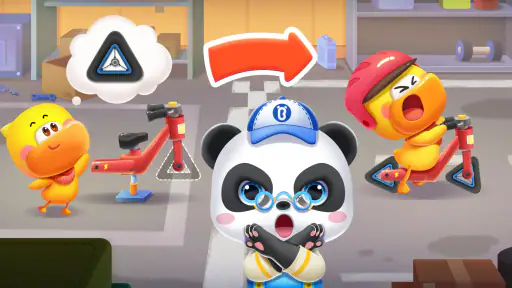

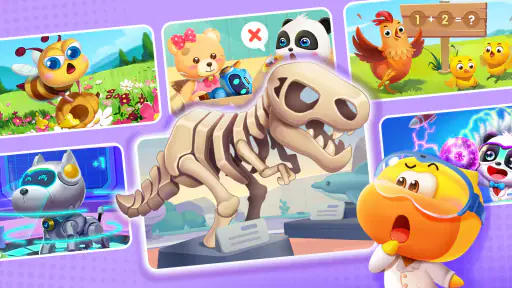
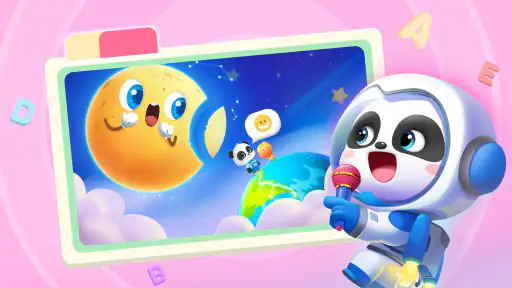


 Analysis by Frivlyz
Ever wondered how to make learning a blast for your little ones? Well, I think I’ve found something that might just do the trick! Let me introduce you to Baby Panda's Kids School. It's like having a magical school right in your pocket where your kids can dive into a world filled with fun and learning. As a parent, finding an app that's both educational and entertaining can feel like searching for a needle in a haystack, but this app might just be the gem you’re looking for.
A first impression shaped for young learners
My first impression is of a game that wants learning to feel approachable rather than like a lesson squeezed onto a screen. BabyBus makes this educational game for young children, and its bright, friendly presentation suits short periods of curious tapping. The playful tone is a strength: a child who is hesitant about sitting down to practise a basic skill may be more willing to explore when the activity feels like a small game.
That makes it a useful option for a quiet stretch at home, such as waiting for dinner or filling a few minutes before heading out. I would treat it as a playful companion, not as a replacement for drawing together, talking through a story, or practising with real objects. The best use is a short, shared session in which an adult can notice what catches the child’s interest and carry that curiosity into everyday play.
It is listed for everyone and is free to start, which makes trying it a low-commitment choice. The game has a 4.6 average from around 5,100 ratings and more than 10 million installs, so it has reached a broad audience of families. Those figures are useful context, but they don’t tell me whether a particular child will enjoy its style; age, attention span, and tolerance for sounds and animation matter more in practice.
What’s the Buzz About?
So, what makes Baby Panda's Kids School stand out in the crowded app store? For starters, it’s incredibly engaging. The app is designed for preschoolers and it’s packed with colorful graphics and interactive activities that grab the attention of little learners. From learning shapes and colors to understanding simple math and words, this app covers all the basic skills your toddler needs to get a head start.
A world that makes activities feel welcoming
The art direction is doing more than adding decoration. Colorful graphics and friendly characters give the activities a soft, welcoming frame, which can help make early learning feel less intimidating. I like this approach for children who respond well to visual cues and familiar cartoon energy. It also means the screen can be lively, so a child who is easily overstimulated may do better with the volume lowered or with an adult nearby to guide attention back to the activity.
One practical way to make the most of the game is to connect what appears on screen with something nearby. If a child is working with colors or shapes, pause afterward and invite them to spot similar things in the room. This turns a brief digital activity into a prompt for looking, naming, and talking together, rather than letting the screen be the whole learning experience. It is a simple habit, but it helps parents judge whether the child is noticing the idea or merely tapping through animations.
Gaming Stories You May Enjoy

Dancing Road Turns Short Breaks Into a Test of Rhythm and Timing

Super Stylist Makes Every Outfit a Test of Taste and Patience

Dominoes on Your Terms: Who Should Play and Who Should Pass

Pokémon GO Makes the Familiar World Feel New

Chess.com Turns Rematches Into Rivalries, but Community Has Its Costs

Archery Battle 3D Review: Sharp Aiming, Unclear Feedback
The broad preschool focus is both convenient and a limitation. It gives families a mix of early concepts in one place, rather than requiring a separate app for every small skill. On the other hand, a child who already knows the basics may want more challenging material, while a child who needs focused practice in one particular area may benefit more from a dedicated activity chosen with that goal in mind.
Interactive and Fun Learning
What I loved about the app is its interactive nature. Kids don’t just sit back and watch; they actively participate in activities. Whether it’s popping balloons to learn numbers or matching shapes, every game is designed to be intuitive and easy for little fingers. Plus, there are adorable characters guiding your child, making learning feel like playtime!
Sound and rhythm for short play sessions
The cheerful music and animated presentation give the game an energetic mood. That can help a young child stay interested long enough to engage with an activity, but it is not automatically ideal for every moment. If you are using it in a quiet waiting room, during a calm-down period, or near someone who is resting, check the volume before handing over the device. A quieter setting may make the experience more comfortable, and an adult can still talk through what the child is doing.
I would also avoid treating the app as a dependable way to occupy a child for hours. The lively style is better suited to a contained play break, followed by a change of activity. A useful routine is to agree on a natural stopping point before starting, then move into something related offline: count a few toys, sort objects by color, or draw a shape. This keeps the game from becoming the default answer whenever a child is bored.
Compared with a simple video or cartoon, the game asks children to act rather than only watch, which is a meaningful difference for a parent choosing screen time. Compared with a workbook or hands-on game, it is easier to begin and more animated, but it cannot offer the same physical interaction or personal feedback from an adult. I see it as one option in a mix, not a reason to abandon those familiar alternatives.
When it fits—and when another choice is better
I would recommend trying it with preschoolers who enjoy bright characters, simple interactions, and a variety of introductory learning activities. It may also suit a caregiver who wants a ready-to-open game for a brief break and is willing to sit nearby at first. Watching one session gives you a quick sense of whether the child can follow the prompts, whether the pace feels comfortable, and which kinds of activities hold their attention.
It is less suitable if you are looking for a quiet, open-ended creative tool, a structured course with a clear lesson sequence, or a focused way to address a specific learning difficulty. In those situations, a book, hands-on materials, a calmer app, or advice from a teacher may be a better match. A child who becomes frustrated by touch controls or who prefers slower presentation may also enjoy learning more away from the screen.
For an everyday example, imagine a parent preparing a meal while a preschooler needs a short, supervised activity nearby. I would start the game together, let the child choose an activity, and stay within earshot rather than assuming the interface makes every session self-explanatory. After a few minutes, I would ask what they noticed and offer a real-world version of the idea. That small amount of participation makes the game more useful and gives the adult a chance to spot when the child is ready to stop.
Safe and Child-Friendly
In today’s digital age, safety is a top priority, and Baby Panda's Kids School doesn’t disappoint. The app is designed with a child-friendly interface, and parents can breathe easy knowing there are no inappropriate ads or content. It's a safe environment where kids can explore freely without any worries.
I would still recommend that parents check the device and the game themselves before leaving a young child to play independently. A child-friendly presentation is reassuring, but it is sensible to review the available screens together and keep the device within your usual family rules. The game is free, while optional in-app purchases range from $2.99 to $41.99 per item, so make sure purchase controls are set in a way that suits your household before a child uses it.
The current version is 10.03.06.02 and it requires Android 5.0 or later. That is practical information if you are considering an older device, though performance and comfort can still vary between phones and tablets. A larger screen may make it easier for little fingers to interact, while a parent’s phone can be convenient for a quick shared session; either way, keeping the device steady can reduce accidental taps.
Why Your Kids Will Love It
Beyond the educational value, what really sets this app apart is how much fun kids have while using it. The vibrant animations and catchy music are sure to keep them entertained for hours. And as any parent knows, a happy kid means a happy parent!
I would soften the expectation of hours of entertainment: for me, its strongest role is a short, engaging activity rather than an all-afternoon solution. That distinction matters because a lively game can hold attention without necessarily making every minute equally valuable. Staying close, taking turns with the device, and ending when interest fades are better ways to keep the experience pleasant for both child and caregiver.
BabyBus has released this game in the educational category, and its established reach suggests that many families have chosen to try it. Still, popularity is not a substitute for fit. If your child prefers a slower pace or learns best by moving objects around, you may get more from a puzzle, blocks, or a picture book. If they enjoy animated prompts and simple touch interactions, this can be a handy addition to the rotation.
A practical verdict on the atmosphere
The game’s central appeal is the way its cheerful setting, characters, sound, and touch-based activities work together to make early concepts feel playful. Its presentation is more inviting than a bare drill, while its interactive approach gives children something to do beyond watching. The trade-off is that brightness and energy are not universally calming, and a broad selection of basics will not satisfy every child or every learning goal.
I would try it when you want a free starting point for playful preschool practice and can be present enough to make the session intentional. I would skip it as a stand-in for a teacher, a quiet activity, or a specific learning plan. A short trial at home will tell you more than the rating alone: notice whether your child explores comfortably, responds to the activities, and can move on without a struggle.
But hey, don’t just take my word for it. Try it out and see for yourself how Baby Panda's Kids School can turn learning into an adventure for your little ones. It’s a fantastic way to support your child’s development while ensuring they’re having a blast. Now, that's what I call a win-win!
Baby Panda's Kids School Pros and Cons
Pros
- Interactive learning experience for kids.
- Colorful and engaging graphics.
- Educational games cover various subjects.
- User-friendly interface for children.
- Regular content updates keep it fresh.
Cons
- Requires internet for full features.
- Some content behind a paywall.
- Advertisements may interrupt gameplay.
- Limited parental controls available.
- Might not suit older kids.
Frequently Asked Questions
What is Baby Panda's Kids School app about?
Baby Panda's Kids School is an educational app designed for young children to learn through fun and interactive games. It focuses on early childhood education, offering a variety of activities that teach basic skills such as shapes, colors, numbers, and letters. The app aims to make learning enjoyable for kids while engaging them in a safe digital environment.
Is Baby Panda's Kids School suitable for all ages?
Baby Panda's Kids School is primarily designed for preschoolers and children in early elementary grades, typically aged between 2 to 6 years. The app offers age-appropriate content and activities that cater to the developmental needs of young children. Parents can adjust settings to ensure the app's content is suitable for their child's specific age and learning level.
Does Baby Panda's Kids School require an internet connection?
Baby Panda's Kids School can be used both online and offline. While an internet connection is required for downloading the app and accessing certain features like updates or additional content, most of the educational games and activities are accessible offline, allowing children to play and learn without needing a constant internet connection.
Are there any in-app purchases in Baby Panda's Kids School?
Yes, Baby Panda's Kids School includes optional in-app purchases. These purchases can unlock additional content, features, or enhance the gameplay experience. However, the app is fully functional without the need for purchases, and parents can control or restrict in-app purchases through their device settings to prevent accidental purchases by children.
Is Baby Panda's Kids School safe for children to use?
Baby Panda's Kids School is designed with child safety in mind. It features a child-friendly interface, free from inappropriate content. The app also provides parental controls to manage settings and monitor usage. Additionally, it complies with privacy regulations, ensuring that children's data is protected and not shared with third parties.


