

Baby Panda's Kids Play
- Reviews
- 4.5
- Version
- 2.1.20.0
- Installs
- 10,000,000+

Screenshots



 Analysis by Frivlyz
When I’m choosing a game for a young child, I look for something they can approach without constant help, but that still gives us a reason to talk or play together. Baby Panda's Kids Play is an educational game from BabyBus, built around familiar cartoon-style activities rather than a formal lesson format. Its appeal is easy to understand: children can move between playful scenarios, while adults can use those moments to practise everyday ideas with them.
The game is free, so there is no purchase price to weigh against its usefulness. That makes it easy to try as a casual activity, though “free” alone doesn’t tell me whether it will suit a particular child or family routine. I’d treat it as a handy option for short, supervised play rather than assume it can replace books, hands-on activities, or time with an adult.
What the free game can offer
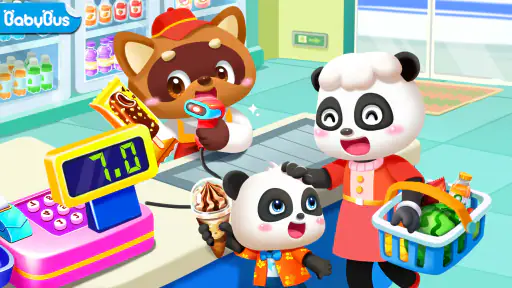
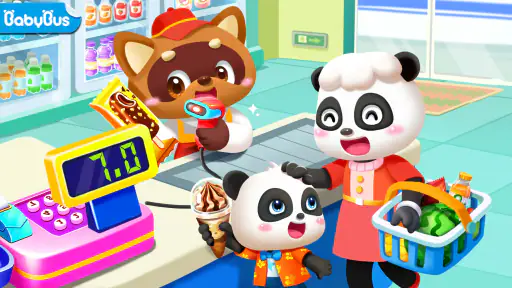
The useful part is the range of play contexts. A supermarket or doctor scenario gives a child something recognizable to act out, which can prompt questions and simple conversation: what do we buy, what does a doctor do, or what might happen next? I find that this kind of familiar pretend play can be easier to connect to a child’s day than an abstract quiz. The game’s value is less about turning every minute into a lesson and more about giving a child a playful starting point.
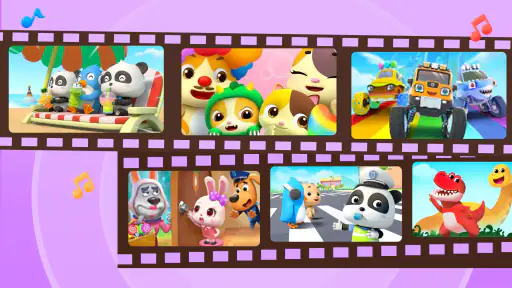
It also helps that BabyBus brings its children’s games and cartoons together under one roof. For a child already fond of that style of character and presentation, having related entertainment in one place may make the app feel inviting. For a parent, that can be convenient when you want to offer a known, child-oriented choice without searching through unrelated games. Still, I’d keep an eye on what the child chooses and how long they stay with it; a colorful interface can hold attention without guaranteeing meaningful learning every time.
Where it fits among children’s games
Compared with a single-purpose learning app, this is a broader play space. A focused counting or reading activity may be the better pick when you want a clear practice target and a predictable lesson. Compared with an open-ended video session, interactive play can give a child opportunities to make choices rather than only watch. The trade-off is that a collection of varied activities may feel less structured than a dedicated curriculum, so I wouldn’t choose it as the main tool for teaching a specific skill.
One practical way I’d use it is during a brief wait at home or while an adult is preparing a meal: choose one activity, sit nearby, and ask the child to explain what they are doing. That turns the screen into a shared prompt instead of background noise. I’d also agree on a stopping point before handing over the device. If a child tends to resist transitions, a simple “one more activity, then we put it away” routine may work better than ending play abruptly.
Who is likely to enjoy it
This game makes the most sense for families seeking free, approachable digital play for young children, especially those who enjoy BabyBus cartoons and pretend scenarios. It is rated Everyone, and the minimum operating system is Android 5.0. It has an average rating of 4.5 from around 74,000 ratings, with more than 10 million installs, which suggests that many families have tried it; those figures are context, not a promise that every child will respond the same way. The current version is 2.1.20.0, and it was released on September 7, 2022.
Gaming Stories You May Enjoy

Dancing Road Turns Short Breaks Into a Test of Rhythm and Timing

Super Stylist Makes Every Outfit a Test of Taste and Patience

Dominoes on Your Terms: Who Should Play and Who Should Pass

Pokémon GO Makes the Familiar World Feel New

Chess.com Turns Rematches Into Rivalries, but Community Has Its Costs

Archery Battle 3D Review: Sharp Aiming, Unclear Feedback
I’d skip it if you need a tightly sequenced learning program, a specific subject curriculum, or a screen-free activity. It may also be a poor fit for a child who gets overstimulated by bright, busy cartoon presentation, or for a caregiver who wants a game to occupy a child without any shared attention. In those situations, a quieter puzzle, a physical pretend-play set, or a focused learning resource may serve the family better.
Exploring the Colorful Universe of Baby Panda
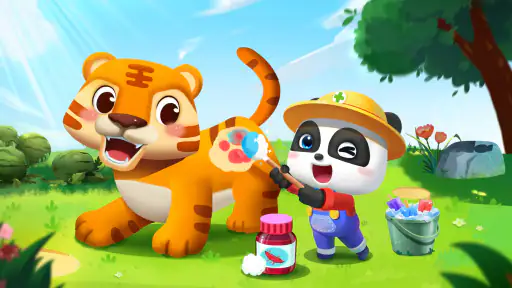
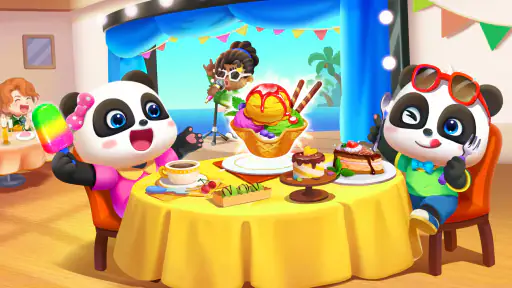
When you first open Baby Panda's Kids Play, you're greeted with a riot of colors and cheerful music. It's like stepping into a cartoon wonderland where everything is designed to capture your child's attention. The app is packed with a variety of mini-games and activities that are not only fun but educational as well. Your little one will get to explore different scenarios, from running a supermarket to playing doctor. Honestly, it's like an endless carnival of learning!
Learning Through Play
One of the standout features of this app is how it seamlessly blends learning with play. Each game is designed with a specific educational goal in mind, whether it's learning numbers, colors, or even basic problem-solving skills. I found that this approach really helps in keeping kids engaged while subtly imparting important knowledge and skills. It's like sneaking vegetables into their favorite dish; they won't even realize they're learning!
User-Friendly Interface
The app's interface is as intuitive as it gets. Kids can navigate through the games with simple taps and swipes, and the instructions are clear and easy to follow. As a grown-up, I appreciated the lack of intrusive ads, which is a huge plus when you're trying to keep a child focused. It's evident that a lot of thought has gone into designing an interface that caters to young users.
Parental Controls
Now, I know what you're thinking - screen time. But don't worry, Baby Panda's Kids Play comes with built-in parental controls. You can set limits on how long your child can play, ensuring that they don't spend too much time glued to the screen. Plus, there are options to customize the difficulty level, so you can tailor the experience to suit your child's age and abilities.
In conclusion, Baby Panda's Kids Play is more than just an app; it's a gateway to a magical world where learning is fun and exploration is endless. I highly recommend giving it a try if you're looking for a way to entertain and educate your little ones. Trust me, they'll love it, and you might just enjoy playing along with them!
Making the play session work
To get more from the activities, I’d let the child choose the scenario rather than steer every tap. A child who picks the supermarket can name objects, sort pretend purchases, or tell a story about what happens next; the adult’s role is to extend that play with a question, not turn it into a test. This is a small but useful distinction: the game can supply the setting, while the conversation supplies much of the real-world connection.
I’d also pay attention to whether a child prefers replaying one activity or sampling many. Repetition is not automatically wasted time for a young learner; returning to a familiar scene can let them become more independent and notice details they missed. On the other hand, if they keep switching rapidly and seem less settled, I’d offer one activity at a time and pause between choices. That makes the experience easier to supervise without adding rules that are more complicated than the game itself.
Practical expectations for caregivers
A common question is whether a young child can use it independently. The simple taps and swipes described in the game’s interface make independent exploration plausible, but I would still stay close, especially at first. Children differ in reading ability, patience, and how they handle transitions, so an adult nearby can help with instructions and decide when it is time to stop. I would not treat the presence of child-friendly design as a substitute for supervision.
Another sensible question is whether it works as a teaching tool. I’d call it a companion to learning, not a lesson plan: the scenarios can give children a chance to encounter everyday ideas, but a caregiver who needs structured practice in a particular subject should choose a dedicated resource. For a quick check of whether it suits your household, try one short session together and notice whether the child talks, makes choices, or simply watches the screen. That tells you more than assuming that educational labeling guarantees a useful fit.
Choosing it for the right reason
The strongest reason to try it is straightforward: it costs nothing to start, and the game offers a child-oriented mix of cartoon presentation and everyday pretend-play settings. I would not judge its value by how long it keeps a child occupied. I’d judge it by whether the child can enjoy a short session, engage with an activity, and then move on without a struggle. If it supports that routine, it can earn a modest place among a family’s entertainment options.
My recommendation is therefore practical rather than universal. Give it a try if your child likes BabyBus-style characters and you want an accessible game to explore together or use for a brief pause in the day. Choose something quieter, more focused, or entirely off-screen if those qualities matter more in your home. The best fit is the one that complements your child’s interests and your own boundaries around screen time.
Baby Panda's Kids Play Pros and Cons
Pros
- Engaging mini-games for kids.
- Colorful and child-friendly graphics.
- Simple navigation for young users.
- Educational content included.
- Frequent updates with new content.
Cons
- In-app purchases can add up.
- Requires internet for some features.
- Advertisements might interrupt play.
- Limited parental controls.
- Games may be too simple for older kids.
This Game in Other Languages
Frequently Asked Questions
What is the main objective of Baby Panda's Kids Play app?
Baby Panda's Kids Play app is designed to provide children with a fun and educational gaming experience. It features a variety of mini-games and activities that help develop cognitive skills, promote creativity, and encourage learning through play. The app aims to make learning enjoyable for young children by engaging them with interactive content and colorful animations.
Is Baby Panda's Kids Play app safe for my child?
Yes, Baby Panda's Kids Play app is safe for children. The app is designed with child safety in mind, offering a secure environment with no harmful content. Parents can rest assured that their children will be engaged with age-appropriate games and activities. Additionally, the app does not contain any third-party advertisements that could lead children to inappropriate content.
Does Baby Panda's Kids Play app require an internet connection?
Baby Panda's Kids Play app can be used offline, which means your child can enjoy the games and activities without needing an internet connection. This is particularly useful for parents who wish to limit screen time or avoid data charges. However, some features or updates may require an online connection to function or download.
Are there any in-app purchases in Baby Panda's Kids Play app?
The app may contain in-app purchases that offer additional features or content to enhance gameplay. While the core features are free, some parents might choose to make purchases to unlock extra content or levels. It is advisable to set up parental controls to prevent unauthorized purchases by children.
What age group is Baby Panda's Kids Play app suitable for?
Baby Panda's Kids Play app is primarily designed for children aged 3 to 6 years old. The games and activities are tailored to suit this age group, focusing on early learning concepts and skills. The app's user-friendly interface and engaging content make it suitable for pre-schoolers and young children who are beginning their educational journey.


