

Baby Panda's House Games
- Reviews
- 4.4
- Version
- 8.71.32.61
- Installs
- 50,000,000+

Screenshots




 Analysis by Frivlyz
What I find most useful about Baby Panda's House Games is that its everyday setting gives children a familiar way into play. Instead of asking a young player to learn an unfamiliar world first, it places activities in rooms and routines they may recognize from home. That can make it easier for a child to understand what to try, while giving an adult a natural opening to talk about cooking, washing, or caring for the house.
I would treat it as a short, shared activity rather than an automatic substitute for hands-on practice. A child can explore a bathroom routine on screen, then try the real steps with a grown-up nearby. The game may help make the topic less daunting, but it cannot replace adult supervision or the sensory experience of using a toothbrush, soap, or kitchen tools. That distinction matters most when a child needs practical coaching rather than a playful introduction.
Reading the screen and finding a way through
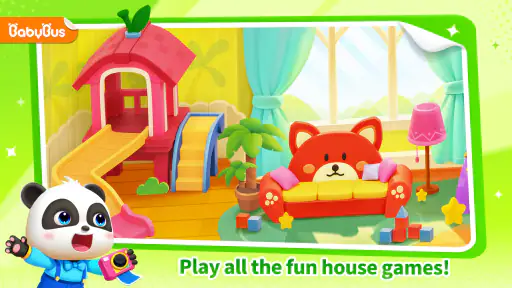
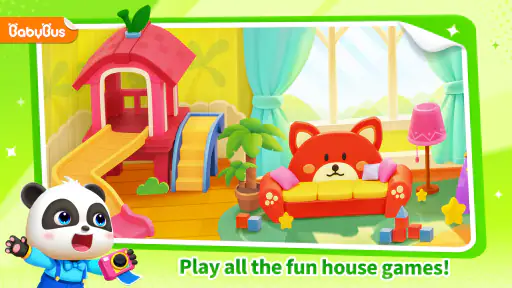
The bright, uncluttered visual style is a practical strength for a young audience: the rooms and objects are easy to distinguish at a glance, and the house theme gives children clues about where an activity belongs. In my view, that is more approachable than a menu built around abstract icons or a long list of lessons. The familiar setting can also help a parent point to an object and connect it with something the child already knows.
Still, a colorful screen is not automatically readable for every child. A child who is sensitive to visual busyness, has difficulty distinguishing details, or needs larger, clearer prompts may benefit from sitting with an adult who can name what is on screen and help interpret the next step. I would begin by watching rather than assuming the child can navigate independently. If they repeatedly tap around without understanding what an activity asks, simplify the session: choose one room, explain the goal in plain language, and let them explore at their own pace.
The house layout also suggests a useful way to share play. Rather than handing over the device and expecting a child to work through everything, I would let them choose a room and ask what they think happens there. That turns navigation into a small conversation and makes it easier to spot whether the challenge is finding an activity, understanding its instruction, or completing its interaction. Those are different problems, and a little observation can tell a caregiver which kind of help is useful.
Movement, attention, and sensory comfort
As a touch-based game, it is best suited to children who can comfortably tap and drag on a screen, though a caregiver can help with the controls when needed. I would not assume that every mini-game is equally manageable for a child with limited fine-motor control. If tapping feels frustrating, try offering a short turn with an adult handling the more precise interaction while the child chooses what should happen next. That keeps the child involved without turning a motor challenge into a test.
The cheerful art and animation suit the playful subject, but sensory preferences vary. Some children enjoy vivid colors and animated characters; others may find motion or busy scenes tiring. A sensible first session is brief and observed, with the device at a comfortable distance and the sound set to a level that suits the child and household. If the screen seems to increase agitation or make it hard to shift attention afterward, stop and try a quieter, more hands-on activity instead. Enjoyment is a better guide than the assumption that every educational game suits every child.
Gaming Stories You May Enjoy

Dancing Road Turns Short Breaks Into a Test of Rhythm and Timing

Super Stylist Makes Every Outfit a Test of Taste and Patience

Dominoes on Your Terms: Who Should Play and Who Should Pass

Pokémon GO Makes the Familiar World Feel New

Chess.com Turns Rematches Into Rivalries, but Community Has Its Costs

Archery Battle 3D Review: Sharp Aiming, Unclear Feedback
When a digital house fits into family life
This game makes the most sense in small pockets of time: while waiting for an appointment, during a calm break at home, or as a conversation starter before a familiar routine. For example, a caregiver could let a child explore the bathroom activity before getting ready for bed, then move on to the real routine together. I would keep the screen session distinct from the task itself, so the game supports the conversation rather than becoming a bargaining tool or a promise that the real activity will be just as easy.
BabyBus makes this educational game for children, and its age rating is Everyone. It is free to download, with optional in-app purchases listed from $0.99 to $49.99 per item, so I would check purchase settings before handing a device to a child. The game has a 4.4 average from around 52,000 ratings and more than 50 million installs, which shows that many families have tried it, but those figures cannot tell you whether its interaction style suits your particular child. It was released on July 3, 2020; version 8.71.32.61 requires Android 5.1 or later.
What it offers compared with other learning play
Compared with a single-purpose learning app that drills letters or numbers, this one gives children a broader pretend-play frame: household activities can prompt talk about routines as well as basic concepts. Compared with a physical toy kitchen or a real-life chore, it is easier to start and repeat without setting up objects, but it lacks the tactile practice and real-world feedback of doing the task. I see its best role between those alternatives: a low-pressure digital prompt that an adult can connect to a real activity.
That role will not suit every family. If your child needs structured reading practice, a focused number activity, or a specific accessibility option, a dedicated app or an offline resource chosen for that need may be a better fit. Likewise, if screen transitions are difficult or the child is already overstimulated, a picture book, toy, or shared household task is likely to work better. I would choose this game for variety and pretend play, not as a targeted intervention or a replacement for direct teaching.
Small choices that make a session work better
One practical tip is to let the child pick a room before opening the game, then agree on a simple stopping point, such as finishing one activity and talking about it. That reduces aimless switching and gives the adult a natural moment to close the session. Another is to use the same everyday words the child hears at home: naming a sink, a meal, or a cleaning step can make the connection more useful than quizzing them on what they remember from the screen.
I would also keep the device in an adult-managed setting, especially for a child who may tap purchase prompts or move between activities quickly. Since optional purchases are available, checking the device’s purchase controls beforehand is a straightforward precaution. For a child who benefits from repetition, revisiting a familiar room can be more productive than encouraging them to sample everything; for a child who loses interest quickly, a short shared turn may be enough to decide whether the game is a good match.
My inclusive verdict
Baby Panda's House Games is a friendly option for families looking for playful, home-themed learning rather than a formal lesson. I like that its rooms create an understandable starting point and that the activities can lead into real conversations about everyday routines. Its strongest use is alongside an adult who can adapt the pace, explain what is happening, and connect screen play with life outside it.
My recommendation is conditional, not universal. Children who enjoy colorful pretend play and can manage the touch interactions may find it engaging; children who need quieter visuals, more direct accessibility support, or hands-on guidance may need an adult beside them or a different activity altogether. Try a brief session together, notice how the child responds to the screens and controls, and decide from that experience. That is a more reliable test of fit than popularity or a general promise of learning.
Exploring the World of Baby Panda
Okay, so first off, the game is all about this adorable little panda who’s on a mission to explore their house and learn everyday activities. Think of it as a virtual playhouse where kids can interact with different rooms and objects. Each room is packed with mini-games and fun tasks that not only keep the little ones entertained, but also teach them important life skills.
The Rooms and Activities
When you first open the app, you're greeted with a colorful interface that’s super inviting. Kids can choose from several rooms like the kitchen, bathroom, and living room. Each room has its own set of activities. For instance, in the kitchen, kids can learn how to cook simple dishes and understand the importance of healthy eating. I found myself getting a bit too into the cooking challenges, not gonna lie!
In the bathroom, the game encourages hygiene practices like brushing teeth and washing hands. It’s honestly such a clever way to make daily routines fun and engaging. And trust me, if it can get my niece excited about brushing her teeth, it's doing something right.
Graphics and User Experience
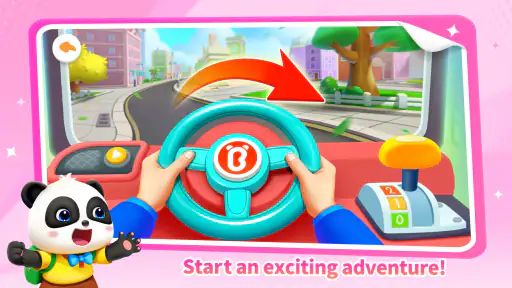
Let's talk about the graphics for a second. The visuals are bright and cheerful, which is exactly what you'd want for a kids' game. The animations are smooth, and the characters are just too cute to handle. Plus, the app is super easy to navigate, so even the youngest users won’t have any trouble getting around.
One thing I really appreciate is how the game developers have clearly thought about the user experience. There are no intrusive ads popping up every two seconds, which is a huge plus in my book. It means kids can play uninterrupted, and parents don’t have to worry about accidental clicks.
Learning While Playing
One of the standout features of Baby Panda's House Games is how seamlessly it blends fun with learning. The mini-games are designed to teach kids basic concepts like colors, numbers, and shapes, all while keeping them entertained. It’s a win-win situation where kids learn without even realizing it.
There are also puzzle games that challenge kids to think critically and solve problems, which is fantastic for cognitive development. It’s like sneaking veggies into a fruit smoothie – they get all the benefits without any fuss.
Overall, if you’re looking for an engaging, educational app for kids, Baby Panda's House Games is definitely worth checking out. It’s fun, it’s cute, and most importantly, it’s packed with learning opportunities. So go ahead, give it a try, and watch your kids explore the wonderful world of Baby Panda!
Baby Panda's House Games Pros and Cons
Pros
- Engaging educational content
- Colorful and appealing graphics
- Safe and age-appropriate
- Easy to navigate for kids
- Encourages creativity and learning
Cons
- In-app purchases can be distracting
- Requires internet for some features
- Limited content without purchase
- Ads may interrupt gameplay
- Some games are too simple for older kids
This Game in Other Languages
Frequently Asked Questions
What is Baby Panda's House Games?
Baby Panda's House Games is a fun and interactive educational game designed for young children. It offers a variety of mini-games and activities that help children learn about daily household chores, develop cognitive skills, and enhance their creativity in a playful environment. The game features colorful graphics and engaging sound effects to keep kids entertained while they learn.
Is Baby Panda's House Games safe for kids?
Yes, Baby Panda's House Games is designed with child safety in mind. The game contains no ads or in-app purchases, ensuring a safe and uninterrupted play experience for children. Additionally, the content is age-appropriate, focusing on educational activities that are suitable for young kids, making it a trusted choice for parents.
What devices are compatible with Baby Panda's House Games?
Baby Panda's House Games is available on both Android and iOS devices. It can be downloaded from the Google Play Store for Android users and from the Apple App Store for iOS users. The game is optimized to run smoothly on most smartphones and tablets, providing an enjoyable experience across various devices.
Does Baby Panda's House Games require an internet connection to play?
No, Baby Panda's House Games does not require an internet connection to be played. Once the game is downloaded and installed, users can enjoy the full range of activities offline. This makes it a convenient option for parents who want to keep their children entertained during travel or in areas with limited internet access.
Are there educational benefits to playing Baby Panda's House Games?
Absolutely, Baby Panda's House Games offers numerous educational benefits. It helps children develop problem-solving skills, enhances their understanding of daily household responsibilities, and fosters creativity through interactive play. The game is designed to be both fun and educational, providing a valuable learning experience that supports early childhood development.


