

Baby Games: Piano & Baby Phone
- Reviews
- 4.4
- Version
- Varies with device
- Installs
- 50,000,000+

Screenshots
 Analysis by Frivlyz
On a first visit, I’d treat Baby Games: Piano & Baby Phone as a small collection of things for a toddler to explore, not as a lesson they need to complete. The point is to let a child tap, listen, imitate, and discover at their own pace. That makes it a handy option for a short, shared play break, especially when a real instrument or toy phone isn’t nearby. I’d stay close at first, watch what catches their attention, and let their curiosity set the pace.
What to expect from the first play session
This is an educational game from RV AppStudios, intended for Everyone. It is free, and its appeal is easy to understand: music and pretend phone play are familiar to young children, so there is little explanation needed before they can begin exploring. It has an average rating of 4.4 from around 50,000 ratings and over 50 million installs, which suggests it has reached a large audience of families. Those figures are useful context, but your child’s age, patience, and interest in sound matter more when deciding if it fits your home.
Compared with a nursery-rhyme video, the important difference is that a child can cause something to happen by tapping rather than only watching. Compared with a physical toy piano, the game is easier to carry around, but it cannot replace the feel of real keys or the social back-and-forth of playing together. I’d think of it as a convenient digital activity, not a substitute for music time, books, or hands-on toys.
Getting started without turning it into a lesson
When you first open it, keep the introduction simple. Sit with your child, point out one activity, and demonstrate one tap rather than trying to explain every option. Then pause and give them a chance to repeat or change what you did. That small handoff makes the first success theirs: they press a key or button, hear a response, and understand that their action made it happen.
For a child who is still learning to use a touchscreen, I’d begin with a brief, supervised turn. A toddler may tap several things quickly, switch between activities, or lose interest after a few moments; none of that means they are using it incorrectly. If the screen becomes a source of frustration, take over for one demonstration or put the device away and try another time. The app works best as an invitation to explore, not a test of attention or coordination.
Choosing between the piano and phone play
Ever wondered what goes on in the mind of a toddler? It’s a whirlwind of colors, sounds, and endless curiosity. Enter the world of Baby Games: Piano & Baby Phone, an app designed to capture the imagination of the little ones while providing a safe and educational play environment. Having spent some time exploring this app, I’m excited to share my thoughts.
Fun and Learning Rolled into One
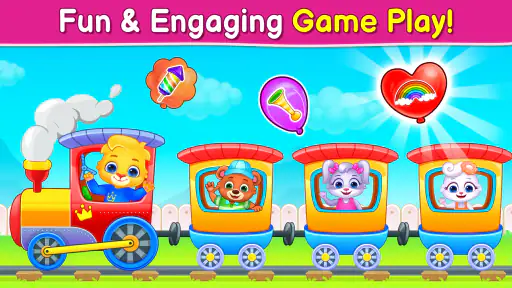
Baby Games: Piano & Baby Phone is not just about fun, it’s a gateway to learning through play. One of the first things that struck me was how user-friendly the interface is. As soon as you open the app, you’re greeted with vibrant colors and intuitive controls that even a toddler can navigate with ease. It’s like handing them their very own mini playground.
Gaming Stories You May Enjoy

Dancing Road Turns Short Breaks Into a Test of Rhythm and Timing

Super Stylist Makes Every Outfit a Test of Taste and Patience

Dominoes on Your Terms: Who Should Play and Who Should Pass

Pokémon GO Makes the Familiar World Feel New

Chess.com Turns Rematches Into Rivalries, but Community Has Its Costs

Archery Battle 3D Review: Sharp Aiming, Unclear Feedback
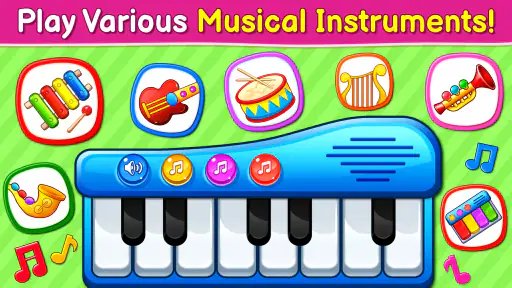
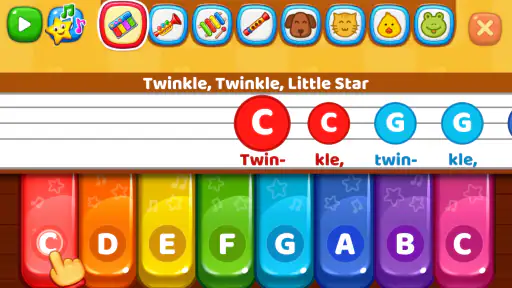
The app is cleverly designed to offer a mix of musical exploration and interactive phone simulations. The piano feature is a definite hit, allowing babies to tap away and create their own tunes. It’s not just about random noise; it’s about nurturing a love for music from a young age. The piano keys are large and responsive, perfect for tiny fingers eager to explore.
The Magic of the Baby Phone
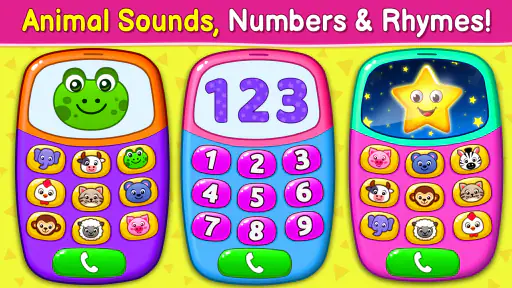
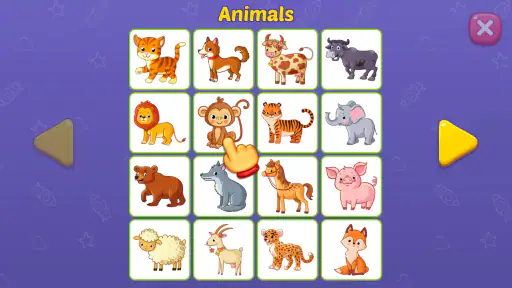
Now, let’s talk about the baby phone feature. Honestly, it’s genius! Kids are always fascinated by phones, and this app lets them have their very own. They can pretend to take calls, listen to fun sound effects, and even learn numbers and animal names through interactive buttons. It’s a playful way to introduce them to basic communication skills.
What I love about this app is how it taps into the natural curiosity of children. It offers a safe digital space where they can learn through imitation and experimentation. Each interaction is designed to be educational, yet it feels like pure playtime for them.
Keeping It Safe and Engaging
Safety is paramount when it comes to apps for kids, and the developers have done a commendable job in this regard. There are no ads to interrupt playtime, which is a huge relief for parents. Additionally, the app’s content is entirely child-friendly, ensuring that your little explorer stays in a safe environment.
The sound effects and visuals are perfectly tailored for young children, capturing their attention and keeping them engaged. The best part? It doesn’t require constant supervision, allowing parents a much-needed break while their child is happily occupied.
When I’d choose another kind of activity
The piano and phone activities suit different moods. If your child is energetic and wants immediate sound feedback, tapping the keys can be a simple way to explore cause and effect. If they are imitating adults or pretending to talk, the phone gives that role-play a focus. I’d offer one activity at a time rather than naming every option; fewer choices can make it easier for a young child to settle into play.
There are trade-offs. Repeated electronic sounds can become tiring for adults, and a screen-based piano does not teach the touch, volume control, or shared rhythm of a real instrument. A physical toy or singing together is a better choice when the goal is movement, conversation, or practicing turn-taking. This game is most useful as a compact diversion that a caregiver can join, not as a replacement for those experiences.
A realistic place for it in the day
For example, while waiting for an appointment, I might let a toddler explore the piano for a short stretch, then ask them to show me which sound they made. That turns a quick distraction into a little exchange without requiring the child to sit through a formal activity. At home, the phone play can also be a starting point for pretending to call a family member, while an adult supplies the conversation. The useful part is not a long session; it is having a simple prompt ready when a child wants to imitate what they see around them.
I would not rely on it to keep a child occupied safely out of sight. Even child-friendly play benefits from an adult nearby, especially when a young child is still learning how to handle a device. It is also not the right pick for families looking for a structured curriculum, a quiet reading activity, or detailed music instruction. In those situations, a book, a real keyboard, or a caregiver-led game will do more.
Small ways to make the interaction more useful
One practical tip is to let the child lead and narrate only what they are doing: “You pressed a key” or “You heard an animal.” That keeps the experience conversational instead of turning every tap into a quiz. Another is to notice whether sound or pretend play holds their attention and begin there next time. If the child keeps switching between activities, gently return to one choice rather than treating the switching as a problem; exploration is part of the appeal.
Parents may also wonder whether the game is suitable for independent play, whether it teaches more than simple recognition, and whether it can replace familiar toys. I see it as appropriate for brief, supervised exploration, with learning that comes through hearing, imitation, and basic interaction rather than a lesson plan. It can complement a toy phone or piano, but it cannot provide the tactile feedback or shared play those objects offer. The best use is to join in for a moment, then decide whether the child is enjoying the activity or would rather move on.
To sum it up, Baby Games: Piano & Baby Phone is a delightful app that blends entertainment with learning in the most charming way. It’s an excellent tool for early development, offering a variety of activities that stimulate the senses and encourage growth. Whether it’s through music or playful phone interactions, this app ensures that learning is always fun and engaging.
In a world where kids are growing up surrounded by technology, finding the right apps that combine safety, education, and fun is crucial. This app does just that and more. It’s a digital playground where curiosity is celebrated, and learning happens naturally. So, if you’re looking for an app to keep your little one entertained and educated, this might just be the perfect fit.
My recommendation is to try it when you can sit nearby for the first few minutes and see which kind of play your child chooses. If the sounds and simple reactions make them curious, it can earn a place among your occasional travel or waiting-room activities. If they quickly become overstimulated, want more varied challenges, or prefer handling real objects, there is no need to push it; another toy or shared activity may suit them better. Used with that expectation, it is an approachable little game for turning a spare moment into playful exploration.
Baby Games: Piano & Baby Phone Pros and Cons
Pros
- Engaging and colorful animations.
- Educational content for toddlers.
- Simple and easy navigation.
- Offline mode available.
- No in-app ads or purchases.
Cons
- Limited variety in games.
- Repetitive music can be annoying.
- Some features are locked.
- Not suitable for older kids.
- Takes up a lot of storage.
Frequently Asked Questions
What age group is Baby Games: Piano & Baby Phone suitable for?
Baby Games: Piano & Baby Phone is designed for infants and toddlers, specifically targeting the age range of 6 months to 3 years. The app provides a safe and engaging environment for young children to explore musical sounds, colors, and interactive elements, making it ideal for early childhood development.
Is Baby Games: Piano & Baby Phone available for both Android and iOS devices?
Yes, Baby Games: Piano & Baby Phone is available for download on both Android and iOS devices. Users can find it on the Google Play Store for Android devices and the Apple App Store for iOS devices. Ensure your device meets the necessary system requirements for optimal performance.
Does Baby Games: Piano & Baby Phone contain any in-app purchases or ads?
Baby Games: Piano & Baby Phone may contain in-app purchases and ads. While the core features are available for free, certain additional content or features might require a purchase. Advertisements help support the free version, but always ensure child-safe settings are activated to avoid unwanted purchases.
How does Baby Games: Piano & Baby Phone help in child development?
Baby Games: Piano & Baby Phone aids in child development by offering interactive activities that stimulate auditory and visual senses. The app encourages motor skill development through tapping and swiping, enhances cognitive abilities with problem-solving tasks, and introduces basic musical concepts through playful piano tunes, contributing to early learning experiences.
Is an internet connection required to use Baby Games: Piano & Baby Phone?
No, an internet connection is not required to use Baby Games: Piano & Baby Phone. Once downloaded, the app can be accessed offline, allowing uninterrupted playtime for your child. However, an internet connection might be needed for initial download and accessing any online features or updates.


