

Baby Care : Toddler games
- Reviews
- 3.7
- Version
- 1.9.5
- Installs
- 50,000,000+

Screenshots
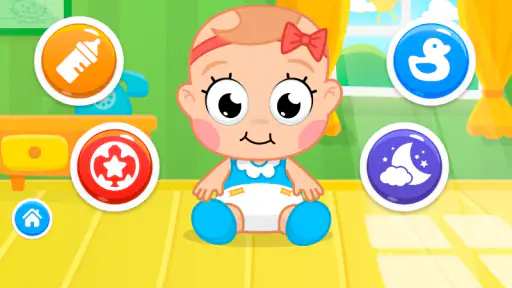
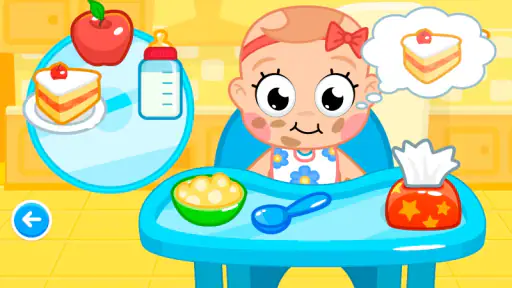
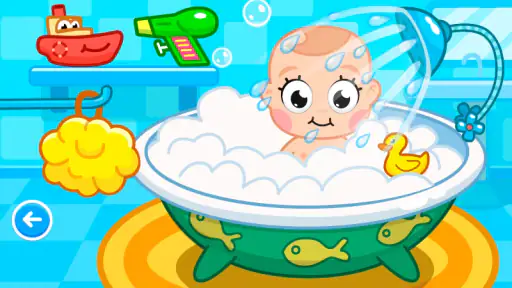
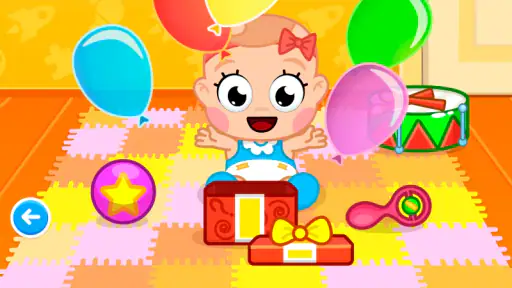
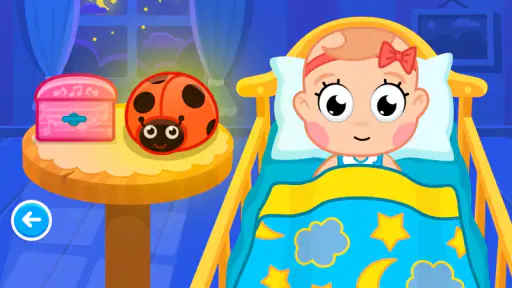
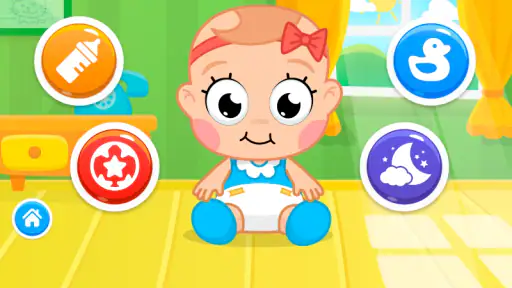
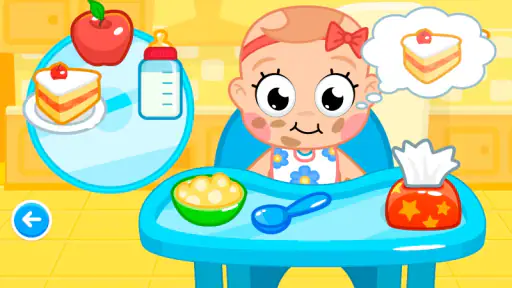
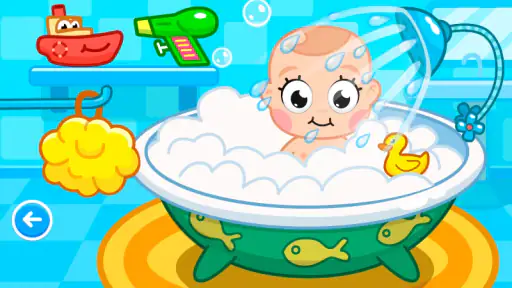
 Analysis by Frivlyz
For a toddler’s first taste of digital play, Baby Care: Toddler Games sounds like an appealing idea: familiar caregiving themes can make a game feel approachable, while simple activities may invite a child to tap, notice, and try things out. My overall view is more cautious than the cheerful premise suggests. This is a free educational game from YovoGames, and its 3.7 average from around 93,000 ratings suggests that families’ experiences are mixed rather than universally glowing. I’d consider it a short, supervised activity, not a substitute for hands-on play or a dependable way to occupy a child for a long stretch.
Where this kind of game can fit into family life
The best use case is a brief, low-pressure moment when an adult can stay nearby: perhaps a few minutes while waiting for food to arrive or during a quiet pause at home. A toddler can explore at their own pace, while a parent can name what appears on screen, ask simple questions, and connect the activity with real objects. That small amount of shared attention matters more than treating the game as a lesson that should deliver measurable progress.
I would set expectations before handing over a phone or tablet. Very young children may tap rapidly, switch activities, or lose interest without warning; that is normal, not a sign that they are using the game incorrectly. Starting together, choosing one activity, and stopping when attention wanders makes the experience easier to manage than offering an open-ended session. For a parent who needs an independent, long-lasting distraction, this is not the right kind of solution.
What the name and category promise—and what to check
The title points toward baby-care play, and the game is categorized as educational. Those labels are a useful starting point, but they don’t tell a parent exactly how each activity plays or whether its pace suits a particular child. I’d explore it first without handing the device over, then decide whether the available interactions are clear enough for my toddler to use with limited help. A child who enjoys imitation and pretend scenarios may be drawn in more readily than one who prefers physical toys or open-ended drawing.
It is also worth separating “educational” from “teaching tool.” A game can encourage attention, choice-making, or conversation without offering a structured curriculum. I’d use any on-screen moment as a prompt for real-world interaction: name an item, let the child point to something similar nearby, or invite them to describe what they chose. That approach keeps the activity social and gives a parent a better sense of whether the child is engaged, rather than simply tapping through.
Practical setup, spending, and device fit
The game is free to download and rated Everyone, which makes it easy to consider for a family device. It does include optional in-app purchases, ranging from $2.49 to $25.99 per item. I would check the purchase controls on the device before a toddler plays, and keep the device’s payment settings protected. That precaution is useful even when a child is only meant to explore a game: small hands can press buttons without understanding that a screen may lead to a purchase.
For a smoother first session, I’d open the game myself, check which parts are accessible, and make sure the child can’t wander into settings or payment prompts. Then I’d keep the device within reach and sit alongside them. This is a practical safeguard, not a claim that the game has a particular parental-control feature. The same approach helps answer a common question before it becomes a problem: can a toddler use it alone? I wouldn’t assume so; an adult nearby is the safer, more useful choice.
Gaming Stories You May Enjoy

Dancing Road Turns Short Breaks Into a Test of Rhythm and Timing

Super Stylist Makes Every Outfit a Test of Taste and Patience

Dominoes on Your Terms: Who Should Play and Who Should Pass

Pokémon GO Makes the Familiar World Feel New

Chess.com Turns Rematches Into Rivalries, but Community Has Its Costs

Archery Battle 3D Review: Sharp Aiming, Unclear Feedback
On Android, the listed minimum operating-system requirement is 5.1, and the current version is 1.9.5. The game has been available since April 28, 2016, and has passed 50 million installs. Those figures show that it has reached a large audience, but popularity alone cannot tell me whether its particular activities will hold my child’s interest. I’d make the decision based on a short trial with the child and the device they will actually use.
How it compares with other toddler activities
Compared with a simple shape sorter, board book, or set of toy dishes, a screen game is easier to carry and can offer a child immediate visual responses. The trade-off is that it does not give the same tactile practice, movement, or back-and-forth conversation that often comes naturally with physical play. If I wanted to encourage a toddler to handle objects, build coordination with their hands, or spend time away from a screen, I’d choose those offline alternatives instead.
Compared with a general video app, a toddler game can invite more active choices than simply watching, but interaction is not automatically learning. I’d pay attention to whether my child is exploring with interest or just tapping quickly to make something happen. If the latter becomes the pattern, I’d close the game and offer a book, toy, or shared activity. The useful comparison is not which option keeps a child busiest; it is which one fits the moment and the kind of engagement I want.
A realistic way to try it
Imagine waiting at a clinic with a restless toddler and a few minutes to fill. I’d open the game before the wait if possible, choose a calm moment to show how to begin, and stay close while the child explores. I’d talk about what they see instead of asking them to keep playing, and I’d put the device away if they become frustrated or start pressing randomly. That turns a potentially passive screen break into a short shared activity without promising that the game will calm every child.
At home, I’d use the same idea after a busy outing: one brief turn together, followed by a transition to a snack, story, or toy. A clear ending helps avoid the impression that the game is meant to run indefinitely. It also gives me a chance to notice what the child actually likes. If they repeatedly return to one kind of interaction, that interest can guide an offline activity later, without assuming the game itself teaches a specific skill.
Who I’d recommend it to
I’d suggest trying it for families with toddlers who are curious about tapping through simple digital activities and whose adults are comfortable supervising screen use. It may be a reasonable option for a short wait or a shared moment when a phone or tablet is already available. The Everyone age rating is reassuring as a broad content label, but it does not replace a parent’s judgement about whether the experience is right for an individual child.
I’d skip it if you want a screen-free routine, a structured early-learning program, or a game that can safely occupy a toddler without supervision. I’d also be cautious if your child tends to become upset when a device is taken away; in that situation, a physical toy or book may make transitions easier. The presence of in-app purchases is another reason to prepare the device rather than handing it over without checking its settings first.
YovoGames has a long-running title here, and its scale—more than 50 million installs—makes it familiar to many families. Still, familiarity is not the same as a personal fit, and the 3.7 average rating is a reminder that I shouldn’t treat it as an automatic recommendation. I’d try it briefly, observe how my child responds, and keep it only if it supports the kind of play I’m comfortable with.
My verdict is that Baby Care: Toddler Games is best approached as an optional, supervised screen activity rather than a must-have learning app. Its free entry point makes a cautious trial easy, while the purchase range and the ordinary limitations of toddler screen play call for adult involvement. If your child enjoys exploring on a device and you want a short activity to share, it may earn a place in your rotation. If you’re looking for lasting independent entertainment or hands-on development, I’d choose a different option.
First Impressions and Interface
Upon launching the Baby Care: Toddler Games app, I was immediately drawn to its colorful and inviting interface. The developers have done a fantastic job in ensuring that the app is easy to navigate, which is crucial when your audience includes the tiniest of tech users. The app is designed with bright, bold colors and large icons, making it easy for toddlers to tap and explore without much help.
Game Variety and Educational Value
The app boasts a wide variety of games, each designed to target different developmental skills. From puzzles that enhance problem-solving abilities to interactive stories that boost language skills, the app has something for every curious mind. I particularly loved the music section, where toddlers can create their own tunes. It’s not only fun but also a great way to foster creativity.
One feature that stood out to me was the educational content subtly embedded within the games. For instance, while dressing up a virtual character, kids learn about colors, patterns, and even basic arithmetic – how cool is that?
Parental Controls and Safety
As a parent, safety is always a top priority. I appreciated the app's comprehensive parental control settings. It allows parents to monitor playtime, set usage limits, and even disable in-app purchases to avoid any surprise charges. Knowing that your child is playing in a safe environment gives peace of mind, which is invaluable.
Engagement and Replay Value
What makes Baby Care: Toddler Games stand out is its ability to keep toddlers engaged over time. The developers regularly update the app with new games and features, ensuring that the content remains fresh and exciting. My little one especially enjoyed the seasonal updates that bring in new themes and activities corresponding to different times of the year.
Moreover, the app rewards kids with stickers and badges as they complete tasks, which encourages them to play more and explore different activities. This reward system is a brilliant way to motivate children to learn and play simultaneously.
Final Thoughts
All in all, Baby Care: Toddler Games is a fantastic app for parents looking to offer their toddlers an enjoyable yet educational experience. The app's focus on safety, combined with its rich variety of games, makes it a must-have in my book. Whether you're at home or on the go, this app is a great way to keep your little ones entertained while fostering their early learning skills. Trust me, once you try it, you'll wonder how you ever managed without it!
Baby Care : Toddler games Pros and Cons
Pros
- Engaging toddler-friendly graphics
- Variety of educational mini-games
- Simple navigation for kids
- Encourages learning through play
- Parental control settings available
Cons
- In-app purchases can add up
- Lack of offline mode
- Ads may interrupt gameplay
- Limited language support
- Some games may require supervision
Frequently Asked Questions
What age group is Baby Care: Toddler Games suitable for?
Baby Care: Toddler Games is designed for young children, particularly toddlers aged 1 to 5 years. The app's activities are crafted to engage and educate toddlers through interactive and colorful games, helping to improve their cognitive skills, hand-eye coordination, and basic understanding of everyday tasks in a fun and safe environment.
Is Baby Care: Toddler Games safe for children to use?
Yes, Baby Care: Toddler Games is safe for children. The app is developed with child safety in mind, featuring a child-friendly interface without any inappropriate content or ads that could distract or harm young users. Parents can rest assured knowing the app provides a secure space for their children to learn and play.
Does Baby Care: Toddler Games require an internet connection?
No, Baby Care: Toddler Games does not require an active internet connection to function. Once downloaded, all games and activities are accessible offline, making it convenient for parents to entertain their children while on the go, such as during car rides or in places with limited internet access.
Are there any in-app purchases in Baby Care: Toddler Games?
Yes, while Baby Care: Toddler Games offers a range of free activities, it does include optional in-app purchases. These purchases can unlock additional content or features, enhancing the overall experience. However, all transactions are protected with parental controls to prevent accidental purchases by children.
How can Baby Care: Toddler Games benefit my child's development?
Baby Care: Toddler Games is designed to support your child's early development through engaging and educational activities. The app helps improve fine motor skills, cognitive abilities, and encourages problem-solving through fun games. It also introduces basic concepts such as colors, shapes, and numbers, making learning enjoyable for toddlers.


