

Alphablocks: Letter Fun!
- Reviews
- 3.8
- Version
- 1.7.0
- Installs
- 10,000+

Screenshots
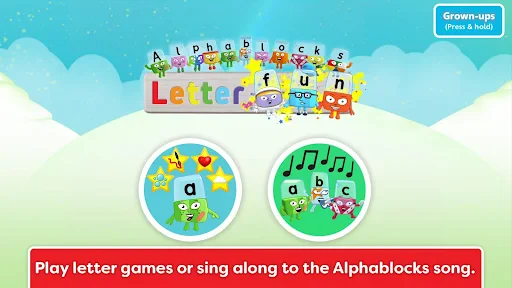
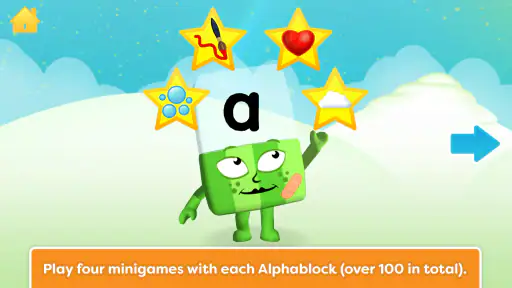
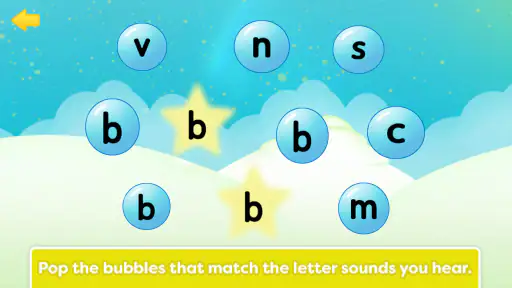
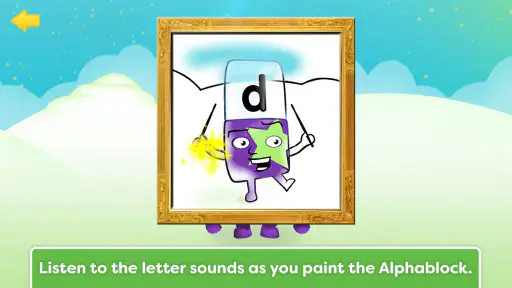
 Analysis by Frivlyz
When I introduce a young child to Alphablocks: Letter Fun!, I keep the goal small: notice a letter, listen to its sound, and leave while the experience still feels enjoyable. That is a more useful expectation than treating any alphabet game as a shortcut to reading. This is an educational game from Blue Zoo, built around letter learning, and its appeal is the way it gives children a playful setting for meeting letters and sounds.
It is best suited to a child who is beginning to recognize letters or who enjoys returning to familiar characters while practising early literacy. I would use it as a short activity alongside talking, reading picture books, and noticing letters in everyday places—not as a replacement for those things. The age rating is Everyone, but a young child may still benefit from an adult nearby, especially at the start, to help keep the play focused and make sense of what they are hearing.
What to expect from this alphabet game
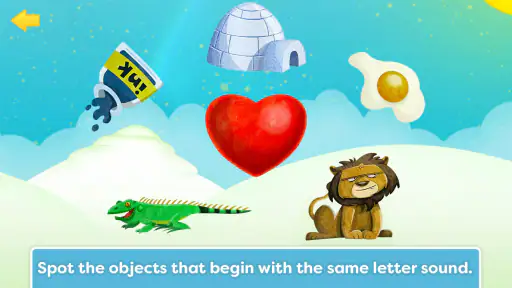
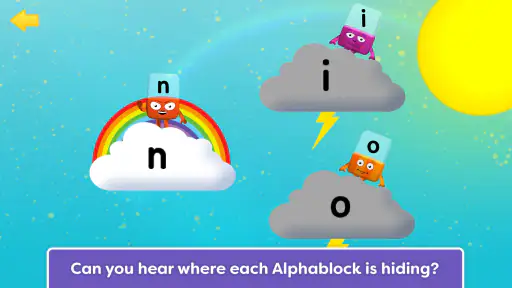
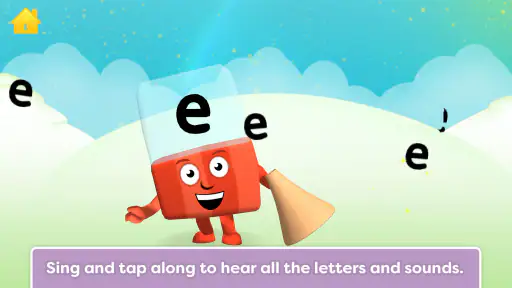
The game’s central promise is practice with letters and their sounds, presented through the Alphablocks world. I would approach it as a friendly introduction or reinforcement activity rather than a full reading course. A child who already knows many letter names may still enjoy revisiting them, while a beginner can use the familiar characters as an inviting reason to pay attention.
That distinction matters when choosing between this and a broad collection of preschool games. Some alternatives offer a mix of counting, shapes, puzzles, and drawing; this one is more clearly aimed at early literacy. That focus can be a strength if letters are the current learning goal, but it also means it may not suit a family looking for one app to cover several school-readiness topics.
I also wouldn’t expect a game to teach every child in exactly the same way. Children differ in how quickly they connect a printed letter with its spoken sound, and enjoying the activity is not proof that a skill has settled. I find it more useful to watch for small signs of transfer: does the child recognize a letter later in a book, or remember its sound when hearing a familiar word? Those everyday moments tell you more than simply completing an activity.
From install to a first useful session
The practical first step is to install the game and open it together rather than handing over the device immediately. Let the child look around, then agree on one modest aim, such as paying attention to a letter or sound. I would keep the first visit relaxed; there is no need to turn the opening session into a test or to insist that a child repeat an answer on demand.
A realistic use case is a quiet spell before dinner. Sit beside your child, let them choose an activity, and ask them to tell you what they noticed afterward. If they are absorbed, let the play continue for a little while; if they start tapping quickly without attending, pause and make the next turn a shared one. This simple change helps an adult distinguish engaged practice from mere screen activity without making the child feel examined.
Gaming Stories You May Enjoy

Dancing Road Turns Short Breaks Into a Test of Rhythm and Timing

Super Stylist Makes Every Outfit a Test of Taste and Patience

Dominoes on Your Terms: Who Should Play and Who Should Pass

Pokémon GO Makes the Familiar World Feel New

Chess.com Turns Rematches Into Rivalries, but Community Has Its Costs

Archery Battle 3D Review: Sharp Aiming, Unclear Feedback
For a first successful moment, look for one clear response rather than a long run of correct answers. The child might point out a letter, attempt its sound, or connect it with something they already know. Celebrate the attempt, then stop or move on according to their interest. A short, positive encounter is often a better starting point than stretching the session until attention fades.
How to keep practice useful
One practical tip is to follow screen time with a real-world hunt: find the same letter on a book cover, a food package, or a sign during a walk. That gives the child a chance to see that letters are not limited to the game. Another is to ask open questions—“What did you notice?” works better than repeatedly asking for the right answer, which can make practice feel like a quiz.
It can also help to focus on the sound a letter represents, not only its name. These are related but different pieces of early reading, and a child who can name a letter may still need time to connect it with a sound. Keep the comparison gentle and use familiar words when talking together. If the child is tired, frustrated, or losing interest, leave the lesson for another time rather than pushing through.
The game has a 3.8 average from around 155 ratings, with over 10,000 installs. Those figures suggest that it has found an audience, though they cannot tell me whether it will fit a particular child’s learning style. I would use them as background, not as a substitute for trying a brief session and judging the child’s response.
Why Alphablocks is a Game-Changer
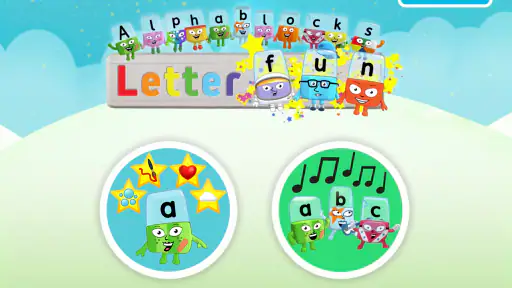
First off, let’s talk about the concept. Alphablocks: Letter Fun! is designed to make learning the alphabet as entertaining as possible. We all know how tricky it can be to keep little ones engaged, but this app does it with flair. The characters are vibrant and each letter has a personality of its own, which really helps in holding the attention of young learners.
A Seamless Learning Experience
What caught my attention is how the app blends play with education. Each game is crafted to focus on letter recognition, phonics, and spelling, which are crucial foundational skills for reading. As a parent or teacher, you’ll appreciate how it reinforces these skills through interactive and engaging activities. And the best part? It doesn’t feel like learning at all!
The app also offers a variety of mini-games that cater to different learning styles. Whether your child is a visual learner or prefers hands-on activities, there’s something in there for everyone. Plus, the animations are top-notch, making every interaction fun and immersive.
For me, the useful way to assess this kind of play is to notice what the child does without prompting. If they begin to look carefully at a letter before acting, or spontaneously repeat a sound, the activity is giving them a moment to practise attention as well as recall. I would resist turning every interaction into a lesson, though. Sometimes the best adult contribution is simply to name what happened and let the child enjoy the character or animation.
It is also worth remembering that the skills grouped under “early reading” do not all develop at once. Letter recognition, sound awareness, and spelling are connected, but a child may be comfortable with one and uncertain about another. If they can identify a character or letter but hesitate when asked for a sound, that is not a reason to treat the session as a failure. I would make a note of what came easily and return to the harder part another day, rather than repeatedly drilling it in the same sitting.
User-Friendly and Intuitive
Another highlight of the app is its user-friendly interface. Navigating through the games is a breeze, making it easy for kids to explore independently. The app's design ensures that even the youngest users can find their way around without constant adult supervision. This independence is great for boosting their confidence as they learn new skills.
For a first-time user, I would still stay close until I knew how the child handles the choices on screen. An interface that feels simple to an adult can invite rapid tapping from a child who is excited, and that may skip the slower part of noticing a sound or letter. Sitting nearby for the first session lets you see whether the child can move around comfortably and whether a little guidance makes the activity more rewarding.
If more than one child will use the device, take turns rather than letting the more confident child answer every prompt. A younger or quieter learner may need extra time to look and respond. You can also invite each child to say what they noticed, without turning it into a competition. This is a small household adjustment, but it can make a shared game feel welcoming instead of stressful.
The game costs $3.49, so I would decide based on whether a focused letter-and-sound activity is something your family will actually use. That is a different calculation from downloading a free collection of general games: the value depends on whether the child returns to this particular kind of practice. If you are unsure, think about the routine first—perhaps a few short sessions during a calm part of the week—rather than expecting a single purchase to create a habit by itself.
It runs on Android from version 5.1, and the current version is 1.7.0. The game was released on December 18, 2017, so I would not choose it on the assumption that it behaves like a newly launched app or that its content is expanding frequently. In particular, I would treat any mention of regular new content cautiously and judge the experience that is available when you open it, rather than planning around future additions.
Choosing the right fit and next step
I would recommend it most readily to families who want a child-friendly way to revisit alphabet sounds and who are happy to join in occasionally. A parent can use it as a prompt for conversation; a teacher or caregiver can use a short turn as one small literacy activity among others. It is less suited to someone seeking a comprehensive phonics curriculum, detailed progress tracking, or a broad educational suite covering many subjects. For those needs, a structured reading program or a wider learning app may be a better match.
One limitation of character-led learning is that a child may remember the character more readily than the letter or sound. That is not automatically a problem—the character can be the hook—but it is a reason to connect play back to ordinary print. After a session, point to a letter in a story or write it together in a simple way. If the child cannot make that connection yet, keep the activity enjoyable and revisit it later instead of assuming the game alone will make the skill stick.
Parents may also wonder whether they need to sit with the child every time. I would not make constant supervision a rule, but I would begin together and check in now and then, particularly if the child is very young or easily distracted. The point is not to monitor every tap; it is to notice whether the child is actually engaging with letters and sounds, and to offer a little context when needed.
Another reasonable question is whether this can replace a book or an adult-led activity. I would say no: it is a companion for practice, not a substitute for hearing stories, talking about words, or encountering print away from a screen. Its best role is narrow and manageable—give a child a playful reason to spend a little time with letters, then carry that interest into daily life.
Moreover, the game was released on December 18, 2017, and the current version is 1.7.0. I would not choose it on the assumption that it behaves like a newly launched app or that its content is expanding frequently. In particular, I would treat any mention of regular new content cautiously and judge the experience that is available when you open it, rather than planning around future additions.
The game is rated Everyone, and its listed price is $3.49. Its 3.8 average comes from around 155 ratings, while more than 10,000 installs show that families have tried it. I see those as useful context rather than a promise of results; the better test is whether your child enjoys the activity and begins to notice letters beyond the screen.
Final Thoughts
In a nutshell, Alphablocks: Letter Fun! is a stellar app for anyone looking to turn the process of learning the alphabet into a delightful experience. With its engaging characters, educational games, and user-friendly design, this app is a must-have for parents and educators alike. So, if you’re searching for an app that combines education with entertainment seamlessly, give this one a go. It might just become your child’s new favorite learning tool!
My recommendation is a little more specific: consider it if a child is ready to spend time with letters and sounds and responds well to playful character-based activities. Keep the first session short, stay close enough to help, and use one thing the child noticed as a bridge to a book or object later in the day. If they enjoy it, that is a good reason to bring it back; if they prefer hands-on letter play or need a step-by-step teaching plan, choose an option built for that instead. The right measure of success is not how long they stay on screen, but whether the experience leaves them curious about letters when the device is put away.
Alphablocks: Letter Fun! Pros and Cons
Pros
- Engaging letter animations
- Interactive learning experience
- Safe for young kids
- Encourages creativity
- User-friendly interface
Cons
- Limited free content
- In-app purchases required
- Requires internet connection
- Repetitive content
- May not hold older kids' interest
Frequently Asked Questions
What is Alphablocks: Letter Fun! and who is it designed for?
Alphablocks: Letter Fun! is an educational app designed for young children, particularly those in preschool and early elementary school. It aims to teach kids the basics of the alphabet through interactive games and activities. The app uses engaging animations and fun challenges to make learning letters exciting and enjoyable for young learners.
How does Alphablocks: Letter Fun! help children learn the alphabet?
The app uses a variety of interactive games and activities that encourage children to recognize and pronounce letters. By integrating phonics and visual learning, Alphablocks: Letter Fun! helps kids understand how letters form words, enhancing both their reading and spelling skills. The colorful graphics and playful characters keep children engaged throughout their learning journey.
Is Alphablocks: Letter Fun! safe for children to use?
Yes, Alphablocks: Letter Fun! is designed with children's safety in mind. It is free from inappropriate content and does not include third-party advertisements, ensuring a safe and distraction-free learning environment. Parents can feel confident that their children are engaging with educational content that is both safe and enriching.
Does Alphablocks: Letter Fun! require an internet connection to play?
No, Alphablocks: Letter Fun! can be enjoyed offline, making it a convenient option for families on the go. Once the app is downloaded, children can access all its features without needing an internet connection. This offline capability ensures uninterrupted learning, whether at home or during travel.
Are there any in-app purchases in Alphablocks: Letter Fun!?
Alphablocks: Letter Fun! offers some additional content and features through in-app purchases. While the core elements of the app are accessible for free, optional purchases can enhance the learning experience with extra games and activities. Parents can set up password protection to manage these purchases and ensure children do not make unintended transactions.


