

Alphablocks, How to Write
- Reviews
- 3.8
- Version
- 1.2.0
- Installs
- 5,000+

Screenshots
 Analysis by Frivlyz
I’d start Alphablocks, How to Write with a simple goal: help a young child become more familiar with letters and the movement involved in writing them. It is an educational game from Blue Zoo, built around the Alphablocks characters. The idea is appealing for a first-time user because it gives a child something recognizable to focus on while exploring letters. I would treat it as a short, shared activity rather than expect a game to replace paper, pencils, or an adult’s encouragement.
What to Expect from the First Session
The game’s central promise is straightforward: make early letter learning feel playful. Its store summary mentions the Numberblocks, while its short description identifies Alphablocks; the title itself points toward writing practice. That mix may prompt a reasonable question about what the experience emphasizes. I would go in expecting an alphabet-focused activity associated with the Alphablocks brand, and let the child’s response to the actual play guide whether it becomes part of a routine.
It sits in the educational game category, but the important distinction is that this is aimed at early learning, not at children who already write confidently and want a broad language course. It is rated Everyone, and the game costs $3.99. That makes the decision less about trying a free casual distraction and more about whether a focused, character-led learning activity suits the child you have in mind.
A Calm Way to Begin
For a first visit, I would keep expectations modest and sit beside the child. Invite them to explore one letter or activity at a time instead of turning the session into a test. If they want to repeat a movement, let them; if they lose interest, stop and return another day. That approach helps you see whether the character theme and touch-based interaction hold their attention without making early practice feel like homework.
A useful first-success moment is not finishing everything. It is seeing the child recognize a letter, attempt its shape, or explain what they are doing. Afterward, try connecting that letter to a familiar name or object away from the screen. This small step makes the session feel relevant and gives you a better sense of whether the game is supporting curiosity rather than simply filling time.
Using It Alongside Real Writing
Touchscreen practice and pencil practice are not interchangeable. A child can enjoy following a shape on a screen yet still need help holding a pencil and controlling it on paper. I would use the game as a warm-up: spend a little time with a letter, then offer paper and invite the child to try a large version with a crayon. The contrast can reveal whether the child recognizes the shape but needs more physical practice.
This is also a practical way to keep screen time purposeful. Rather than handing over the device while you are busy for a long stretch, agree on a short turn and stay available to talk about what the child notices. Asking them to find the same letter on a book cover or a cereal box turns a digital activity into a real-world observation game. It is a simple extension, not a feature the app needs to provide.
Gaming Stories You May Enjoy

Dancing Road Turns Short Breaks Into a Test of Rhythm and Timing

Super Stylist Makes Every Outfit a Test of Taste and Patience

Dominoes on Your Terms: Who Should Play and Who Should Pass

Pokémon GO Makes the Familiar World Feel New

Chess.com Turns Rematches Into Rivalries, but Community Has Its Costs

Archery Battle 3D Review: Sharp Aiming, Unclear Feedback
Who May Enjoy It—and Who May Prefer Something Else
I can see this being a good fit for a preschool-age learner who already responds to animated characters, enjoys tapping and tracing, and benefits from repeating a task in a playful setting. It may also help a caregiver who wants a concrete starting point for talking about letters. The best results are likely when an adult occasionally joins in, especially if the child is still learning what a letter is and how it differs from a picture.
It is less suitable if you are looking for a comprehensive reading curriculum, extensive writing instruction, or an activity designed for older children. A child who dislikes character-led learning may prefer plain letter cards, a workbook, or drawing with an adult. And if the immediate goal is handwriting control, paper and a chunky crayon offer a different kind of practice that a screen cannot fully replace.
Making the Purchase Decision
The game has an average rating of 3.8 from around 42 ratings, with four written reviews, and has reached over 5,000 installs. Those figures offer a little context, but they do not tell me whether it will suit a particular child; their response to the characters and activities matters more. Its current version is 1.2.0, and it requires Android 5.1 or later. I would check that the device you plan to use meets that requirement before paying.
Compared with free alphabet videos, this kind of game may give a child a more hands-on reason to participate. Compared with a traditional workbook, it brings a character-based digital setting but does not provide the same physical pencil experience. Neither alternative is automatically better. If you want an adult and child to practise together away from a screen, cards or a workbook may be the better choice; if a playful digital prompt makes a reluctant learner willing to engage, this game may earn a place in the mix.
Keep the First Steps Simple
Blue Zoo developed the game, and its connection to a familiar children’s animation brand is a clear part of its appeal. Still, I would judge it by the child’s actual response rather than by brand recognition alone. A child may enjoy the characters but need an adult to connect the activity to writing; another may focus more readily when the character setting makes letters feel less abstract.
For a low-pressure routine, try opening the game when you have a few calm minutes together, let the child choose where to begin, and finish by naming one letter they encountered. On a different day, revisit that letter on paper or in the environment. This gives practice a small, repeatable shape without making progress depend on long sessions or rewards.
Interactive Learning Experience
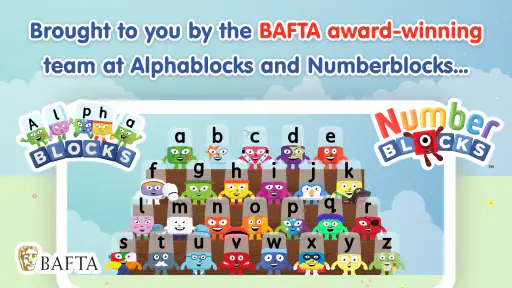
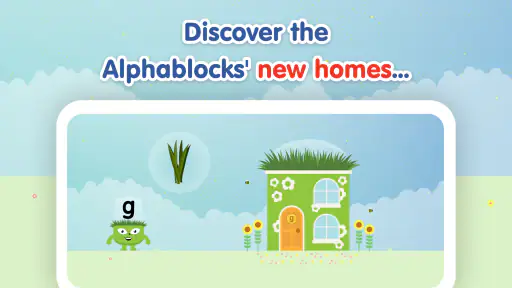
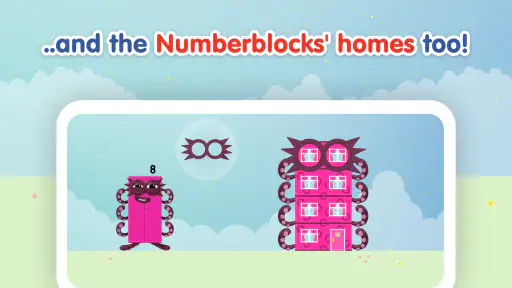
One of the standout features of Alphablocks, How to Write is its highly interactive platform. The app cleverly uses animation and sound to engage children, making the learning process fun and effective. Each letter of the alphabet is represented by a unique character, transforming the mundane task of learning ABCs into an exciting adventure. The characters come to life with vibrant colors and quirky personalities that children can't resist following. It's like having a classroom in your pocket!
Step-by-Step Writing Guide
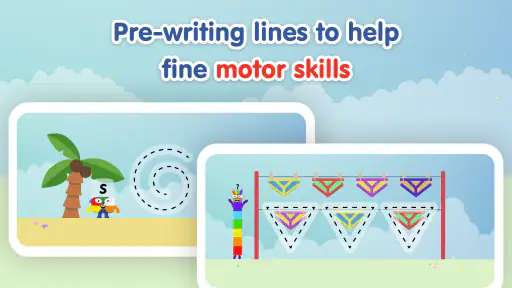
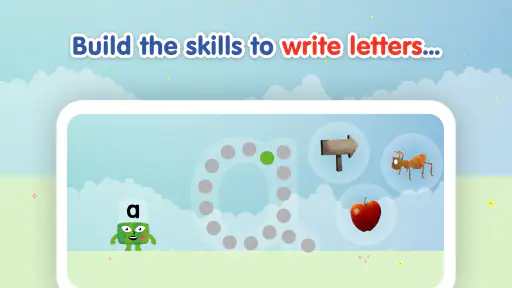
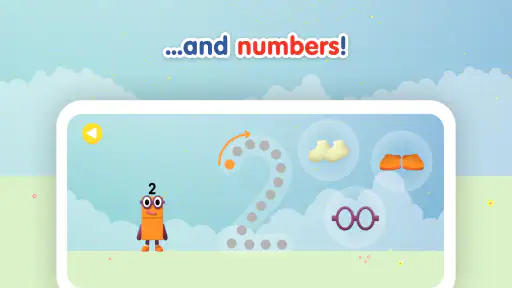
The app doesn’t just stop at recognizing letters; it takes a step further by teaching children how to write them. With a step-by-step guide, kids can trace each letter using their fingers on the screen. The app provides instant feedback, ensuring that children learn the correct formation of each letter. This interactive tracing feature is great for motor skills and reinforces learning through practice.
Fun and Games
Learning is most effective when it doesn’t feel like a chore, and Alphablocks has mastered this. The app is packed with engaging mini-games that reinforce the lessons learned. Whether it's matching letters or completing words, these games are designed to boost memory and encourage retention. It’s a perfect blend of play and education, keeping children entertained for hours on end.
Moreover, the app rewards children with stars and badges as they progress, which boosts their confidence and motivates them to keep learning. Trust me, watching kids light up with joy when they earn their first badge is a delightful experience.
Parental Insights
For parents, the app offers detailed insights into their child’s progress. You can easily track which letters your child has mastered and which ones they need to work on. It’s a handy feature for those who want to stay involved in their child’s educational journey. Plus, the app's user-friendly interface ensures that even the least tech-savvy parents can navigate it with ease.
In a world where screen time is often frowned upon, Alphablocks, How to Write offers a guilt-free way for children to engage with technology. The app is available for both Android and iOS, making it accessible to a wide range of users. So why not give it a try? You might find yourself learning a thing or two as well!
In conclusion, if you’re looking for an app that combines education with entertainment, Alphablocks, How to Write is definitely worth checking out. It’s an investment in your child’s future, and with its engaging design and educational value, it's a win-win for both kids and parents.
Alphablocks, How to Write Pros and Cons
Pros
- Engaging educational content.
- Interactive learning experience.
- Colorful and attractive visuals.
- Easy navigation for young users.
- Encourages creativity and literacy.
Cons
- Limited free content.
- Requires internet connection.
- May need parental guidance.
- In-app purchases available.
- High storage requirement.
Frequently Asked Questions
What is Alphablocks, How to Write?
Alphablocks, How to Write is an educational app designed for young children to help them learn to write letters and words in an engaging and interactive way. It features colorful animations, fun characters, and interactive activities that make learning to write an enjoyable experience for kids.
Is Alphablocks, How to Write suitable for all ages?
The app is primarily designed for preschool and early elementary school children, typically aged 3 to 7 years. It focuses on foundational writing skills, making it ideal for young learners who are just beginning to explore the world of letters and words.
Does Alphablocks, How to Write require an internet connection?
No, Alphablocks, How to Write does not require an internet connection for its core features. Once downloaded, children can enjoy the app's games and learning activities offline, making it a great option for use during travel or in areas with limited internet access.
Are there in-app purchases in Alphablocks, How to Write?
Yes, while Alphablocks, How to Write offers a range of free content, there are optional in-app purchases available. These purchases typically unlock additional content, features, or learning activities. Parents should monitor in-app purchases to manage spending and ensure a child-friendly experience.
How does Alphablocks, How to Write support learning?
The app supports learning by combining visual, auditory, and kinesthetic activities to enhance children's understanding of writing. It uses engaging characters and interactive lessons to teach letter recognition, writing techniques, and word formation, thereby fostering a comprehensive learning environment.


