

Airline Commander: Flight Game
- Reviews
- 4.3
- Version
- 2.4.9
- Installs
- 50,000,000+

Screenshots
 Analysis by Frivlyz
I tend to enjoy flight games most when they give me a reason to care about each landing, not just the view from the cockpit. Airline Commander: Flight Game aims for that mix of hands-on flying and airline progress, so a short session can feel like a focused challenge while longer play gives you more to manage. It is a simulation game from RORTOS, and its appeal is easiest to understand if you want takeoffs and landings to demand attention rather than happen in the background.
How quickly a flight gets engaging
The pace is not simply about how fast a plane moves. A flight can feel brisk when I am working through a takeoff, responding to changing conditions, or lining up a landing; it can feel slower when I want a quick burst of action and the game asks me to spend time on progression. That contrast is part of the appeal for players who enjoy a routine with several stages, but it may frustrate anyone expecting an instant arcade-style flight every time they open the app.
My practical advice is to treat a session as a small flying task rather than a guaranteed quick win. If I have only a spare moment, I would choose a point in my play where I can give the controls proper attention, instead of starting just before I need to put my phone away. Takeoffs and landings are the moments when rushing is most likely to spoil the experience. The game rewards concentration more than tapping through a flight while distracted.
Busy moments and cockpit workload
The most demanding parts are the ones that ask me to monitor the aircraft and make deliberate adjustments at the same time. Turbulence and emergency situations, which the game can bring into a flight, make the cockpit feel less like scenery and more like a workspace. That creates satisfying tension, but it also means I would not recommend playing through a tricky approach while answering messages or trying to follow a conversation.
One useful habit is to learn the basic control flow before chasing a difficult flight. I found it easier to think in stages: get comfortable with the departure, keep track of what the aircraft is doing during the flight, then leave enough attention for the approach and landing. That mental checklist is more useful than trying to remember every control at once. It also makes a mistake easier to understand: I can tell whether I lost track during takeoff, cruise, or landing instead of deciding the whole game is too hard.
There is a trade-off here for players who mainly want a management game. The airline layer offers a different kind of engagement, but it does not remove the need to fly carefully when the game puts me in the cockpit. If I want to relax by making broad decisions without handling a landing, a dedicated business-management game would suit me better. If I want the management to give context to the flying, this blend has a clearer purpose.
Reliability, recovery, and expectations
I would approach reliability in a practical way: the game is most enjoyable when I can give a flight uninterrupted attention, and a sudden pause in a demanding moment can break concentration even if the rest of the session feels smooth. As with any mobile game, performance can vary with the device and what else is running. I would close resource-heavy apps before a longer session if my phone tends to struggle, and I would avoid treating a complicated landing as the ideal time to test how well multitasking works.
Gaming Stories You May Enjoy

Dancing Road Turns Short Breaks Into a Test of Rhythm and Timing

Super Stylist Makes Every Outfit a Test of Taste and Patience

Dominoes on Your Terms: Who Should Play and Who Should Pass

Pokémon GO Makes the Familiar World Feel New

Chess.com Turns Rematches Into Rivalries, but Community Has Its Costs

Archery Battle 3D Review: Sharp Aiming, Unclear Feedback
Recovery is also a question of patience. When a flight goes wrong, the useful response is to work out which part of the sequence caused the trouble and try that section with more care, rather than repeating the same hurried inputs. I would not assume every setback is instantly reversible; the more dependable approach is to keep enough time for a proper attempt and pay attention to the controls the tutorial introduces. That makes the learning process feel more manageable, especially early on.
Inside the cockpit and airline office
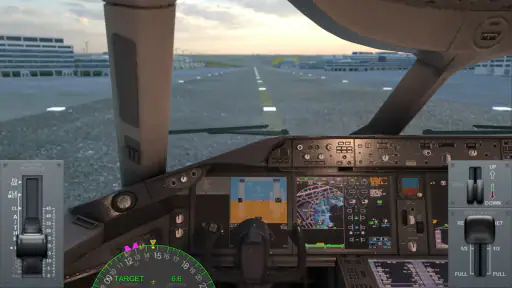
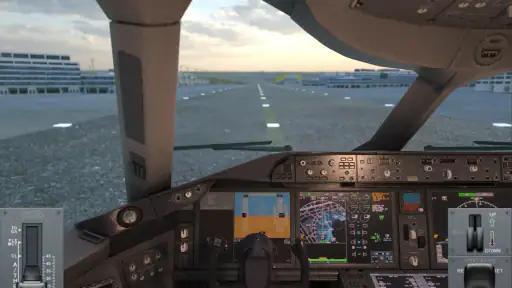
From the moment I launched Airline Commander, I was hooked. The first thing that hits you is the stunning graphics. The developers really nailed the realism here, making you feel like you're actually sitting in the cockpit. The attention to detail is incredible, from the dials and switches to the panoramic views from the cockpit. I mean, who doesn't want to see the world from above?
But graphics alone don't make a great game. Luckily, Airline Commander backs it up with a fantastic gameplay experience. The app gives you the chance to build your own airline, manage flights, and take control of the cockpit. What's cool is how it simulates real-world flying conditions, so you're not just coasting through clear skies. You have to deal with everything from turbulence to emergencies, which keeps you on your toes.
Learning the Ropes
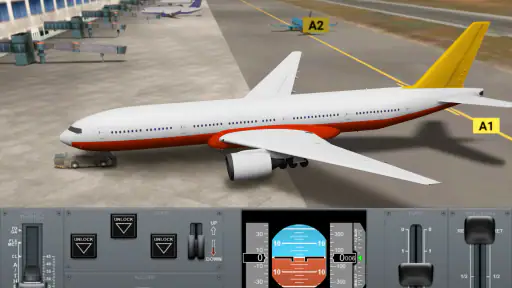
At first, I was a bit overwhelmed by all the controls and options. But the game does a great job of easing you in. There's a solid tutorial that walks you through the basics, and before you know it, you're handling takeoffs and landings like a pro. The learning curve is just right—not too easy, but not frustratingly hard either.
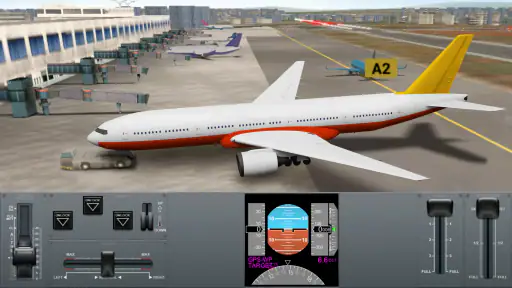
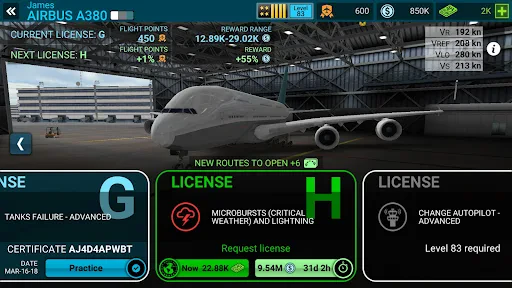
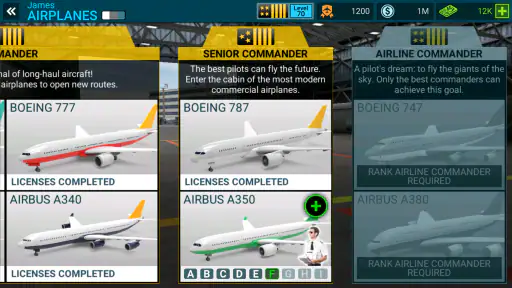
One of the things I really appreciated was the variety of aircraft available. You start with the smaller planes and gradually unlock bigger, more complex ones as you progress. Each plane feels unique, with its own quirks and challenges. It's like having a whole fleet at your fingertips!
Managing Your Airline
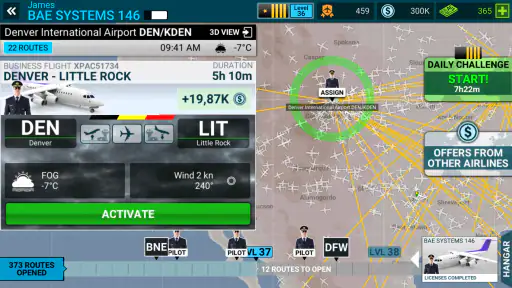
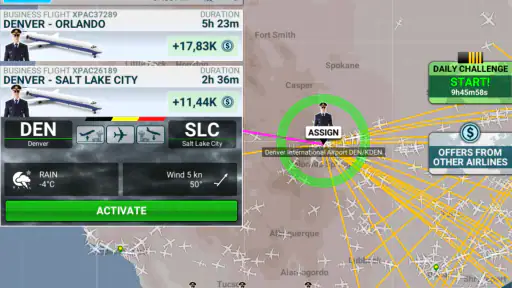
Beyond flying, you get to dive into the business side of things. Managing your airline involves planning routes, hiring pilots, and maintaining your fleet. It's a bit like a strategy game within a flight simulator. I found this aspect surprisingly addictive. There's a real sense of satisfaction in seeing your airline grow and thrive.
One tip: don't neglect your fleet maintenance. It might sound boring, but keeping your planes in top condition is crucial for avoiding in-flight malfunctions. Trust me, an engine failure mid-flight is not something you want to experience!
Choosing it for the right kind of session
A realistic everyday use case is a quiet evening when I have enough time to complete a flight without being pulled away. I can focus on the departure, enjoy the view during calmer stretches, and pay closer attention as I prepare to land. On a busy commute or in a short queue, I would be more cautious: a flight simulation is a poor fit if I may have to stop at the exact moment I need steady hands. The airline-management side can make shorter check-ins worthwhile, but the flying is best when I can concentrate.
Compared with simpler mobile flying games, this one puts more weight on cockpit tasks and a growing airline, rather than making every session a quick, carefree lap. Compared with a deep PC flight simulator, it is easier to approach on a phone and has progression that gives each flight a broader context, but it is still a mobile game with touch controls and device-dependent performance. I would pick it over an arcade flyer when I want a more involved routine; I would pick a dedicated simulator on a larger screen if fine control and a more expansive simulation are my main priorities.
Who is it for? I think it suits players who like learning controls, working toward a larger fleet, and balancing flying with management. It is also a reasonable starting point for someone curious about flight simulation, because the tutorial helps introduce the basics. I would skip it if I want instant action with almost no learning curve, dislike repeated practice, or have little patience for managing progress between flights. Those preferences do not make the game poor; they simply point toward a lighter arcade game or a pure management title instead.
Device limits, cost, and practical choices
The game is free to download, with in-app purchases ranging from $0.99 to $104.99 per item. I would start without spending and first decide whether the flying and airline progression hold my interest. That is especially sensible if I am still learning the controls: paying before I know which parts I enjoy would not improve the basic question of whether this style suits me. The game is rated for Everyone, has an average rating of 4.3 from around 530,000 ratings, and has been installed over 50 million times, so it has reached a broad mobile audience without that popularity guaranteeing that every player will enjoy its pace.
For device compatibility, the minimum requirement is Android 6.0. That tells me where support begins, not how smoothly every phone will run it. Detailed cockpit visuals and active gameplay can be more demanding than a simple menu-based game, so an older or busy device may make the experience less comfortable. If I notice stuttering or heat during a session, I would lower expectations, close other apps, and try a shorter flight before deciding whether the issue is persistent. I would also avoid leaving the game running while switching between several demanding apps.
The current version is 2.4.9, and the game was released on July 26, 2018. I would keep it updated through the normal app store process and make sure I have enough free space for a game with detailed visuals, while remembering that an update alone cannot overcome every hardware limitation. On a device that already handles other 3D games comfortably, I would be more optimistic; on a phone that struggles with them, I would expect compromises.
Final Approach
After spending a good chunk of time with Airline Commander: Flight Game, I can confidently say it's a must-try for any flight enthusiast. Whether you're in it for the flying or the management, there's plenty to keep you engaged. The combination of realistic graphics, challenging gameplay, and strategic depth makes it stand out in the crowded app market.
So, if you're ready to take on the skies, give Airline Commander a try. It's a high-flying adventure you won't want to miss!
My performance verdict
For me, the strongest reason to install it is the way it connects the immediate work of flying with the longer-term satisfaction of building an airline. Its speed depends on what I want from a session: the cockpit can feel active and demanding, while progress calls for a more patient rhythm. Stability and resource use are best judged on the phone I actually own, so I would test a normal flight before settling into long sessions. If I can give it focused time and enjoy learning from imperfect landings, it is a rewarding mobile simulation; if I need effortless, interruption-proof entertainment, I would choose something simpler.
Airline Commander: Flight Game Pros and Cons
Pros
- Realistic flight simulation experience.
- Wide variety of airplanes and missions.
- Intuitive controls and interface.
- Engaging progression system.
- Detailed in-flight tutorials.
Cons
- Requires stable internet connection.
- Can be graphically demanding.
- In-app purchases can be pricey.
- May have steep learning curve.
- Occasional in-game ads.
Frequently Asked Questions
What is Airline Commander: Flight Game and what can players expect from it?
Airline Commander: Flight Game is a realistic flight simulation game available on both Android and iOS platforms. Players can expect to experience the thrill of piloting commercial aircrafts, managing an airline, and mastering take-offs, landings, and other flight maneuvers. The game offers a variety of aircrafts to fly, realistic weather conditions, air traffic control challenges, and a comprehensive career mode that allows players to build their airline empire.
Is Airline Commander: Flight Game free to play and are there any in-app purchases?
Yes, Airline Commander: Flight Game is free to download and play. However, it includes in-app purchases that allow players to access premium features, airplanes, and other game enhancements. While the game can be enjoyed without spending money, purchasing these items can enhance the gaming experience and expedite progress.
What devices are compatible with Airline Commander: Flight Game?
Airline Commander: Flight Game is compatible with most Android and iOS devices. It requires Android 5.0 or later for Android users and iOS 10.0 or later for iOS users. The game is optimized for both smartphones and tablets, offering a seamless gaming experience across different device types. Players should ensure their devices meet the minimum requirements for optimal performance.
Does Airline Commander: Flight Game require an internet connection to play?
Yes, Airline Commander: Flight Game requires an active internet connection to play. This connection is necessary to access features like multiplayer mode, updates, and to ensure synchronization of progress across devices. Players should ensure a stable internet connection to fully enjoy the game’s features and avoid any interruptions during gameplay.
Are there any tutorials or guides available for beginners in Airline Commander: Flight Game?
Airline Commander: Flight Game provides comprehensive tutorials and guides for beginners. These resources are integrated into the game to help new players understand the basic controls, flight mechanics, and airline management strategies. Additionally, there are many online forums and communities where players can share tips, tricks, and strategies to enhance their gaming experience.


