

ABCya! Games
- Reviews
- 4.3
- Version
- 2.27.0
- Installs
- 1,000,000+

Screenshots






 Analysis by Frivlyz
If you're a parent or an educator, chances are you've heard of ABCya! Games. It's a platform that combines fun and learning in a way that's perfect for kids. But is it worth downloading? After spending some time with it, here’s what I think. For me, the important question is not whether a game can replace a lesson, but whether it gives a child a useful, low-pressure way to practise a skill when a grown-up is nearby. This one is best understood as a collection of brief learning activities rather than a complete course or a single game with a long storyline.
What to expect when a game starts
ABCya! Games is an educational game from ABCya.com LLC, and its broad appeal comes from presenting learning in a playful format. The app has a 4.3 average from around 12,000 ratings, and it has been installed over a million times. Those figures suggest that plenty of families have tried it, though they cannot tell you whether a particular activity will suit your child. I would treat it as a handy option to explore together, not as proof that every game fits every age or learning goal.
On a compatible device, the practical expectation is that a child can open the app and choose an activity without needing a complicated setup. The games are described as short, which makes them easier to fit into a small break than a lesson that requires a long commitment. I would still allow a moment for a child to look around and choose; a quick activity is most useful when the child is interested in it, rather than being hurried through it as another task.
Choosing an activity for the moment
A useful way to use the variety is to begin with what the child is already practising. If spelling is the focus, start with a letter or word activity; if number practice is the aim, choose a math game. The familiar theme can make the choice feel less like extra homework. I would keep the first session short and ask afterward what felt easy or tricky. That simple check helps a parent decide whether to repeat the activity, try another one, or leave it for another day.
For example, while waiting for dinner, a parent could let a child choose a brief activity and stay close enough to help with the first screen or explain an unfamiliar instruction. Once the child understands the task, the adult can step back and let them try independently. This is a better fit than handing over a device when a child needs extended, uninterrupted supervision or a structured lesson: the value here is practice and engagement, not a substitute for personal teaching.
Compared with a worksheet, a game can feel more inviting to a child who resists repetitive drills, while a worksheet may be better when an adult wants to see written work or track a specific exercise. Compared with a focused tutoring or curriculum app, ABCya! Games offers a more playful browse-and-choose experience; that flexibility is pleasant, but it also means an adult may need to guide the choice when a precise learning target matters. I would not assume that an entertaining round automatically shows mastery. A quick conversation about what the child did is a more useful way to connect play with learning.
What is ABCya! Games?
First off, ABCya! Games is essentially an educational gaming app aimed at children from kindergarten through fifth grade. It’s packed with a variety of games that cover numerous subjects like math, reading, and even basic computer skills. The app is designed to make learning an interactive and enjoyable experience for kids. And honestly, who wouldn’t want to learn while having fun? I would use that range as a starting point rather than expect a single activity to serve every learner equally well. A child who already enjoys a subject may want a quick challenge, while a child who finds it difficult may need an adult to make the first attempt feel approachable.
Gaming Stories You May Enjoy

Dancing Road Turns Short Breaks Into a Test of Rhythm and Timing

Super Stylist Makes Every Outfit a Test of Taste and Patience

Dominoes on Your Terms: Who Should Play and Who Should Pass

Pokémon GO Makes the Familiar World Feel New

Chess.com Turns Rematches Into Rivalries, but Community Has Its Costs

Archery Battle 3D Review: Sharp Aiming, Unclear Feedback
Game Variety and Educational Value
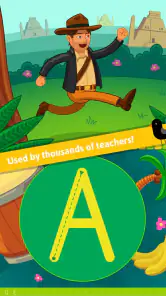
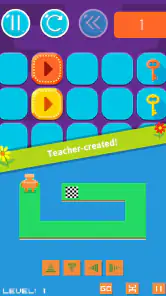
The moment you open the app, you're greeted with a colorful and user-friendly interface. Kids can easily navigate through different categories like "Letters," "Numbers," and "Holiday" themes. The games are short but packed with educational content, making it easy for kids to grasp concepts without getting overwhelmed. I found the "Alphabet Bingo" and "Math Bingo" games particularly engaging. They help reinforce classroom learning in a fun way, and let me tell you, it’s pretty satisfying seeing kids excited about things like addition and spelling.
One small but worthwhile approach is to let the child choose between a couple of relevant options instead of scrolling aimlessly through everything. That preserves the fun of choice while keeping the activity connected to what they are learning. A parent can also notice whether the child is happily practising or simply tapping through to finish; those are different outcomes, even if both look like screen time from across the room. If the child is frustrated, switching to a more familiar activity is more sensible than turning play into a test.
The variety is also a trade-off. A broad collection makes it easier to find something suited to a short window or changing interests, but it may be less direct than an app built around one subject and a defined progression. If your main aim is systematic instruction, I would pair this with teaching materials chosen for that purpose. If your aim is to make a spare few minutes more engaging and give a child a chance to practise familiar basics, the range is a more natural strength.
User Experience
One of the best parts about ABCya! Games is how intuitive it is. Even young kids who are just getting the hang of using tablets or smartphones can easily get into the games. The graphics are vibrant, and the animations are smooth, making it a visually appealing experience. Plus, the app regularly updates its game library, which keeps things fresh and exciting.
From a performance point of view, a simple, activity-based format gives me a more reasonable expectation than a graphics-heavy game: it should be approached as casual play, not as a demanding showcase for a device. Still, perceived speed depends on the phone or tablet, its available resources, and the connection or conditions at the time. I would not promise that every screen will load instantly. If something feels slow, first close other demanding apps and try again; that is a practical first step before deciding the game itself is at fault.
For a child, a pause or interruption can be more disruptive than it would be for an adult, especially when they are midway through an activity. I recommend starting a session when there is enough time to finish a short round rather than opening it seconds before leaving. If the app closes or a device needs attention, return calmly and let the child choose again instead of treating a lost turn as a major setback. That makes the experience more resilient in ordinary family use without assuming that every game has the same save or recovery behavior.
Reliability and device fit
The current version is 2.27.0, and the minimum operating system is 7.0. Before installing, I would check the device’s operating system and make sure there is enough room for another app. The game is rated Everyone, which makes it broadly suitable for family settings, but that does not remove the need for an adult to decide whether a particular activity and its presentation suit a child. A shared family tablet can work well when the child has a clear, supervised time to use it; on an older or already sluggish device, expectations should be modest and other open apps may affect the experience.
ABCya! Games is free to download, with in-app purchases listed from $4.99 to $299.99 per item. That range makes it especially important for parents to review purchase choices before handing a device to a child. I would check the app’s purchase settings and establish a simple rule in advance: the child can play, but any spending decision belongs to the adult. The free starting point lets a family judge whether the style and activities are a fit before considering a purchase, rather than paying on the assumption that every child will keep using it.
The app has a broad audience, but it is not automatically the best choice for every household. A child who needs a carefully sequenced course, detailed progress records, or a very specific subject focus may be better served by a dedicated learning tool or direct help from a teacher. Likewise, if a family is trying to reduce recreational screen use, even educational play may not be the right answer at that moment. I see this as most useful when it fills a modest, deliberate slot in the day, rather than becoming the default response whenever a child is bored.
Accessibility and Cost
ABCya! Games offers a lot for free, but there is also a premium version available. The free version has ads, which can be a bit distracting, but they’re not overly intrusive. If you want to go ad-free and unlock all the games, the subscription is pretty reasonable. I’d say it’s worth it if you plan on using the app regularly. After all, investing in education is always a good idea!
I would make that decision only after seeing how the child actually uses the app. A few enthusiastic sessions do not necessarily mean that a paid option will become a regular part of the routine. Try the available free experience first, notice which activities the child returns to, and weigh the cost against how often the app is likely to be used. The listed purchase range is wide, so read the purchase details carefully rather than assuming every paid option costs the same or that paying is necessary to get started.
Another cool thing is that the app is available on both Android and iOS, so no kid is left out, regardless of the device they have. The cross-platform accessibility is a huge plus, especially for families with multiple devices. In a household where children share devices, I would still keep expectations practical: the app being available across platforms does not mean a child’s activity or settings will automatically carry over between devices. For a short session, choosing one device and keeping the routine consistent can prevent needless confusion.
Who will get the most from it
I think the strongest fit is a parent or educator who wants a child to practise familiar early learning skills through short, playful activities and is willing to help with choosing a suitable game. It can also suit a child who enjoys switching between themes rather than repeating one drill. In contrast, an older learner seeking advanced material, a parent who needs formal progress monitoring, or someone expecting a complete teaching plan should look elsewhere or use this only as a supplement. That distinction matters: enjoyable practice is useful, but it is not the same as a structured course.
ABCya.com LLC has built a recognizable educational game collection, and the app’s core appeal is straightforward: children can engage with learning topics through play. I would judge its usefulness by the quality of the moment it creates—whether a child stays curious, makes an effort, and can talk about what they tried—rather than by the number of minutes spent on a screen. An adult’s small amount of guidance can make the difference between purposeful practice and random browsing.
Final Thoughts
All in all, ABCya! Games is a fantastic tool for blending fun and education. It’s perfect for keeping kids entertained while also providing them with a solid educational foundation. While the ads in the free version can be a bit of a nuisance, the premium version eliminates that hassle altogether. If you’re looking for a way to make learning more interactive for your children, ABCya! Games is definitely worth considering. Download it today and watch your kids learn while having a blast! I would recommend trying it with a clear, modest goal—one short activity during a quiet moment, for example—and seeing whether the child genuinely enjoys the practice. Its strongest role is as an approachable extra, not a replacement for teaching, and its fit will depend on the child, the device, and how much adult guidance the family wants to provide.
ABCya! Games Pros and Cons
Pros
- Wide variety of educational games.
- User-friendly interface for kids.
- Encourages learning through play.
- Regular updates with new games.
- Available on both Android and iOS.
Cons
- Contains in-app advertisements.
- Some games require internet.
- Limited features in free version.
- May have occasional bugs.
- Subscription needed for full access.
Frequently Asked Questions
What is ABCya! Games and who is it suitable for?
ABCya! Games is an educational app offering a wide variety of games designed primarily for children in grades K-6. The app combines fun and learning, making it suitable for young learners who are looking to improve their skills in math, language arts, and more. Parents and educators can use this app to engage kids in educational activities that are both entertaining and beneficial for their development.
Are the games on ABCya! Games educational?
Yes, the games on ABCya! Games are educational. They are carefully designed to align with standard learning objectives for children in elementary school. The app includes games that focus on math, language arts, science, and other key subjects, ensuring that children not only have fun but also reinforce their classroom learning.
Is ABCya! Games free to use or does it require a subscription?
ABCya! Games offers both free and subscription-based content. While many games are available for free, users can access additional features and a wider variety of games with a premium subscription. This subscription model allows for an ad-free experience and access to exclusive educational content designed to enhance a child’s learning journey.
Can ABCya! Games be accessed on multiple devices?
Yes, ABCya! Games can be accessed on multiple devices, including smartphones, tablets, and computers. This cross-platform accessibility makes it convenient for children to play and learn anytime and anywhere. Whether at home or on the go, users can enjoy uninterrupted learning sessions, making it a versatile tool for education.
Is parental control available on ABCya! Games?
ABCya! Games offers parental controls to ensure a safe and secure environment for young users. Parents can monitor and manage their child’s usage, set time limits, and ensure that their kids are engaging with age-appropriate content. This feature provides peace of mind for parents looking to use the app as a reliable educational resource.


