

ABC Kids - Tracing & Phonics
- Reviews
- 4.6
- Version
- Varies with device
- Installs
- 50,000,000+

Screenshots
 Analysis by Frivlyz
Choosing an early-literacy game is less about finding the brightest screen and more about matching the activity to a child’s current stage. I look for short tasks, clear letter models, and enough room for a young learner to try without needing an adult to steer every tap. ABC Kids - Tracing & Phonics brings letter tracing and letter sounds together, so it is most useful when a child is beginning to recognize the alphabet or wants a playful way to revisit it.
That focus also helps set expectations. This is an educational game from RV AppStudios, not a full reading course or a replacement for stories, conversation, and hands-on practice. It is free and rated for Everyone, which makes it easy to consider for shared family use. The important question is whether a child enjoys practicing individual letters on a screen; if the goal is broader lessons in vocabulary, comprehension, or writing on paper, another kind of activity may be a better fit.
Engaging Learning Experience
From the moment I opened ABC Kids - Tracing & Phonics, I was greeted with a vibrant and colorful interface that immediately captured my attention. The app is designed with young children in mind, offering a user-friendly experience that even the littlest of fingers can navigate with ease. The main focus here is on phonics and tracing, providing a solid foundation for language learning.
In everyday use, that narrow focus is a strength: a child can spend a few minutes concentrating on letters rather than being asked to manage a long sequence of unrelated lessons. I would introduce it as a companion to ordinary routines, not as a way to occupy a child for an extended stretch. For instance, while waiting for a meal to finish or sitting together before story time, an adult can invite a child to choose a letter, try the activity, then point out that same letter on a book cover or a package nearby. Making that connection is more valuable than simply completing one screen after another.
Interactive Tracing Activities
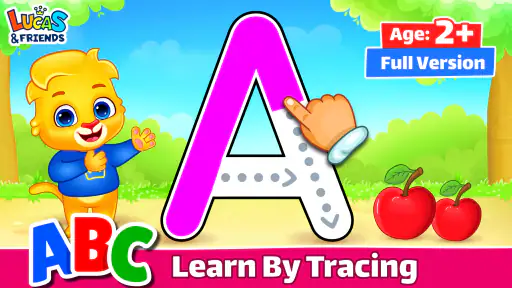
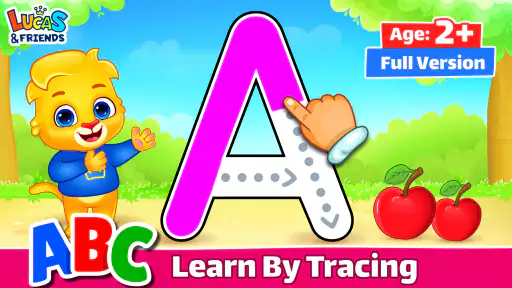
One of the standout features is the tracing activity. Kids can trace uppercase and lowercase letters with their fingers, receiving instant feedback from the app. It’s like having a personal tutor at their fingertips! The app cleverly incorporates fun animations and sounds, making the learning process feel more like play than work.
For a child who is still developing control over finger movements, I would treat the tracing as practice, not a test of handwriting readiness. A touchscreen gesture and pencil control are different skills, so success on the screen does not necessarily mean a child is ready to form the same letters on paper. A useful follow-up is to draw the letter together with a finger in a little flour, on a fogged window, or on paper with a chunky crayon. That keeps the app’s visual cue connected to physical movement without turning a playful session into a lesson that feels demanding.
It also helps to pause when the child starts tapping quickly just to trigger the next animation. In that moment, I would name the letter, trace it slowly once, and ask the child to have a turn only if they are still interested. That small change makes the activity more intentional and avoids treating speed as evidence of learning. Some children will want repeated turns on a favorite letter; others will be happier moving on. There is no need to force a fixed routine when the aim is gentle familiarity.
Gaming Stories You May Enjoy

Dancing Road Turns Short Breaks Into a Test of Rhythm and Timing

Super Stylist Makes Every Outfit a Test of Taste and Patience

Dominoes on Your Terms: Who Should Play and Who Should Pass

Pokémon GO Makes the Familiar World Feel New

Chess.com Turns Rematches Into Rivalries, but Community Has Its Costs

Archery Battle 3D Review: Sharp Aiming, Unclear Feedback
Phonics and Sounds
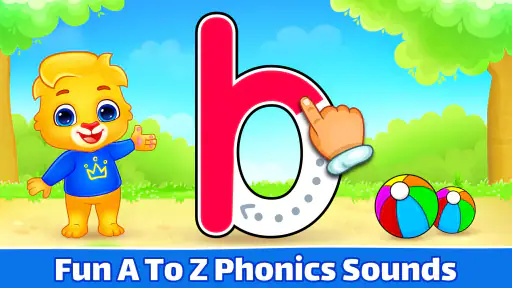
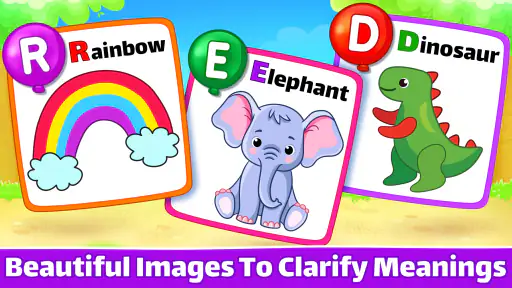
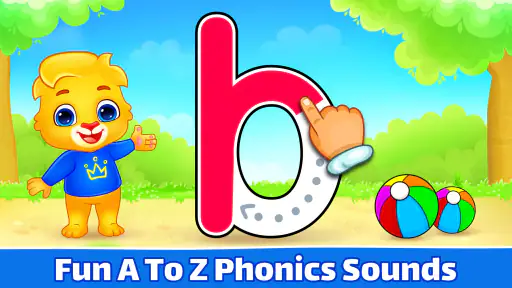
Moving on to phonics, the app does a fantastic job of introducing different sounds associated with each letter. I was impressed by how it combines visual and auditory elements to reinforce learning. The app uses cute characters and catchy tunes that help in retaining the information without overwhelming the little learners.
For a parent, the most useful way to build on that sound practice is to connect it to words the child already knows. If a letter’s sound comes up, you can say a familiar word that begins with it and invite the child to listen for the sound, rather than asking for a formal answer. This makes the activity feel like shared play and gives an adult a chance to notice whether the child is responding to the sound itself or simply recognizing a picture or animation.
Children may also need time to hear a sound in more than one context. I would avoid expecting a single game session to teach a lasting association, especially for a child who is just starting to explore spoken sounds. Revisit a small number of letters on different days, then bring them into a song, a picture book, or a conversation. That is a practical trade-off: the game can offer a clear prompt, but meaningful reinforcement still comes from people and everyday language.
Parent-Friendly Features
What truly sets this app apart for me are the parent-friendly features. There’s a tracking option that allows parents to see what letters their child has learned and which ones need more practice. Plus, the app is advertisement-free, ensuring a safe and uninterrupted learning environment. This is a huge relief for anyone worried about inappropriate content popping up.
The tracking view is best treated as a conversation starter rather than a scorecard. If it suggests that a letter needs more practice, that can guide an adult toward a brief, relaxed revisit; it should not become a reason to drill a reluctant child. Likewise, a record of progress can show which letters have received attention, but it cannot tell you everything about a child’s understanding. Ask the child to spot a letter in a book or say a word that begins with a sound, and you will get a more rounded picture than screen progress alone.
One practical household workflow is to agree on a simple stopping point before handing over the device: for example, finish a chosen letter activity, then put the phone away and read together. This keeps the game in a supporting role and makes transitions easier than ending only when a child has lost interest. If several children share a device, an adult can also take a moment to observe whose turn it is and help a younger child reach the controls. A child-friendly layout reduces friction, but it does not remove the value of occasional supervision.
How It Fits Among Early-Learning Choices
Compared with alphabet videos, this game offers a more active role: the child can trace rather than only watch and listen. Compared with physical letter cards, it can pair a visual letter with sound and immediate on-screen response, but cards are easier to take away from the screen and use in a room, outdoors, or as part of a conversation. A handwriting workbook gives more direct pencil practice, while a storybook offers richer language and context. I would not treat these options as rivals that need one winner; they serve different parts of early learning.
That distinction matters when deciding what to download. If a child already recognizes letters and is ready to sound out words, a game centered on individual letters may feel too basic as a main activity. If the child needs help with pencil grip or forming letters on a page, hands-on materials and adult guidance are a better match. On the other hand, for a preschooler who likes tapping, listening, and repeating, this app can be a convenient starting point between shared reading and offline play.
The game’s popularity is substantial, with an average rating of 4.6 from around 86,000 ratings and more than 50 million installs. Those figures suggest that many families have tried it, but they do not guarantee that every child will enjoy its style. I would use your child’s response as the deciding factor: do they attend to the letter, attempt the tracing, or talk about the sound? If the appeal is only the animation and the learning part keeps getting skipped, shorten the session or switch to a physical activity.
Making a Good First Try
When introducing it, I would sit alongside the child for the first few minutes rather than hand over the device and assume the interface will teach everything by itself. Demonstrate one letter slowly, say its name and sound naturally, and let the child explore. This reveals whether the controls suit their coordination and whether the audio and visual pace are engaging or distracting. It also gives you a chance to see how they respond when tracing does not go exactly as they expect.
Keep the first session low-pressure. A child who loses interest after a short turn may simply be tired, or may prefer physical play to a screen; neither response means the app has failed. Try it at a calmer time on another day before deciding. Conversely, if a child keeps returning to the same letter, you can use that interest to notice the letter in their name or in a favorite book, then stop before practice becomes repetitive for its own sake.
Because the game is free, trying it does not require a purchase decision. Still, free access does not make screen time automatically useful: an adult’s involvement and the balance with offline play matter. I would choose it for a brief, purposeful activity, especially when a child is curious about letters, and not rely on it as a babysitter or a complete literacy plan. The age rating is Everyone, but individual readiness varies; a toddler may need an adult close by, while an older child may find the activities too introductory.
Who Should Choose It
This is a sensible option for families who want a simple alphabet activity that brings tracing and phonics into one place, particularly if a child is beginning to notice letters and enjoys touch-screen play. It can also be useful for an educator as a short rotation activity, provided it complements rather than replaces conversation, books, and writing practice. Its free price makes it easy to test whether that format suits a learner before building it into a routine.
I would look elsewhere if you need a structured course that takes a child from letter recognition through reading comprehension, or if you want detailed adult-led instruction and extensive writing practice. It is also not the right choice for a child who becomes frustrated by tracing on a screen or is already eager for more challenging word-level work. In those cases, shared reading, paper-based activities, or a broader learning resource may fit better. A good educational app should meet a child where they are; there is no benefit in keeping one that consistently feels too easy, too difficult, or simply unappealing.
One more decision point is how your family handles devices. If you prefer learning materials that can be used without a screen, letter tiles, picture books, and drawing are easier to weave into a device-free routine. If a phone or tablet is already part of occasional family downtime, this game gives that time a clearer learning purpose. I would set expectations about when the device is available before opening the game, so the child understands that the activity has a beginning and an end.
My Recommendation
In conclusion, ABC Kids - Tracing & Phonics is more than just an educational tool; it’s a fun and engaging way for children to learn. Whether you’re a parent looking to give your child a head start or an educator seeking a reliable teaching aid, this app is definitely worth checking out. So, why not give it a try and watch your little one’s eyes light up with every new letter they learn?
My recommendation is a little more specific: try it when a young learner is curious about letters, stay nearby at first, and pair screen practice with a real-world example or a book. RV AppStudios released the game on March 3, 2016, and its simple alphabet focus remains its clearest reason to use it. If that focus matches your child’s needs, it can be a handy, low-pressure addition to early learning. If your child needs richer reading instruction, pencil practice, or a screen-free option, choose those tools instead rather than expecting one game to do every job.
ABC Kids - Tracing & Phonics Pros and Cons
Pros
- Engaging and colorful graphics.
- Interactive and user-friendly interface.
- Wide range of phonics exercises.
- Encourages independent learning.
- No in-app purchases or ads.
Cons
- Limited language support.
- Requires internet for some features.
- Not suitable for older kids.
- Repetitive content over time.
- Limited customization options.
Frequently Asked Questions
What age group is ABC Kids - Tracing & Phonics suitable for?
ABC Kids - Tracing & Phonics is designed primarily for preschoolers, toddlers, and kindergartners, typically between the ages of 2 to 5 years old. The app focuses on early literacy skills, making it ideal for young children who are just beginning to learn the alphabet, phonics, and basic writing skills. Its engaging interface and fun activities help maintain the interest of this age group.
Is ABC Kids - Tracing & Phonics free to use?
Yes, ABC Kids - Tracing & Phonics is completely free to use. The app does not include any in-app purchases or third-party advertisements, making it a safe and cost-effective option for parents and educators who wish to provide a learning tool for young children without any hidden fees or distractions.
What educational activities are included in ABC Kids - Tracing & Phonics?
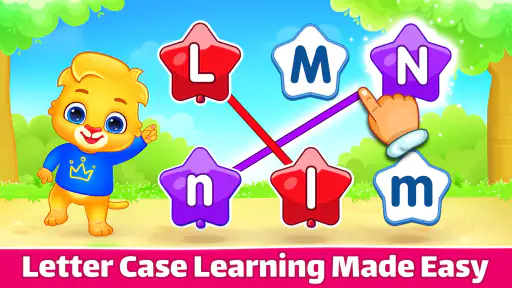
ABC Kids - Tracing & Phonics offers a variety of educational activities designed to help young children learn the alphabet and phonics. These include letter tracing games, phonics matching, and interactive alphabet activities. The app also provides audio guidance to ensure that children learn the correct pronunciation of each letter, enhancing both their reading and writing skills.
Can ABC Kids - Tracing & Phonics be used offline?
Yes, ABC Kids - Tracing & Phonics can be used offline, which is particularly useful for parents and educators who may not always have access to a stable internet connection. Once the app is downloaded, all its features and activities are accessible without the need for an internet connection, allowing for uninterrupted learning experiences.
How does ABC Kids - Tracing & Phonics ensure child safety?
ABC Kids - Tracing & Phonics prioritizes child safety by not including any third-party advertisements or in-app purchases, which helps prevent accidental clicks leading to external sites or costs. Additionally, the app incorporates a child-friendly interface with intuitive controls that are easy for young children to navigate, ensuring a safe and enjoyable learning environment.


