

4Craft : Addons for MCPE
- Reviews
- 4.5
- Version
- 1.9.0
- Installs
- 5,000,000+

Screenshots




 Analysis by Frivlyz
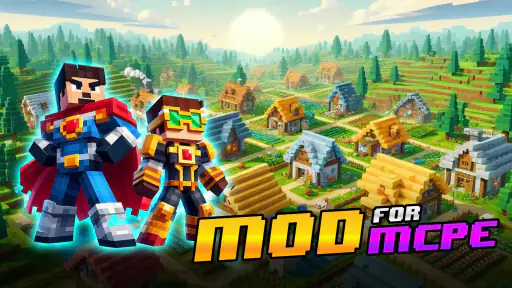
When I look for Minecraft Pocket Edition add-ons, I want a quicker way to find ideas than searching through scattered recommendations, but I also want to know whether a catalog is worth the extra steps. 4Craft: Addons for MCPE is an adventure game from Arireu that brings Minecraft-related community content together in one place. It is free to download, which makes trying it a low-commitment choice, though the app also lists in-app purchases priced from $14.99 to $43.99 per item. That distinction matters: free access does not mean every purchase is necessary, and I would decide whether to spend only after finding content I genuinely want.
What the free starting point offers
For me, the main appeal is having a browsing destination when I want to change up a familiar Minecraft session. Rather than beginning with a specific mod in mind, I can use a collection-based app to explore possible additions, then choose an idea that suits the kind of world or play session I have planned. That discovery role is the clearest value here. The app’s short name is 4Craft, and its focus is Minecraft Pocket Edition content rather than a separate standalone adventure with its own world and story.
The game is rated for Everyone, and it has an average rating of 4.5 from around 21,000 ratings, alongside over 5 million installs. Those figures suggest that many players have tried it, but they do not tell me whether a particular add-on will suit my device, Minecraft setup, or taste. I treat the rating as a reason to consider the app, not as a promise that every item will work exactly as I expect.
Where the value depends on your habits
If you enjoy experimenting with Minecraft, a catalog can save some of the effort of finding inspiration. I would get the most from it when I have a specific goal—such as making a familiar world feel different—rather than downloading content simply because it is available. The useful question is not “How much can I collect?” but “Will I actually use this in a world I care about?” A handful of well-chosen additions can be more valuable than a crowded library of downloads I never revisit.
That makes 4Craft a better fit for curious players than for someone who is already happy with the standard game and rarely changes it. If you only want a particular add-on and already know where to find it, searching directly for that item may be quicker. If you like browsing for options and comparing ideas before choosing, the collection format has more appeal. I would also keep paid decisions separate from casual browsing: the app is free to start, while its listed purchase range is substantial enough that I would check exactly what an item offers before paying.
Getting Started with 4Craft
The first thing you'll notice about 4Craft is how easy it is to navigate. The interface is sleek and user-friendly, making it a breeze to find exactly what you’re looking for. Whether you’re a seasoned player or a newbie, the app guides you effortlessly through its features. Installing addons is as simple as pie – a few taps and boom, you're ready to go!
A Treasure Trove of Addons
What sets 4Craft apart from the rest is its vast selection of content. I was literally like a kid in a candy store. The app offers an enormous library of addons and mods that cater to all kinds of tastes and preferences. Want some cool weapons or vehicles? How about new animals or robots? You name it, 4Craft has it. The best part? New content is added regularly, keeping things fresh and exciting every time you log in.
Gaming Stories You May Enjoy

Dancing Road Turns Short Breaks Into a Test of Rhythm and Timing

Super Stylist Makes Every Outfit a Test of Taste and Patience

Dominoes on Your Terms: Who Should Play and Who Should Pass

Pokémon GO Makes the Familiar World Feel New

Chess.com Turns Rematches Into Rivalries, but Community Has Its Costs

Archery Battle 3D Review: Sharp Aiming, Unclear Feedback
That variety is useful, but it also calls for a little restraint. I would browse with a clear purpose, shortlist a few candidates, and try additions one at a time rather than changing several parts of a world at once. If something behaves differently from what I expected, changing one element at a time makes it easier to work out which choice caused the difference. It is a small habit, but it helps keep a creative session from turning into a confusing troubleshooting session.
Maps and Skins Galore
Aside from addons, 4Craft also boasts a collection of amazing maps and skins. I stumbled upon some incredibly detailed maps that transformed my Minecraft world into something out of a fantasy novel. And the skins? Let’s just say I’ve never looked cooler while dodging Creepers. The variety is simply astounding, and each skin or map adds a unique flair to your gameplay.
These categories serve different moods, so I would choose based on what I want to change. A skin is a straightforward way to refresh how my character looks; a map gives me a different place to explore; an add-on can alter the feel of play more broadly. For a short evening session, a cosmetic change may be enough. If I have more time and want a different exploration experience, looking at maps makes more sense. Thinking about the size of the change before browsing keeps the options manageable.
A practical everyday use is planning a weekend session with friends or family: I can browse beforehand, pick one map or add-on that sounds appropriate, and avoid making a last-minute pile of changes while everyone is waiting to play. I would also keep a familiar world separate from experiments where possible. That way, a new idea can be tested without turning a well-loved build into the place where I discover an unexpected compatibility issue.
Choosing content without overcommitting
One question players often have is whether installing an item from a catalog guarantees it will behave identically on every device or Minecraft setup. I would not assume that. Add-on content is meant to work with Minecraft Pocket Edition, but the experience can still depend on the game version and the way a particular item was made. Before committing to a long session, I would check the item’s description and try it in a spare or newly created world. That is especially sensible for anything that could change how a world plays.
Another useful distinction is between finding content and managing a long-term collection. A catalog may make discovery easier, but it cannot decide which downloads are worth keeping or how you want to organize your worlds. I would note the name of anything I like and avoid installing several similar items just to compare them later. This keeps the choice deliberate and makes it easier to return to a favorite instead of forgetting which content produced the result I enjoyed.
Performance and Reliability
Now, I know what you're thinking – do all these addons slow down the game or crash it? From my experience, 4Craft performs like a dream. The app runs smoothly without any noticeable lag, and I didn’t encounter any crashes during my time using it. It integrates seamlessly with Minecraft PE, ensuring you have an uninterrupted gaming session.
My smooth experience is reassuring, but I would separate the catalog app from the content being used inside Minecraft. A browsing app feeling responsive does not guarantee that every individual add-on will run the same way in every world. If performance changes after adding something, I would remove or disable the latest addition first and retest, rather than immediately changing several settings. This one-at-a-time approach is a more useful way to narrow down a problem than reinstalling everything at once.
Device support is another practical point to check before downloading: the current version is 1.9.0 and requires Android 5.0 or later. The game was released on September 5, 2021, and the age rating is Everyone. Those details make it easier to judge basic compatibility and suitability, but they do not replace checking whether the Minecraft content you choose fits your own game setup.
How it compares with other ways to find add-ons
Compared with searching the web one result at a time, a collection-focused app can make browsing feel more convenient when I want ideas across add-ons, maps, and skins. The trade-off is that a catalog encourages exploration, while a direct search is often better when I know the exact item I want. Compared with sticking to Minecraft without extras, 4Craft offers a route to variety, but that variety brings extra choices and possible setup work. I would choose it for discovery, not because every player needs more content.
It is also not the right choice if what you want is a full game with original levels, a campaign, or a story separate from Minecraft. 4Craft is useful as a companion for changing or personalizing a Minecraft experience, not as a replacement for Minecraft itself. Players who prefer a stable, untouched world may be happier skipping add-ons altogether, especially if they do not want to spend time testing how new content behaves.
Final Thoughts
4Craft: Addons for MCPE is a must-have for anyone looking to enhance their Minecraft Pocket Edition experience. With its user-friendly interface, extensive library of addons, and reliable performance, it’s an app I wholeheartedly recommend. Whether you're looking to add a little flair or completely overhaul your game, 4Craft has got you covered. So, what are you waiting for? Dive into your Minecraft world with a fresh new twist!
My recommendation is more measured: I would try it if browsing for Minecraft ideas is part of the fun, and I would keep the free starting point in mind before considering any paid item. Its value depends on whether I find content I will actually use, not just on how many choices I can scroll through. The app is available at no purchase cost, but in-app purchases range from $14.99 to $43.99 per item, so I would inspect the specific offer and decide whether it earns a place in my play routine. With a 4.5 average from around 21,000 ratings and over 5 million installs, it has clearly reached a substantial audience; for my own decision, the practical test is whether its selection makes my next Minecraft session more enjoyable.
4Craft : Addons for MCPE Pros and Cons
Pros
- Wide variety of addons available
- Easy integration with MCPE
- Regularly updated content
- User-friendly interface
- Supports multiple languages
Cons
- Ads can be intrusive
- Some addons require purchase
- Occasional bugs with addons
- Limited customer support
- May consume significant storage
Frequently Asked Questions
What is 4Craft: Addons for MCPE and how does it enhance my Minecraft experience?
4Craft: Addons for MCPE is an application designed to enrich your Minecraft Pocket Edition gameplay by providing a wide range of mods, addons, maps, and textures. It allows users to customize and enhance their Minecraft worlds without the need for complex coding or modding knowledge. The app simplifies the installation process, making it easier for users to explore new game features and creative possibilities.
Is 4Craft: Addons for MCPE compatible with all versions of Minecraft Pocket Edition?
4Craft is regularly updated to ensure compatibility with the latest versions of Minecraft Pocket Edition. However, users should check the app's description and update logs to confirm compatibility with their specific version of the game. Occasionally, certain addons may require specific game versions to function correctly, so it's advised to keep both the game and the app updated.
Are there any costs associated with using 4Craft: Addons for MCPE?
4Craft: Addons for MCPE offers a range of free addons and mods. However, some premium features or exclusive content may require in-app purchases. Users can choose to enhance their experience through these additional purchases, but the app provides plenty of free content to explore and enjoy without any cost. Always review the purchase options and terms before proceeding.
How user-friendly is the interface of 4Craft: Addons for MCPE for beginners?
The app is designed with a user-friendly interface that caters to both beginners and experienced players. It features easy navigation and clear instructions, allowing users to browse, download, and install addons effortlessly. Tutorials and guides are also available within the app to help new users get started, making it accessible to players with varying levels of experience.
Is it safe to download and install addons from 4Craft: Addons for MCPE?
4Craft: Addons for MCPE ensures the safety of its users by providing addons that are thoroughly tested and verified to be free from malware and harmful content. The app operates with a strict quality control process, ensuring that the mods and addons offered are safe to use. Users are encouraged to download content only from trusted sources and to keep their app updated for optimal security.


