

123 Numbers - Count & Tracing
- Reviews
- 4.5
- Version
- Varies with device
- Installs
- 10,000,000+

Screenshots

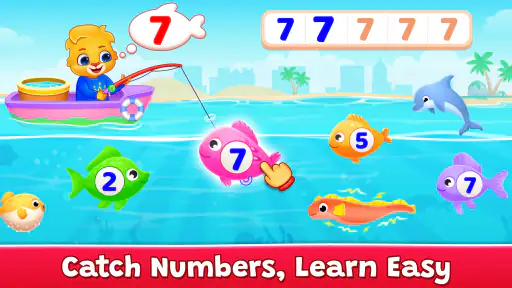
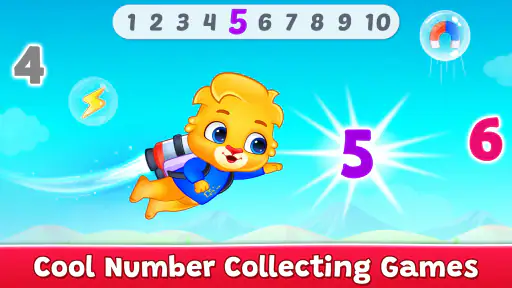
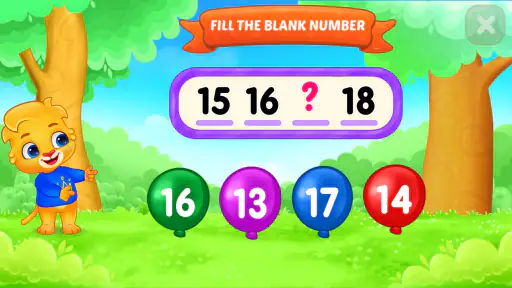
 Analysis by Frivlyz
Hey there, fellow parents and educators! Today, I'm diving into a fun and educational app that’s perfect for kids just starting their number journey. Let me introduce you to 123 Numbers - Count & Tracing. I’ve spent some time playing around with this app, and I’m excited to share my thoughts.
A small, focused first step
For a family deciding whether to try it, the main appeal is its narrow focus: early number learning rather than a broad collection of school subjects. That makes it easier to bring into a short routine without asking a child to switch between unrelated topics. RV AppStudios develops the game, and its free-to-play format makes it a low-commitment option for a first look at digital number practice.
The audience matters. A preschooler who is just beginning to notice number shapes may get more from guided repetition than from a worksheet, while an older child already comfortable with counting may find the activities too introductory. I would treat it as a companion to everyday play, not as a replacement for an adult pointing out numbers on a calendar, counting snacks, or letting a child make marks with a pencil.
A practical way to use it is to keep a session tied to one small goal. Before opening the game, I might ask a child to look for a particular numeral, then use the app’s tracing or counting activities to reinforce that recognition. Afterward, we could count a few real objects together. The screen activity then becomes a bridge to something tangible instead of an isolated reward loop.
Getting Started with Number Fun
When you first open the app, you’re greeted with a colorful and inviting interface. The design is super kid-friendly, with vibrant colors and fun animations that instantly grab the little one's attention. 123 Numbers - Count & Tracing is all about making learning numbers enjoyable and interactive. It’s available on both Android and iOS, so no matter your device, your child can dive into the world of numbers.
How the visuals shape the learning mood
The cheerful presentation has a useful job: it makes practice feel approachable, especially for a child who might otherwise resist sitting down with number cards. The visual language is bright and playful, and the game’s subject stays clear rather than building a complicated fictional world around the exercises. I see that simplicity as a strength for very young learners, because the screen can keep attention on the number and the action being practiced.
There is a trade-off, though. Color and animation can invite a child to keep tapping even when the learning moment has passed. I would sit nearby at first and notice whether the child is looking at the numeral and following the task, or simply reacting to movement on screen. If the latter takes over, a brief pause and a real-world counting activity can make the play more purposeful.
Gaming Stories You May Enjoy

Dancing Road Turns Short Breaks Into a Test of Rhythm and Timing

Super Stylist Makes Every Outfit a Test of Taste and Patience

Dominoes on Your Terms: Who Should Play and Who Should Pass

Pokémon GO Makes the Familiar World Feel New

Chess.com Turns Rematches Into Rivalries, but Community Has Its Costs

Archery Battle 3D Review: Sharp Aiming, Unclear Feedback
What’s Inside the App?
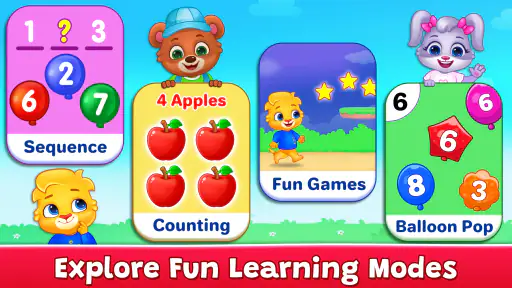
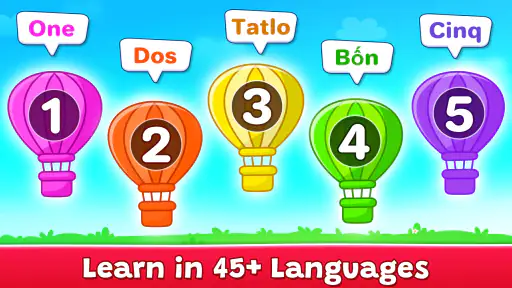
The app focuses on helping kids learn to count, recognize numbers, and even trace them. It’s perfect for preschoolers or any young learner eager to start understanding numbers. The app uses a combination of visual aids and sound effects, which keeps the experience engaging. Kids can tap on numbers to hear them pronounced, trace them to practice writing, and even participate in simple counting exercises.
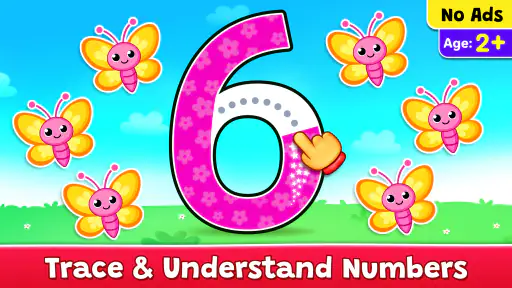
I found the tracing feature particularly useful. As kids trace each number, they get instant feedback, which helps them understand the correct formation of numbers. The app celebrates every small achievement, which is a great confidence booster for young learners.
Making tracing useful beyond the screen
Tracing on a touchscreen and writing with a pencil are related but not identical tasks. The app can help a child notice a numeral’s outline and rehearse its path, but it does not replace the feel and control involved in drawing on paper. I’d use the on-screen activity as a warm-up: after tracing a number, invite the child to make it with a finger in the air, in sand, or with a crayon. That small handoff helps test whether recognition is beginning to transfer.
Another useful approach is to let the child lead the pace. If a numeral is proving frustrating, repeating it many times may turn practice into a struggle. It can be better to switch briefly to counting objects or naming a familiar number, then return later. The game’s immediate response can encourage persistence, but an adult still has to judge when repetition is helping and when a break is the more supportive choice.
Interactive Learning Experience
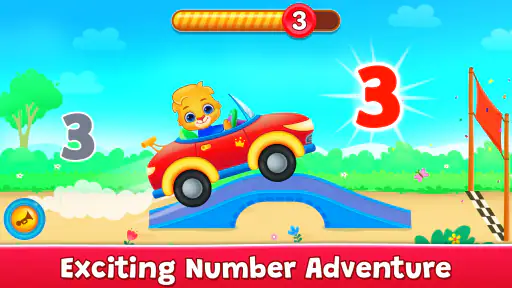
One of the things I love about this app is how it turns learning into a game. Instead of traditional rote memorization, kids are encouraged to explore and learn at their own pace. The app includes a variety of mini-games and challenges that reinforce number knowledge. From counting apples to tracing the shape of a number, each activity is designed to be educational yet fun.
The sound effects and animations are a hit! They’re not just background noise; they actively contribute to the learning process. For instance, when a child traces the number correctly, they’re rewarded with cheerful sounds and animations that make them feel accomplished.
Sound, rhythm, and shared play
Sound gives the activities another cue, which can be helpful when a child is still learning to connect a spoken number with its written form. I like that this makes the game more than a silent tracing board. At the same time, repeated effects may become distracting during a longer stretch, particularly for a child who is easily drawn away from the task. Short visits are likely to work better than leaving the game running as background entertainment.
A parent can turn the audio into a simple prompt rather than letting it be the whole lesson. When a number is spoken, ask the child to say it too, or find that many blocks on the table. This gives the child a chance to respond instead of only listening. If a child prefers quiet or becomes overstimulated by effects, paper number cards and spoken practice may be a calmer alternative.
Choosing the right kind of practice
Compared with a worksheet, the app offers more immediate response and a more playful presentation; compared with physical counters, it is less hands-on and cannot show how a child handles real objects. Those options serve different needs. I would reach for the game when a child needs a brief, guided introduction to numerals or a change of pace, and choose counters, books, or drawing when the goal is conversation, tactile exploration, or longer practice away from a screen.
It is also worth keeping expectations realistic. A young learner may recognize a number in the game without yet being able to write it independently or count a group accurately in a new setting. I would look for those skills during ordinary activities rather than treating success on a screen as proof that the idea is fully learned. The strongest routine combines the app’s repetition with questions and examples supplied by a real person.
Parental and Educational Benefits
For parents, the app offers some nifty features. You can track your child’s progress, which is a neat way to see how they’re improving over time. Plus, the app doesn’t require a constant internet connection, so it’s perfect for on-the-go learning. Whether you’re on a plane or in the car, your little one can continue learning without interruptions.
For a realistic everyday use, I can see it fitting into a quiet moment while dinner is being prepared or during a wait when a child needs a short, structured activity. I would set a clear stopping point rather than treating it as an open-ended screen session. On a journey, it may occupy a child for a while, but it is still sensible to have a non-screen option ready if the child becomes restless or wants a change.
One question parents often have is whether the game suits a child who has not started writing yet. I think the tracing practice can introduce the shapes, but a child who is not ready to control a touchscreen can still benefit more from naming numbers, counting toys, or drawing freely with an adult. Another practical question is whether it can stand alone as a learning plan: I would not rely on any single game for that. It works best as one small piece of a broader routine.
The game is free and rated for Everyone, so it is easy to consider for a household looking for an accessible early-learning activity. Its audience is reflected in its popularity: it has more than ten million installs and an average rating of 4.5 from around sixteen thousand ratings. I would take that as a sign that many families have tried it, not as a guarantee that every child will enjoy its pace or style.
As an educational tool, 123 Numbers - Count & Tracing aligns well with early childhood education standards. It encourages fine motor skills, number recognition, and counting ability. The app is also free from ads, which is a huge plus. No distractions, just pure learning fun!
Where it fits—and where it doesn’t
This is most appealing for toddlers and preschoolers who benefit from clear, repeated number practice and lively feedback. It is less suitable for a child who already needs more advanced maths, a learner who dislikes animated screen activities, or a parent seeking a full teaching curriculum with varied subjects. In those cases, a book, a teacher-led activity, or hands-on counting materials may be a better match.
I would also avoid judging progress only by how quickly a child moves through activities. The more useful sign is whether they start spotting numerals elsewhere, attempting to trace them on paper, or counting familiar objects with less prompting. Those small transfers matter more than rushing ahead. If practice starts to feel like a test, I’d step back and return to it in a more relaxed moment.
In conclusion, if you’re looking for a fun, interactive, and educational app to introduce your child to numbers, this app is a fantastic choice. It’s engaging, easy to navigate, and offers a wonderful blend of learning and play. So, go ahead and download it, and watch your child’s number skills flourish!
My atmosphere verdict
What stays with me is the way its bright art, spoken cues, and quick rewards give basic number practice a friendly mood without asking a young child to understand a complicated game world. That focus is the point: it can make a first encounter with numerals feel less like a lesson and more like a small activity to explore together. The best results, in my view, come when an adult connects what happens on screen to counting and drawing in daily life.
I’d recommend giving it a try if your child is at the beginning of their number journey and enjoys playful feedback. I would skip it as the main option for older learners, for children who need less stimulation, or whenever hands-on materials are the better fit. Used in short, shared sessions, it is a cheerful starting place rather than a complete substitute for learning through conversation, objects, and paper.
123 Numbers - Count & Tracing Pros and Cons
Pros
- Engaging for young learners
- Simple interface for kids
- Supports early numeracy skills
- Colorful graphics
- Interactive tracing activities
Cons
- Limited to basic numbers
- Repetitive for older kids
- No advanced math concepts
- In-app purchases present
- Requires parental guidance
Frequently Asked Questions
What is 123 Numbers - Count & Tracing?
123 Numbers - Count & Tracing is an educational app designed to help young children learn numbers and counting. It offers a variety of interactive activities, including tracing numbers, counting objects, and engaging games that reinforce number recognition skills. This app is suitable for preschoolers and kindergarteners, providing a fun and interactive way to develop early math skills.
Is 123 Numbers - Count & Tracing suitable for all ages?
While 123 Numbers - Count & Tracing is primarily designed for toddlers, preschoolers, and kindergarten-aged children, it can be a beneficial tool for any child needing to strengthen their basic number skills. The app focuses on early learning stages, making it less suitable for older children who have already mastered counting and number recognition.
Does 123 Numbers - Count & Tracing require internet access?
No, 123 Numbers - Count & Tracing does not require an internet connection to function. Once downloaded, all features and activities are available offline, making it an ideal choice for parents who want to keep their children engaged during travel or in areas with limited internet access.
Are there any in-app purchases or ads in 123 Numbers - Count & Tracing?
123 Numbers - Count & Tracing is typically a free app, but it may offer in-app purchases for additional features or content. Users should be aware of potential ads appearing within the app, although these are usually child-friendly and minimal. Parents can often disable in-app purchases to prevent accidental spending.
How can 123 Numbers - Count & Tracing benefit my child's learning?
123 Numbers - Count & Tracing enhances a child's learning by providing interactive and engaging activities that support number recognition and counting skills. The app uses colorful graphics, fun sounds, and rewarding animations to keep children motivated and excited about learning. This approach helps reinforce foundational math skills in a playful and enjoyable manner.


